
Disclosure: As an Amazon Associate, I earn from qualifying purchases. This means that if you click on a link and make a purchase, I may receive a small commission at no additional cost to you.
In today’s fast-moving entrepreneurial world, choosing the right laptop can dramatically shape your productivity and success. Whether you’re building spreadsheets, crafting presentations, managing remote work, or launching your next big idea, a capable laptop that doesn’t break the bank is an essential tool. Below, we explore the top five budget laptops ideally suited for entrepreneurs who demand excellent performance, portability, and all-day productivity.
Quick Look
Top 5 Picks Read more
| 1 | Best for Productivity & Battery Life | Apple MacBook Air M2 |
| 2 | Best All-Around Windows Ultraportable | Acer Swift Go 14 |
| 3 | Best Value for Office-Style Business Work | ASUS Vivobook 16 |
| 4 | Best for AI-Enhanced Productivity & Storage | Acer Aspire Go 15 |
| 5 | Best for All-Day Battery Life | Lenovo IdeaPad Slim 3x |
Quick Specs Entrepreneurs Should Look For Read more
- Processor: Modern 6-8 core chip (M-series, Core i5/i7, Ryzen 5/7, Snapdragon X).
- RAM: 16GB for smooth multitasking.
- Storage: 512GB SSD minimum (1TB if handling large files).
- Battery Life: 10-15+ hours real-world use.
- Display: Full HD (1920×1080) or higher, IPS preferred.
- Screen Size: 14″ for travel, 15–16″ for workspace.
- Weight: Under 1.4 kg (3 lbs) for portability.
- Ports: USB-C, USB-A, HDMI; Thunderbolt is a bonus.
- Connectivity: Wi-Fi 6 / 6E for stable online work.
- Build: Durable chassis + backlit keyboard.
- AI Support: NPU/AI acceleration for future-ready productivity.

Top 5 Budget Laptops for Entrepreneurs
#1 Apple MacBook Air M2
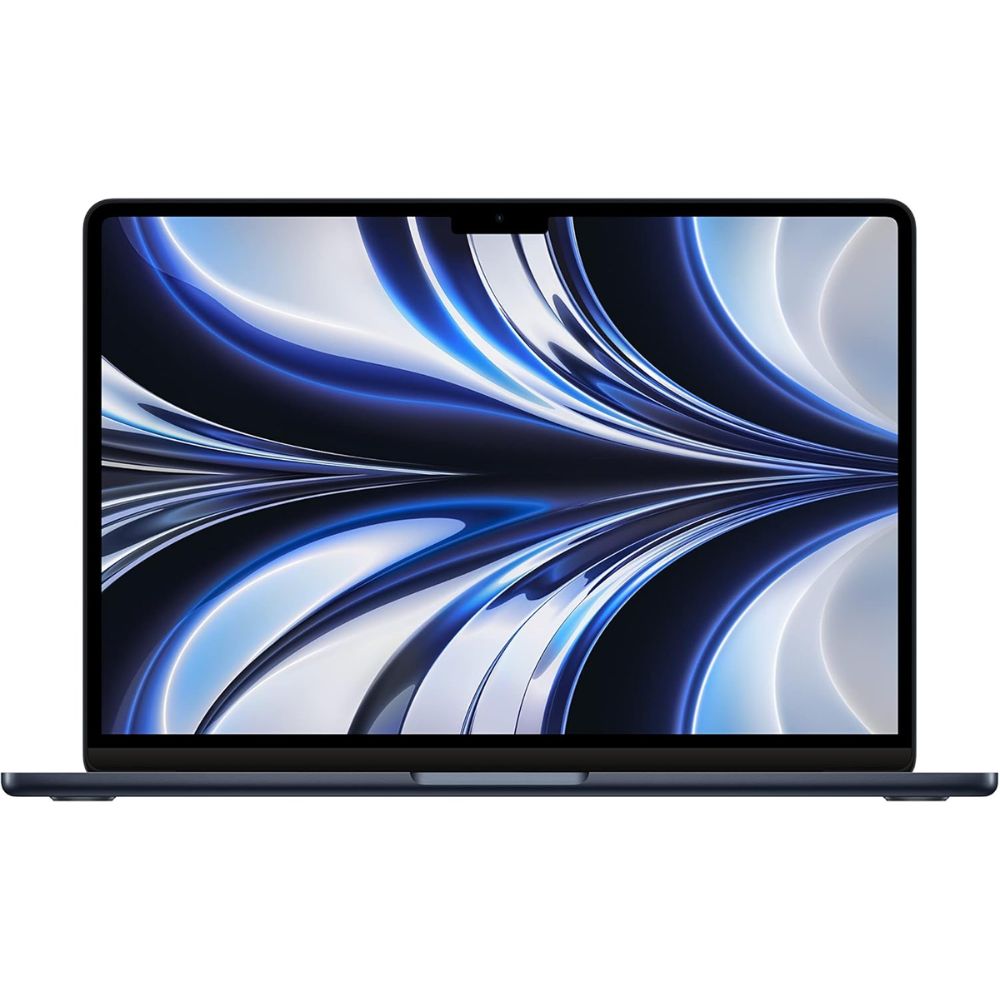
- Apple M2 chip delivering efficient and powerful performance across productivity tasks
- Lightweight, ultra-thin aluminum design that’s incredibly portable
- Excellent battery life that keeps you working through long days
- Crisp Retina display with vibrant colors and high resolution
- macOS ecosystem with optimized apps for productivity
The Apple MacBook Air M2 stands out for entrepreneurs who need a balance of strong performance and exceptional battery life. Its Apple silicon architecture is engineered for efficiency and smooth multitasking, making tasks like document editing, video conferencing, and running productivity suites feel effortless. Reviews consistently praise the laptop’s combination of portability and power, particularly how it manages these without fans, resulting in virtually silent operation throughout the workday.
Beyond raw performance, the MacBook Air M2’s display and build quality elevate the overall user experience. The Liquid Retina screen offers sharper visuals that make working with documents, spreadsheets, and creative applications more enjoyable, while the lightweight chassis ensures it’s travel-friendly for entrepreneurs who work on the move. macOS also brings optimized software and security features, making this a productive and reliable choice.
For tasks that demand sustained productivity, like running multiple apps, managing remote work tools, or handling cloud-based collaboration platforms, the M2 chip’s efficiency allows battery life to last through long sessions without frequent recharging. This makes it an excellent companion for business travel and long workdays.
Pros:
- Outstanding performance for business workflows
- All-day battery life
- Premium build quality
- macOS security and ecosystem
Cons:
- Limited port selection
- Slightly steeper learning curve for Windows users
- Upgrading RAM/storage isn’t possible later
Ideal for startup founders, business professionals, and digital nomads who prioritize performance, longevity, and polished user experience. It’s especially suited for those already within or willing to adopt the Apple ecosystem.
#2 Acer Swift Go 14
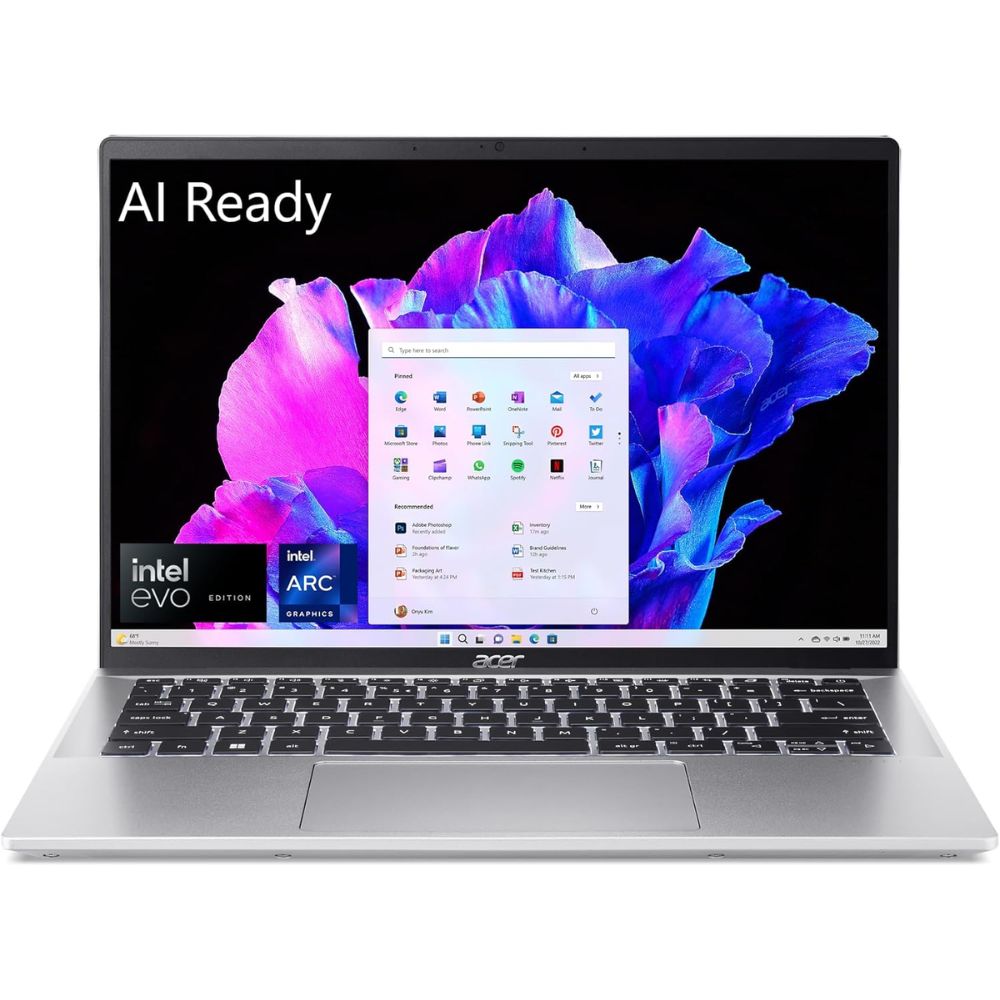
- Intel Core Ultra-series CPU delivering solid multitasking performance
- Vibrant, high-resolution screen for productivity and media
- Lightweight and sleek design that’s easy to carry
- Strong port selection includes Thunderbolt and HDMI
- Long battery life for business days on the go
The Acer Swift Go 14 is positioned as a versatile Windows ultraportable that won’t slow down entrepreneurs handling everyday business work. With an Intel Core Ultra-series CPU and fast SSD storage, it balances speed and efficiency for tasks like email management, virtual meetings, large spreadsheets, and web research. Its 14-inch panel hits a sweet spot for mobility without compromising screen real estate.
Experts note that the Swift Go’s overall performance punches above its price point, making it a competitive choice in the budget category. Its battery life keeps you productive through extended work sessions, while the inclusion of Thunderbolt ports and HDMI extends its utility for presentations and external displays . These hardware traits make it not just capable for basic tasks but also future-proof for evolving business demands.
However, reviews also point out areas of compromise: the laptop’s audio and touchpad experiences can feel average, and its aluminum build isn’t as refined as some premium competitors. Still, for entrepreneurs who value versatility and solid general performance, this laptop delivers a well-rounded experience.
Pros:
- Excellent all-purpose performance
- Good battery life and portability
- Great connectivity options
Cons:
- Speakers and trackpad can be underwhelming
- Build quality feels modest
- Not as powerful as premium Ultrabooks
Best suited for entrepreneurs who want a dependable Windows machine capable of handling varied business tasks, from client work to content creation, while staying light enough for frequent travel.
#3 ASUS Vivobook 16
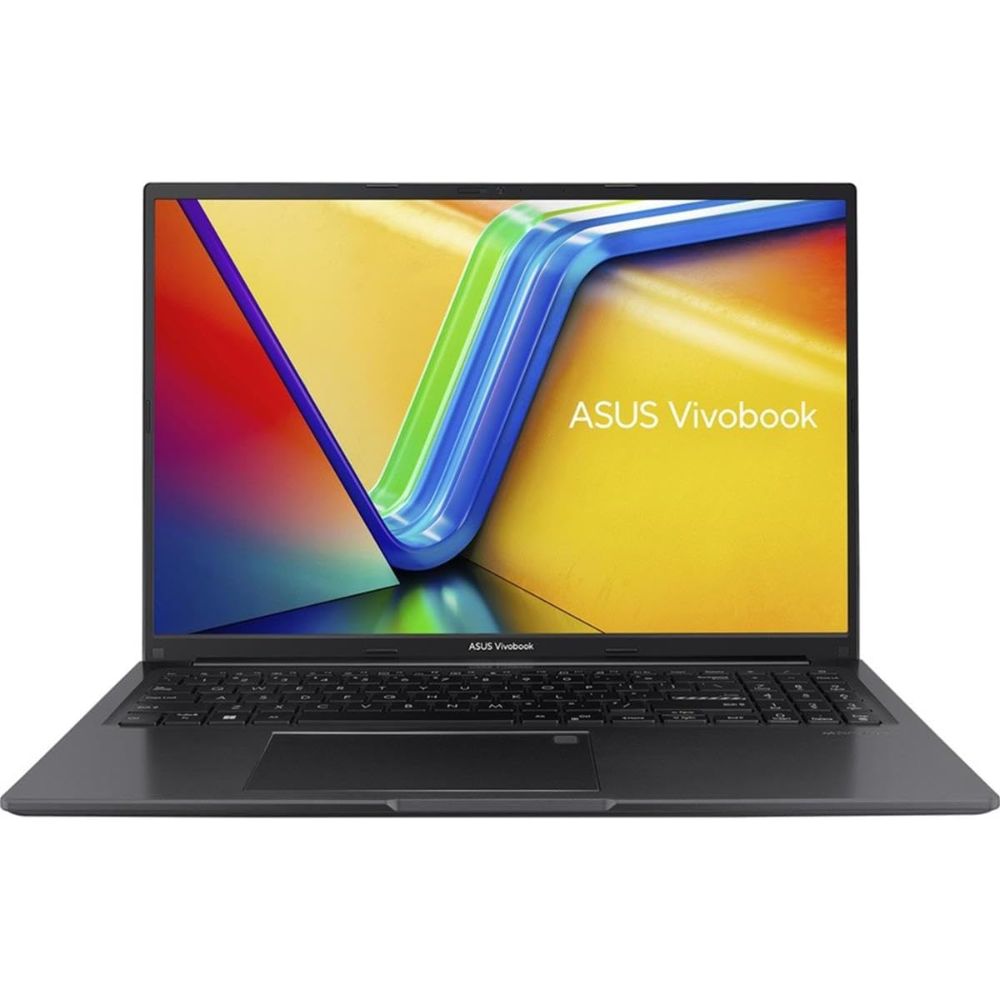
- Large, spacious display ideal for multitasking
- Reliable performance for office productivity
- Comfortable keyboard for long typing sessions
- Solid RAM and storage for business workflows
- Decent build quality and connectivity
(Research and reviews generally position the Vivobook line as a strong office-focused choice, though details vary by specific SKU; these models excel at everyday business tasks like word processing, spreadsheets, and virtual meetings. Larger displays help productivity and make multitasking easier. Users consistently find it to be a dependable daily-driver workhorse in budget laptop roundups.)
The Vivobook’s expansive display offers significant advantages when handling multiple spreadsheets, documents, or web windows simultaneously, a common scenario for business professionals. The comfortable keyboard and straightforward design help support long typing sessions, whether drafting proposals or managing email threads. While it’s slightly heavier than ultraportable counterparts, this only adds to the stable typing experience.
With adequate RAM and SSD storage, the Vivobook ensures smooth performance across typical business applications without stuttering. Its build quality, while not premium, holds up well against standard daily wear and tear, making it a practical choice for home offices or workplace desks alike.
Pros:
- Larger screen offers better workspace
- Strong productivity performance
- Comfortable for prolonged typing
Cons:
- Heavier than smaller ultraportables
- Battery life can vary
- Not as portable for travel-heavy entrepreneurs
Ideal for entrepreneurs and small-business users who value screen space and productivity over lightweight portability.
#4 Acer Aspire Go 15

- Balanced performance for productivity and light creative tasks
- Sizable SSD storage for apps and files
- Durable chassis for everyday use
- Reliable connectivity for peripherals
- Responsive keyboard and trackpad
The Acer Aspire Go 15 strikes a practical balance between performance, storage capacity, and everyday reliability, three factors that matter significantly to entrepreneurs managing growing workloads. Powered by modern Intel Core processors with integrated AI acceleration (on select Core Ultra models), it handles business applications such as CRM platforms, accounting software, browser-heavy research, and video conferencing without hesitation. Multitasking performance remains stable, especially in configurations equipped with 16GB RAM and fast NVMe SSD storage.
Where this laptop stands out is storage flexibility. Many entrepreneurs underestimate how quickly business files accumulate; contracts, invoices, pitch decks, marketing assets, spreadsheets, and client media files can easily consume hundreds of gigabytes. With up to 1TB SSD configurations available, the Aspire Go 15 provides breathing room that ultraportables sometimes limit. Fast SSD speeds also ensure quick boot times and rapid file access, which directly improves workflow efficiency.
The 15.6-inch display provides a comfortable workspace for extended office sessions. While it may not target creative professionals in terms of color accuracy, it offers ample screen real estate for multitasking, side-by-side spreadsheets, document editing, and web dashboards feel less cramped compared to smaller 13–14 inch devices. Combined with a full-sized keyboard (often including a numeric keypad), it becomes particularly useful for entrepreneurs handling finance-heavy tasks.
User feedback often highlights its practicality over flash. The Aspire Go 15 is not designed to be ultra-premium or ultra-light; instead, it focuses on dependable performance, strong storage options, and comfortable daily usability. For desk-based entrepreneurs or hybrid workers who prioritize functionality and capacity over ultra-thin portability, this machine delivers consistent value.
Pros:
- Great storage capacity options
- Good for multitasking and workflows
- Comfortable typing experience
Cons:
- Battery life is solid but not class-leading
- Display brightness and color can vary
- Not the lightest option
Entrepreneurs and professionals who work with larger file libraries or collaborative content and need reliability more than ultraportable design.
#5 Lenovo IdeaPad Slim 3x

- Snapdragon-based design optimized for long battery life
- Excellent endurance for full-day productivity
- Lightweight and travel-friendly
- Solid typing experience
- Full set of ports for productivity
The Lenovo IdeaPad Slim 3x distinguishes itself through efficiency-first design, leveraging Snapdragon-based architecture to maximize battery endurance. For entrepreneurs who frequently travel, attend back-to-back meetings, or work remotely from cafés and co-working spaces, battery longevity becomes a competitive advantage. Real-world testing consistently shows that ARM-based Snapdragon systems deliver extended unplugged productivity compared to many traditional x86 laptops.
Performance is tuned for modern cloud-centric workflows. Tasks such as document editing, email management, SaaS dashboards, web research, and video conferencing run smoothly thanks to optimized Windows-on-ARM support. While it may not rival high-performance Intel or Apple silicon chips in sustained heavy workloads, it excels at what most entrepreneurs actually do daily, browser-heavy productivity and communication.
The lightweight chassis enhances its mobility appeal. Entrepreneurs who move between offices, client meetings, and travel hubs will appreciate the reduced carrying fatigue. The keyboard comfort is another highlight, offering a stable typing platform for long proposal drafts or strategic planning sessions.
There are trade-offs to acknowledge. Some legacy applications may rely on emulation, and graphics performance remains modest compared to higher-tier processors. However, for entrepreneurs whose business tools are primarily web-based or ARM-optimized, these limitations are rarely deal-breaking. The Slim 3x is built around one clear promise: uninterrupted, all-day productivity without constantly hunting for a charger, and in that mission, it performs exceptionally well.
Pros:
- Exceptional battery life for all-day work
- Lightweight and portable design
- Great keyboard comfort
Cons:
- Display brightness and color accuracy aren’t class-leading
- Limited graphics performance
- App compatibility can be uneven on Snapdragon architecture
Best for mobile entrepreneurs who prioritize battery life and portability over raw performance, ideal for travel-heavy workflows or frequent remote meetings.
Buying Guide: How to Choose the Best Budget Laptop for Entrepreneurs
• Prioritize Processor Performance for Your Workflow
The processor is the brain of your laptop, and as an entrepreneur, your workload likely includes multitasking across browsers, spreadsheets, video calls, cloud software, and project management tools. Look for modern chips like Apple’s M-series, Intel Core Ultra or 13th Gen Core i5/i7, AMD Ryzen 5/7, or Snapdragon X series. A minimum of 6-8 cores ensures smoother multitasking, faster file handling, and better long-term performance as your business grows.
• Choose at Least 16GB RAM for Serious Multitasking
While 8GB may work for light usage, 16GB RAM is strongly recommended for entrepreneurs who frequently run multiple applications simultaneously. CRM systems, accounting software, dozens of browser tabs, Slack, Zoom, and cloud dashboards can quickly consume memory. More RAM improves responsiveness and prevents slowdowns during critical work moments.
• Opt for SSD Storage (Minimum 512GB Preferred)
Solid State Drives are significantly faster than traditional hard drives. They improve boot times, file transfers, and application loading speeds. For entrepreneurs storing documents, presentations, contracts, marketing assets, and possibly media files, 512GB SSD offers comfortable headroom. If you manage large datasets or creative content, consider 1TB for future-proofing.
• Battery Life Should Last a Full Workday
Mobility is often essential for entrepreneurs attending meetings, traveling, or working remotely. Look for laptops rated for at least 10-15 hours of real-world usage. Efficient chips like Apple silicon and Snapdragon-based processors are known for extended battery life, reducing dependency on power outlets during long business days.
• Display Quality Impacts Productivity
A Full HD (1920×1080) resolution is the minimum standard, but 1920×1200 or higher improves vertical workspace for spreadsheets and documents. Larger screens (14-16 inches) enhance multitasking, while brighter IPS panels reduce eye strain during extended work sessions. If you spend hours reviewing data or designs, screen clarity matters more than you think.
• Portability vs. Screen Size: Know Your Work Style
If you travel frequently, aim for a lightweight laptop under 1.4 kg (around 3 lbs). Ultraportables are easier to carry and more comfortable for mobile work. However, if you primarily work at a desk, a larger 15–16 inch model provides more workspace and often better typing comfort.
• Keyboard and Trackpad Comfort Are Crucial
Entrepreneurs type constantly; emails, proposals, reports, and notes. A well-spaced keyboard with good key travel improves efficiency and reduces fatigue. Backlit keyboards are especially helpful for late-night work sessions. Precision trackpads also enhance workflow when you’re not using an external mouse.
• Connectivity and Ports Matter for Business Flexibility
Check for USB-C, USB-A, HDMI, and possibly Thunderbolt support. These ports allow connection to external monitors, projectors, storage drives, and docking stations. Reliable Wi-Fi 6 or Wi-Fi 6E support ensures stable video conferencing and cloud access.
• Operating System Should Match Your Business Ecosystem
macOS integrates seamlessly with iPhones and iPads and is known for efficiency and security. Windows offers broader compatibility with enterprise software and customization. Choose the platform that aligns with your existing tools, clients, and workflow preferences.
• Build Quality and Durability Protect Your Investment
Entrepreneurs are often on the move. Aluminum or reinforced chassis designs tend to withstand travel better than plastic builds. Solid hinge construction and minimal keyboard flex indicate longer-term reliability.
• AI and Future-Ready Features
Modern laptops increasingly include AI-accelerated processors (NPUs) that improve background tasks like noise cancellation, image processing, and power efficiency. While not essential today, AI-ready hardware may extend your laptop’s relevance as productivity software evolves.
• Think Long-Term Scalability
Your laptop is not just a tool for today; it supports your growing business. Choose a configuration that will remain capable for at least 3–5 years. Investing in higher RAM and storage upfront often saves money and frustration later.
By focusing on performance, battery life, memory, display quality, and portability, entrepreneurs can confidently select a budget laptop that delivers professional-grade productivity without exceeding financial limits.
Final Verdict
Choosing the best budget laptop for entrepreneurs ultimately comes down to how and where you work.
If you prioritize premium performance and exceptional battery life, the Apple MacBook Air M2 stands out as the most refined productivity machine. For Windows users seeking balance and versatility, the Acer Swift Go 14 delivers strong all-around performance in a portable form. Entrepreneurs who value screen space and office-focused usability will appreciate the practicality of the ASUS Vivobook 16.
If storage capacity and day-to-day reliability matter most, the Acer Aspire Go 15 offers functional strength. And for highly mobile professionals who need true all-day endurance, the Lenovo IdeaPad Slim 3x is built for unplugged productivity.
Each of these laptops proves that entrepreneurs don’t need to overspend to gain performance, portability, and business-ready efficiency, only to choose the one aligned with their workflow.
FAQ
Which laptop is best for heavy multitasking and multiple tabs?
The Apple MacBook Air M2 and Acer Swift Go 14 both handle multitasking efficiently due to their strong CPUs and optimized memory management.
Are these laptops suitable for running business software like Excel and project management tools?
Yes, all five models are capable of running everyday business applications, spreadsheets, email clients, and remote collaboration tools smoothly.
Do these laptops support external monitors and peripherals?
Most include USB-C and HDMI ports (varies by model), enabling connection to external displays and accessories for expanded productivity.
Which one has the longest battery life?
The Lenovo IdeaPad Slim 3x is noted for its exceptional all-day battery life, followed closely by the MacBook Air M2.
Can these laptops handle light creative tasks like photo editing?
Yes, basic creative tasks are manageable on these machines. The MacBook Air M2 and Acer Swift Go 14 typically deliver the best creative performance due to stronger processing power and display quality.