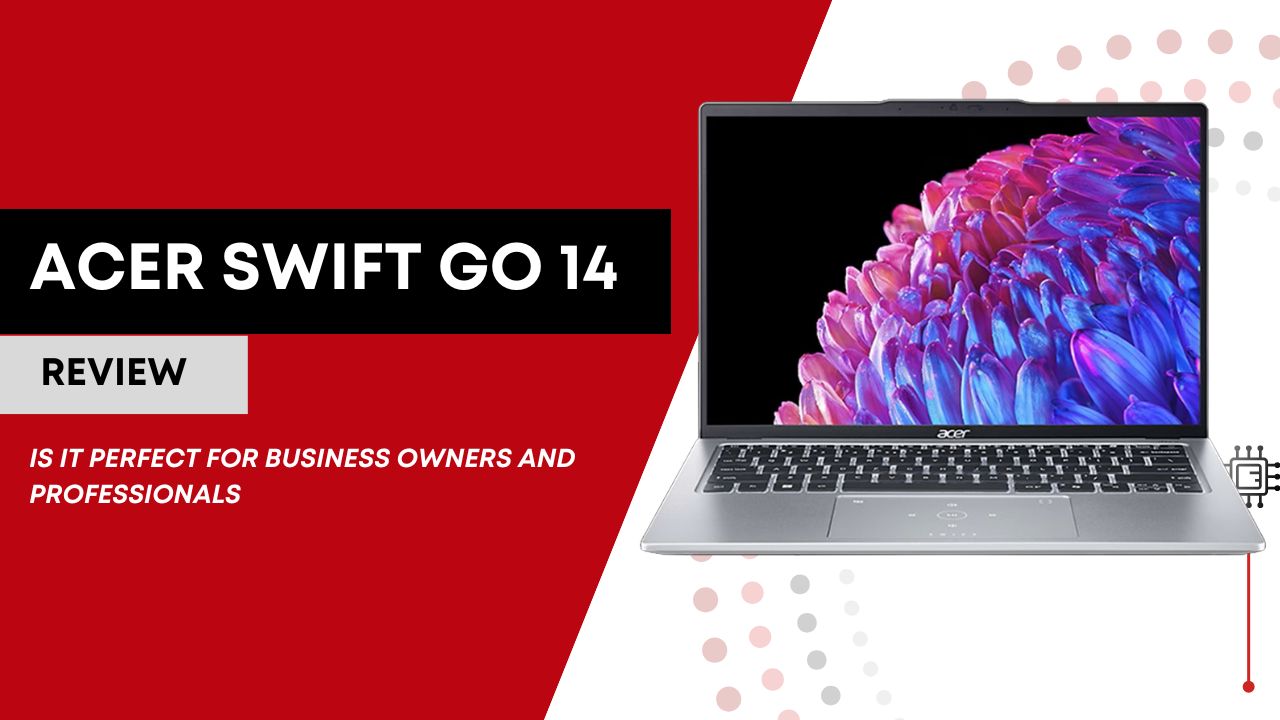

The Acer Swift Go 14 is a sleek, lightweight laptop designed for productivity on the go. With its powerful Intel Core Ultra processors, high-resolution OLED display option, and versatile connectivity, it caters to entrepreneurs who need both performance and portability. Its combination of long battery life, professional webcam, and solid build makes it ideal for business workflows, client presentations, and everyday multitasking.
Disclaimer: This review is a comprehensive synthesis of professional reviews, technical breakdowns, and real-user feedback from forums, Reddit threads, user reviews on retailer sites, and expert comparisons. I’ve not used this camera firsthand; everything here reflects what the broader online community actually says about the device. This post contains Amazon affiliate links, and I may earn a commission if you make a purchase.
Table of Contents

Key Features
1. Processor: Intel Core Ultra Series (or Intel Core i7 H)
Entrepreneurs often juggle multiple business tools at once: Slack, Gmail, Excel, Zoom, Chrome with multiple tabs, accounting software, and more. The Acer Swift Go 14’s Intel Core Ultra 7 or 9 processors are designed for this multitasking-heavy environment. Unlike older Intel U-series chips, the Core Ultra series offers more performance cores for heavy tasks and efficient cores for light tasks, meaning the laptop intelligently balances speed and energy consumption.
You can have a dozen browser tabs open while running spreadsheets, virtual calls, and note-taking apps without significant slowdowns. For business presentations or running lightweight analytics software, the CPU ensures smooth, consistent performance, critical when deadlines or investor calls don’t wait.
2. Graphics: Intel Arc Integrated GPU
While entrepreneurs rarely require dedicated graphics, the Acer Swift Go 14’s Intel Arc integrated graphics still matter. This GPU allows for high-quality video streaming, polished presentations, and smooth visualizations in spreadsheets or dashboards. Entrepreneurs creating marketing content, infographics, or social media videos will appreciate the responsive graphics performance, even without a dedicated GPU.
PowerPoint slides, Figma prototypes, or Canva designs run fluidly. Streaming client meetings in 1080p or 4K works seamlessly, letting you present professionally without lag or stuttering.
3. Display: 14” OLED or IPS Touchscreen, 2.8K Resolution
The Acer Swift Go 14 offers OLED or IPS touchscreen displays in a 14-inch, 16:10 format. For entrepreneurs, this isn’t just about watching movies; it’s about clarity for spreadsheets, dashboards, financial reports, and collaborative work tools. The OLED option provides richer colors and sharper contrast, which is valuable if you’re reviewing branding assets, marketing materials, or detailed graphics.
The taller 16:10 aspect ratio means more vertical workspace, so your Excel sheets or Google Docs scroll less frequently. Entrepreneurs on calls or reviewing contracts benefit from the clarity and color accuracy of OLED panels, helping reduce eye strain over long workdays.
4. Battery Life: 8–10 Hours of Mixed Use
For founders and business owners who are constantly on the move, battery life is crucial. The Acer Swift Go 14’s battery provides full-day productivity, covering office work, meetings, and light travel without needing a mid-day recharge. It won’t rival the ultra-long life of premium Zenbooks, but it hits the sweet spot for entrepreneurs who value portability without being tethered to a plug.
Start the day in a café, move to client meetings, and still have enough juice to finish emails and financial reporting. Entrepreneurs running small teams or side projects can rely on it for uninterrupted work during critical hours.
5. Port Selection & Connectivity
Entrepreneurs rely on versatile connectivity to integrate with multiple tools: external monitors, docking stations, USB drives, and fast internet. The Acer Swift Go 14 includes Thunderbolt/USB-C, USB-A, HDMI, microSD, and Wi-Fi 6E, supporting both legacy and modern devices.
Whether you’re connecting a projector in a meeting, transferring files from a backup drive, or connecting to high-speed Wi-Fi in co-working spaces, the Acer Swift Go 14 provides flexibility without the hassle of dongles. Wi-Fi 6E ensures stable video calls and cloud uploads, essential for remote collaboration and client communications.
Real-World Performance
1. Multitasking & Productivity
Entrepreneurs often juggle multiple applications simultaneously. With the Acer Swift Go 14, running Slack, Zoom, Chrome, and Excel together is smooth, thanks to the high-performance CPU and adequate RAM (typically 16GB in most configs).
Example: Running a video call with investors while taking notes and referencing Google Sheets doesn’t introduce lag, a key requirement when split-second responsiveness matters.
2. Portability for Travel
At roughly 3 lbs (1.4 kg), theAcer Swift Go 14 is highly portable. Entrepreneurs traveling between offices, clients, or co-working spaces won’t feel weighed down. The sleek chassis fits easily in laptop bags alongside notebooks, chargers, and other essentials.
3. Media & Marketing Work
With the OLED option, entrepreneurs can edit social media visuals, watch marketing analytics dashboards, and prepare professional presentations with sharp visuals. Integrated graphics handle light video editing and design work without overheating the device.
4. Communication & Collaboration
The laptop’s 1440p webcam and integrated microphone make video calls crisp and professional. In remote-first business environments, this is a significant upgrade over standard 720p webcams, helping you make a strong impression in client pitches or team meetings.
5. Longevity & Reliability
While some users report fan noise under heavy load, the laptop is generally consistent for daily entrepreneurial workflows, balancing performance with battery life and heat management. This makes it a solid choice for small business owners who need a dependable workhorse without constant maintenance.
Other Users’ Opinions
Users on discussion forums have very mixed but telling experiences with the Acer Swift Go 14, and these real‑world voices give a balanced look beyond official spec sheets. On the critical side, some owners complain about performance inconsistencies, one user said bluntly,
“I was gifted an Acer Swift Go 14 for Christmas and it’s been terribly slow from the start. Can barely load up Opera or even do my homework,”
and others echoed similar frustrations with sluggish behavior and lag in everyday tasks. Another owner who had a higher‑end configuration acknowledged strong raw performance but warned about heat, writing,
“Mine is extremely fast (I have the 13700H). But there are new problems with it every week, I recommend not getting this laptop, it overheats insanely hard too.”
Beyond raw speed, some users have noted quirks with ergonomics and everyday use. One reviewer described issues with the display and comfort, mentioning that the trackpad edge can be uncomfortable and the glossy screen is highly reflective, a frustration for anyone working in bright settings. Others also reported frustration with unnecessary software and design choices, such as a Copilot key that many feel should have been a second Ctrl key. Battery life also draws mixed reactions; one user pointed out that real‑world time rarely reached the manufacturer’s claimed 8–9 hours, noting
“I’ve used this laptop … and battery backup doesn’t meet the evo‑certified hours — with limited usage you can get 5 to 6 hrs.”
That said, not all users are critical. Many owners praise the laptop’s portability, OLED display, and general responsiveness for everyday tasks. A user who switched from an older ASUS laptop shared that despite some minor heat and Wi‑Fi speed issues, the Swift Go offered “a stunning design … almost as sleek as a MacBook,” and praised the “outstanding display” and general performance for typical daily use. Another owner highlighted the smooth experience with multiple apps and web browsing, stating it handles everything “smoothly, even on battery.”
Taken together, these user opinions illustrate that while the Acer Swift Go 14 impresses in areas like portability and screen quality, some owners experience inconsistent performance, heat and battery concerns, and ergonomic quirks that are worth considering depending on your workflow and expectations.
Acer Swift Go 14 vs Asus Zenbook 14 OLED
| Feature | Acer Swift Go 14 | Asus Zenbook 14 OLED |
|---|---|---|
| CPU | Intel Core Ultra series | Ryzen 7000 / Intel Core |
| GPU | Intel Arc Integrated | Integrated Radeon / Iris Xe |
| Display | 14” OLED/IPS, 2.8K | 14” OLED, 2.8K |
| Battery | ~8–10 hrs | ~12–15 hrs |
| Webcam | 1440p | 1080p |
| Weight | ~1.4 kg | ~1.3 kg |
- Acer Swift Go 14 is ideal for entrepreneurs who prioritize display quality, video conferencing, and versatility in ports.
- Asus Zenbook 14 OLED is better for those who prioritize battery longevity for extended travel or long days away from outlets.
Who This Laptop Is For (Who Should Skip It)
Perfect For:
- Entrepreneurs and freelancers who move between workspaces.
- Professionals who rely on video conferencing, client presentations, and cloud-based work.
- Startup founders or consultants who want a balance of performance, portability, and display quality without paying premium ultrabook prices.
Not Ideal For:
- Entrepreneurs in video production or 3D design who need dedicated GPUs.
- Users who demand ultra-long battery life for multi-day travel.
- Professionals who need a completely silent machine under heavy load.
Usage Tips & Best Practices for the Acer Swift Go 14
- Optimize Multitasking for Business Workflows
The Acer Swift Go 14 is powerful enough to handle multiple business applications at once, but it’s still important to manage resources smartly. Entrepreneurs often run video calls, messaging apps, spreadsheets, and multiple browser tabs simultaneously. To keep the laptop responsive, close background apps you aren’t actively using and take advantage of Windows virtual desktops to organize different types of work; for instance, one desktop for communications, one for financial tasks, and another for research. On Intel Core Ultra models, letting efficiency cores handle lighter tasks ensures that performance cores are available when you need maximum speed, keeping your workflow smooth and lag-free during important presentations or client meetings.
- Maximize Battery Life for On-the-Go Productivity
Battery life is a key consideration for entrepreneurs who move between offices, clients, and co-working spaces. The Acer Swift Go 14 offers around 8–10 hours of mixed-use battery life, which is usually sufficient for a full workday. You can stretch this further by enabling battery saver mode, lowering screen brightness slightly, and disabling features like Bluetooth or background syncing when they aren’t needed. These simple adjustments allow you to stay productive throughout long meetings, offsite workdays, or flights without scrambling for an outlet mid-day.
- Enhance Video Calls and Client Presentations
The Acer Swift Go 14’s 1440p webcam and optional OLED display make it ideal for professional video communication. To get the most out of your setup, position the laptop at eye level to maintain strong visual presence during calls and ensure proper lighting; natural or soft artificial light is best. Entrepreneurs can also leverage the OLED display for sharper presentations and clearer visuals when reviewing contracts, dashboards, or marketing materials. By focusing on presentation quality, you can impress clients and investors, making remote meetings feel more professional and polished.
- Manage Heat and Maintain Consistent Performance
While the Acer Swift Go 14 generally runs cool for everyday tasks, fans can become noticeable under heavier workloads like exporting reports or editing light video content. To prevent thermal throttling and maintain consistent performance, keep vents unobstructed and consider using a cooling pad for prolonged intensive tasks. Scheduling short breaks during extended periods of heavy use also helps manage heat build-up. These steps ensure the laptop continues to perform reliably, which is crucial for entrepreneurs relying on uninterrupted operation during business-critical tasks.
- Leverage Connectivity for Maximum Efficiency
Entrepreneurs often need to connect multiple devices, monitors, or peripherals simultaneously. The Acer Swift Go 14 offers a versatile set of ports, including Thunderbolt/USB-C, USB-A, HDMI, microSD, and Wi-Fi 6E support. Using a USB-C hub or docking station allows you to connect external monitors, storage, and other devices without constantly swapping cables. Enabling Wi-Fi 6E ensures fast and stable internet for cloud-based work, video calls, and collaborative tools. Keeping drivers updated also prevents connectivity issues, making your workflow seamless whether you’re presenting to clients or collaborating with a remote team.
- Protect Your Laptop and Data
Your laptop is a core business tool, and protecting it is essential. Use a durable laptop sleeve when traveling to prevent scratches or drops, and clean the screen and keyboard regularly to maintain a professional appearance. Backing up critical business files to the cloud or an external drive protects you from data loss in case of hardware issues. Following these precautions ensures that the Acer Swift Go 14 remains reliable for years, safeguarding both your investment and your important work.
- Enhance Productivity with Software and Workflow Tools
Beyond hardware, software can make a huge difference in efficiency. Entrepreneurs should leverage virtual assistants, AI tools, and productivity apps such as Notion, Trello, or Microsoft PowerToys to manage tasks, reminders, and workflows more effectively. Cloud collaboration platforms like Google Drive, OneDrive, or Dropbox allow teams to share documents and updates instantly without clogging local storage. By combining these tools with the Acer Swift Go 14’s performance and connectivity, you can streamline your business operations and focus on strategic work rather than technical management.
Final Verdict for Entrepreneurs
The Acer Swift Go 14 is one of the best laptops for entrepreneurs in its class, combining lightweight portability, robust CPU performance, OLED display clarity, and professional webcam quality. It may not satisfy hardcore creative professionals or gamers, but for business owners, freelancers, or startup founders, it’s a practical, capable machine that balances performance, versatility, and cost-efficiency.
In short, the Swift Go 14 is a reliable daily driver that helps entrepreneurs get more done, wherever business takes them.
FAQ
Is the Acer Swift Go 14 suitable for multitasking business applications?
Yes. Thanks to its Intel Core Ultra series processors and up to 16GB RAM, the Swift Go 14 can handle multiple apps simultaneously, like Zoom calls, Chrome tabs, Excel sheets, and productivity tools, without significant slowdowns, making it ideal for entrepreneurs managing busy workflows.
Can I use the Acer Swift Go 14 for video calls and client presentations?
Absolutely. The laptop features a 1440p webcam, integrated microphone, and optional OLED display, offering crisp visuals and clear audio for professional meetings. Its Thunderbolt/USB-C ports also make connecting projectors or external displays easy.
How long does the battery last for a full day of entrepreneurial work?
On mixed-use scenarios, the Swift Go 14 typically offers 8-10 hours of battery life. For tasks like web browsing, document editing, and video conferencing, you can expect a full day of productivity without needing a mid-day charge. Battery life may be shorter with heavy workloads or bright OLED usage.
Can the Swift Go 14 handle creative or marketing tasks for entrepreneurs?
Yes, for light creative work. Its Intel Arc integrated GPU and high-resolution display handle image editing, marketing visuals, and light video editing efficiently. However, for demanding 3D rendering or heavy video production, a laptop with a dedicated GPU would be a better choice.
How portable and durable is the Acer Swift Go 14 for entrepreneurs on the go?
It’s highly portable, weighing around 1.4 kg (3 lbs), and has a slim, sturdy design suitable for co-working spaces, travel, and client visits. While not the most rugged laptop on the market, it balances lightweight portability with a reliable build for frequent business use.