
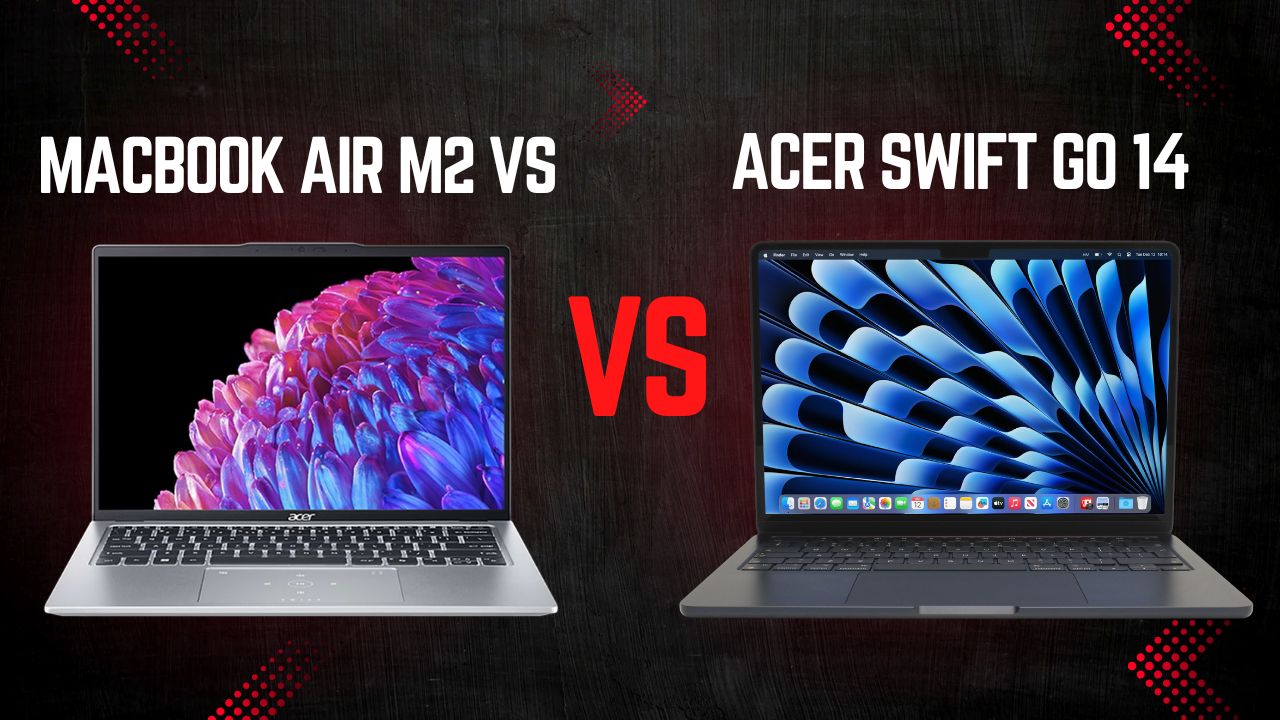
Choosing the right laptop as an entrepreneur isn’t just about specs; it’s about finding a machine that supports your workflow, mobility, and long-term business growth. In this comparison, we break down the key differences between the Apple MacBook Air M2 and the Acer Swift Go 14 across performance, battery life, display quality, and real-world practicality. Whether you prioritize all-day efficiency or Windows-powered flexibility, this guide will help you make a confident, business-smart decision.
Quick Verdict
Choose the MacBook Air M2 if your business revolves around mobility, cloud-based tools, creative productivity, and ecosystem convenience.
Choose the Acer Swift Go 14 if your workflow demands Windows compatibility, more ports, heavier multitasking, or a larger display for business productivity.

Performance & Feature Breakdown
| Feature | Apple MacBook Air M2 | Acer Swift Go 14 |
|---|---|---|
| CPU | M2 8‑core (4P + 4E) | Intel Core Ultra 5‑9 options |
| GPU | 8‑10‑core Apple GPU | Intel Arc integrated |
| Display | 13.6″ Liquid Retina, 2560×1664 | 14″ OLED / 2K / Touch options |
| RAM | 8–24 GB Unified | Up to 32 GB LPDDR5X |
| Storage | 256 GB–2 TB SSD | Up to 2 TB NVMe SSD |
| OS | macOS | Windows 11 Home |
| Ports | 2× Thunderbolt, Headphone | USB‑C, USB‑A, HDMI |
| Weight | 1.24 kg | 1.3–1.35 kg |
| Battery | Up to 18 hrs | All‑day (model dependent) |
| Special Features | MagSafe, fanless, Apple ecosystem | 180° hinge, AI features, OLED display |
| Price | Price on Amazon | Price on Amazon |
Performance (Processor & Memory)
The Apple MacBook Air M2 features Apple’s M2 chip with an 8-core CPU (4 performance + 4 efficiency cores) and up to a 10-core GPU. Its unified memory architecture, ranging from 8GB to 24GB, allows the CPU and GPU to share resources seamlessly, ensuring smooth multitasking and fast app responsiveness. The fanless design makes the device quiet and reliable during extended use. For entrepreneurs, this means a laptop that can handle multiple business apps, video calls, and spreadsheets efficiently while consuming minimal power; perfect for remote work, travel, and creative tasks.
The Acer Swift Go 14 uses Intel’s Core Ultra series CPUs (Ultra 5, 7, or 9), offering higher core counts than many ultraportables. With up to 32GB of LPDDR5X RAM and Intel Arc integrated graphics, it delivers strong multitasking and graphics performance. Entrepreneurs will appreciate its Windows compatibility and flexibility for heavier workloads, like running large Excel datasets, local databases, or virtual machines. While potentially more powerful in raw tasks, its battery consumption can increase under heavy load.
Pro Tip: Upgrade Air to 16GB+ RAM for heavy multitasking; choose higher-tier CPU for Swift Go if running heavy Windows apps.
Storage (Speed & Capacity)
The MacBook Air M2 comes with SSD storage ranging from 256GB up to 2TB PCIe SSD. Apple’s SSDs are extremely fast, enabling rapid app launches, file access, and smooth data handling. However, storage is not upgradeable after purchase, so it’s important to select the right size upfront.
The Acer Swift Go 14 also offers up to 2TB PCIe Gen4 SSDs, delivering high speeds for large files and software. Similar to the MacBook, storage is non-upgradable, but Swift Go models often allow higher storage capacities at a lower price point. For entrepreneurs handling large datasets, media files, or offline business tools, the Swift Go provides flexibility in raw storage capacity, while the Air focuses more on speed and efficiency.
Pro Tip: Choose at least 512GB–1TB on Air; max storage on Swift Go for large datasets or media projects.
Battery Life & Portability
The MacBook Air M2 shines with its battery life, offering up to 15 hours of web browsing or 18 hours of video playback. Its Apple silicon and macOS optimization make it extremely power-efficient. Weighing only about 1.24 kg, it’s easy to carry, and the fanless design keeps it quiet and cool. For entrepreneurs who work long days away from a power outlet, this reliability is a huge advantage.
The Acer Swift Go 14 provides all-day battery life, though real-world use typically ranges from 8–10 hours depending on workload and display type. Its slightly higher weight (~1.3-1.35 kg) is still portable, but heavy CPU tasks can drain the battery faster. For office or mixed-use scenarios with frequent charging opportunities, the Swift Go is suitable, but it won’t match the Air’s all-day endurance.
Pro Tip: Air = best for long travel days; Swift Go = pick OLED + mid-range CPU to save battery.
Display Quality & Size
The MacBook Air M2 has a 13.6-inch Liquid Retina display with 2560×1664 resolution and about 500 nits of brightness. It offers excellent color accuracy and brightness uniformity, ideal for presentations, spreadsheets, and design work that requires precise visuals.
The Acer Swift Go 14 features a larger 14-inch display with multiple options, including 2K IPS, 2.8K OLED, and even touchscreens. OLED panels provide deeper blacks and wider contrast, enhancing media consumption and creative tasks. Some models also include higher refresh rates (90Hz) for smoother scrolling and UI interaction. Entrepreneurs who prioritize screen real estate or immersive visual quality may prefer Swift Go’s larger OLED display, while the Air offers consistent, reliable color for professional work.
Pro Tip: Air = precise color for presentations/marketing; Swift Go OLED = better for content editing & immersive viewing.
Connectivity & Build Practicalities
The MacBook Air M2 emphasizes a minimalist, premium build. It includes MagSafe charging, a headphone jack, and two Thunderbolt/USB‑4 ports. Its aluminum chassis is durable, and the ecosystem integration with iPhone, iPad, and AirDrop adds productivity value. However, you may need adapters for older peripherals, which is a consideration if you frequently use external devices.
The Acer Swift Go 14 provides broader port selection: USB‑C (Thunderbolt), USB‑A, HDMI, microSD, and headphone jack. This flexibility allows entrepreneurs to connect older hardware, monitors, or projectors without dongles. Its metal chassis is sturdy, and some models feature higher-quality webcams (up to 1440p) for better video conferencing. Additionally, Windows-based Copilot AI features may support enhanced productivity tasks.
Pro Tip: Air = use Thunderbolt hub for multiple peripherals; Swift Go = ports reduce need for dongles and improve video call setup.
Who Should Buy and Who Should Skip
Apple MacBook Air M2
The Apple MacBook Air M2 is ideal for entrepreneurs who prioritize mobility, efficiency, and a distraction-free workflow. Powered by Apple’s M2 chip with unified memory architecture, it delivers smooth multitasking for business apps, browser-heavy work, video conferencing, and creative tools, all while remaining silent thanks to its fanless design. Its exceptional battery life makes it especially reliable for long travel days, conferences, and remote work without constant charging. The lightweight aluminum build also enhances portability without compromising durability.
Best Use Cases:
• Startup founders working remotely or traveling frequently
• Consultants running presentations and client meetings all day
• Content creators using tools like Canva, Final Cut, or Adobe apps (moderate workloads)
• Entrepreneurs deeply integrated into the Apple ecosystem (iPhone, iPad, AirDrop workflows)
• Online business owners managing cloud-based platforms and SaaS tools
However, the MacBook Air M2 may not be the best fit for entrepreneurs who rely heavily on Windows-exclusive software, complex Excel macros, engineering programs, or virtual machines. Its limited port selection means adapters are often required for HDMI, USB-A, or Ethernet connections. Additionally, because RAM and storage are not upgradeable, you must choose the right configuration upfront.
Who Should Skip:
• Business owners dependent on Windows-only enterprise software
• Analysts working with massive local datasets or VM-heavy workflows
• Entrepreneurs who frequently connect to multiple external displays and legacy devices without wanting dongles
Acer Swift Go 14
The Acer Swift Go 14 is designed for entrepreneurs who need Windows flexibility, higher RAM options, broader connectivity, and larger display choices. Equipped with Intel Core Ultra processors and up to 32GB RAM, it handles demanding multitasking scenarios more comfortably in Windows environments. The 14-inch display, especially OLED configurations, provides extra workspace and enhanced contrast, which is beneficial for visual-heavy work. Its wider port selection (USB-C, USB-A, HDMI, microSD) reduces dependency on adapters, making it practical in business environments.
Best Use Cases:
• Finance professionals managing advanced Excel models and accounting tools
• Entrepreneurs running Windows-based CRM, ERP, or enterprise systems
• Developers using Windows-native tools or virtual machines
• Business owners frequently presenting via HDMI to projectors
• Creatives who prefer a larger OLED screen for editing and content review
That said, the Swift Go 14 may not be ideal if your priority is maximum battery life and ultra-light mobility. While portable, its battery endurance under heavy loads generally doesn’t match the MacBook Air’s efficiency. It’s also less beneficial if your workflow revolves around Apple ecosystem features like AirDrop and seamless device integration.
Who Should Skip:
• Digital nomads needing guaranteed all-day battery unplugged
• Entrepreneurs already fully invested in Apple devices and macOS tools
• Users who prioritize silent, fanless operation above hardware flexibility
Final Verdict
If your business prioritizes mobility, battery endurance, premium build quality, and seamless Apple ecosystem integration, the Apple MacBook Air M2 is the smarter long-term investment, especially for founders who travel often, rely on cloud tools, and want consistent, quiet performance all day. However, if your workflow depends on Windows-based software, heavier multitasking, broader port connectivity, or a larger OLED display, the Acer Swift Go 14 delivers greater flexibility and hardware scalability for demanding business tasks. In short: choose the Air M2 for efficiency and ecosystem advantage; choose the Swift Go 14 for configurability and Windows-driven productivity.
FAQ
Which laptop is better for heavy multitasking and business software?
Choose the Acer Swift Go 14 if you run Windows-based tools, large Excel files, or virtual machines. Choose the Apple MacBook Air M2 if your work is mostly cloud apps, content creation, and everyday productivity.
Which is better for travel and working all day without charging?
The MacBook Air M2 is better for full-day battery life and lighter travel. The Swift Go 14 is portable but may need charging sooner under heavy use.
Which laptop is more practical for client meetings and presentations?
The Swift Go 14 is more convenient if you need HDMI and USB-A without adapters. The Air M2 offers a premium display but usually requires a dongle.
Which one offers better long-term value for entrepreneurs?
The Swift Go 14 offers more hardware flexibility (RAM, ports). The Air M2 delivers efficiency, stability, and strong resale value over time.
Should I choose based on performance or ecosystem?
Pick the Swift Go 14 for Windows compatibility and flexibility. Pick the Air M2 if you’re already in the Apple ecosystem and want seamless device integration.