
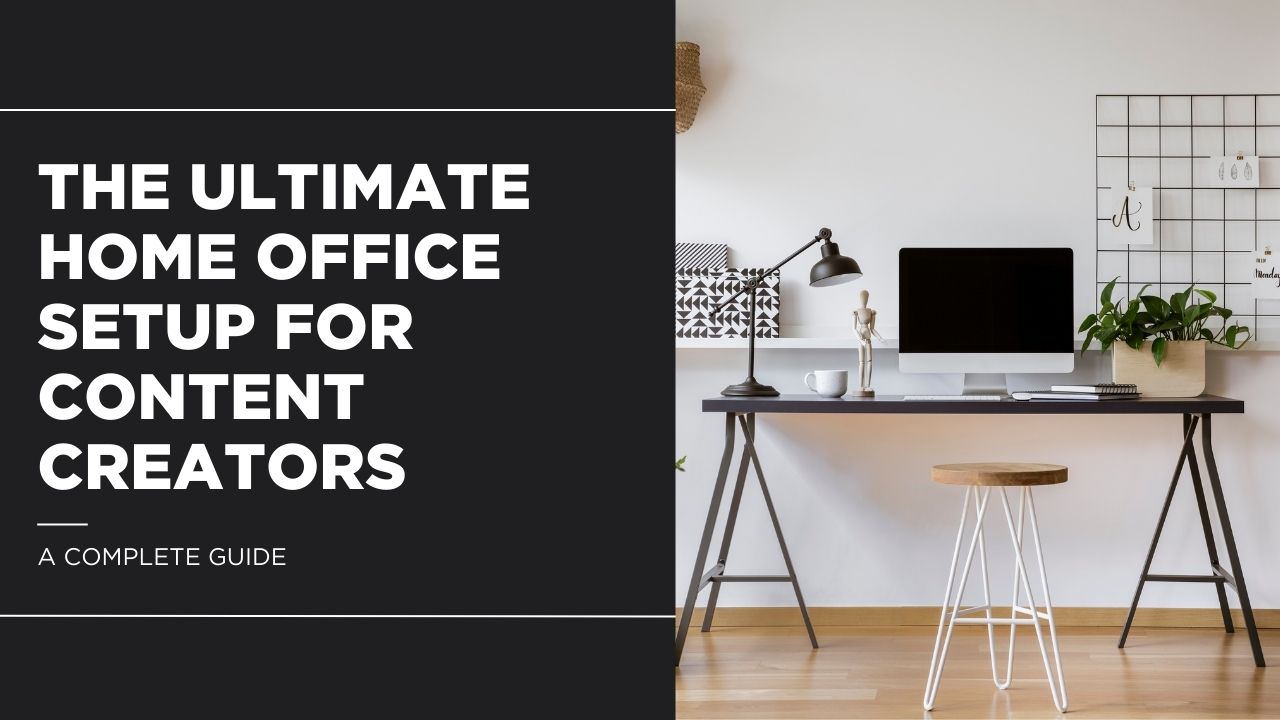
A smart home office setup can be the difference between struggling to create and producing content that feels truly professional. As the creator economy grows, more people are working from home, but many underestimate how much their environment affects their quality, comfort, and consistency. A poorly planned space can lead to bad audio, weak visuals, and burnout, while a well-designed home office setup helps you look better on camera, sound clearer, and work longer without frustration. In this guide, you’ll learn how to build a practical, professional home office setup step by step, with recommendations you can upgrade over time.

key takeaways:
- Your home office setup is a direct investment in your content quality.
- Lighting matters more than your camera, get that right first.
- Audio is king, bad sound loses viewers faster than bad video.
- Start with what matters most for your content type, not everything at once.
- A good desk and chair protect your health during long creative sessions.
- Starter setups begin around $1,000; pro studios can run $6,000–$10,000+.
Table of Contents
1. Choosing the Right Space
Before you buy a single piece of gear, take a careful look at your available space. The room you choose affects everything: how your audio sounds, how your lighting looks, and how comfortable you feel working for hours at a stretch.
The ideal room has a few key characteristics. First, it should be relatively quiet and away from high-traffic areas of your home. Second, it should have access to at least one window for natural light, though you will supplement this with dedicated lighting. Third, it needs enough square footage to accommodate a desk, your gear, and some breathing room; a cramped workspace leads to a cramped creative mind.
A spare bedroom is the most popular choice for a creator home office setup because it offers a closable door, reasonable dimensions, and usually carpet or soft furnishings that help absorb sound. A converted garage can work beautifully if you invest in climate control and acoustic treatment. Even a dedicated corner of a larger room can function well if you are strategic with sound absorption and lighting. One important tip: avoid rooms with hard floors and completely bare walls, as these surfaces reflect sound and create the hollow, echoey audio that viewers find off-putting.
2. The Desk: Your Command Center
Your desk is the foundation of your entire workspace. It needs to be large enough to accommodate your monitors, microphone, camera, and any other gear you use regularly, while still leaving room for you to actually work. Cable management is also critical; a tangled mess of wires behind your desk looks unprofessional on camera and makes troubleshooting far more difficult than it needs to be.
For content creators, a sit-stand desk is an excellent investment. Long editing and recording sessions take a toll on your body, and being able to alternate between sitting and standing makes a real difference. The FEZIBO Electric Standing Desk is one of the most popular options on Amazon for good reason, it offers programmable height presets, a spacious 55-inch surface, and a sturdy frame, all at a price that will not break the bank. If you prefer a more premium option for your home office setup, the FlexiSpot E7 Pro offers a wider range of height adjustment, a higher weight capacity, and an even more stable dual-motor system.
Once your desk is in place, you will want a monitor arm to free up surface space and position your screens at the perfect ergonomic height. The HUANUO Dual Monitor Mount is a fantastic budget-friendly choice with fully adjustable arms that support monitors up to 27 inches. For cable management, pick up a J Channel Cable Raceway Kit. These adhesive channels run along the underside of your desk or along your wall and hide cables cleanly out of sight. A clean desk is the backbone of any great home office setup.
3. Seating: Comfort for Marathon Sessions
If you are spending six, eight, or even twelve hours a day at your desk, and many full-time creators do, your chair is arguably the most important purchase you will make. A bad chair does not just cause discomfort; over time, it can lead to chronic back pain, poor posture, and fatigue that saps your creative energy.
Look for a chair with adjustable lumbar support, adjustable armrests, a breathable mesh or perforated back, and enough seat depth to support your thighs. The Secretlab Titan Evo, available on Amazon, is a premium ergonomic chair that has become a favorite among creators and gamers alike. It offers magnetic lumbar support, a wide recline range, and build quality that holds up over years of daily use. Comfortable seating is a cornerstone of any productive home office setup.
If your budget is tighter, the Hbada Ergonomic Office Chair delivers surprisingly good lumbar support and adjustability at a fraction of the price. It is a common recommendation in creator communities for good reason. Consider adding a ComfiLife Gel Enhanced Seat Cushion for extra comfort, and an adjustable footrest if your desk height does not perfectly match your chair height.
4. Computer and Tech Core
Your computer is the engine behind everything you create. Whether you are editing 4K video, running a multi-camera live stream, managing a dozen browser tabs for research, or rendering complex graphics, you need reliable processing power, fast storage, and enough memory to handle it all without lag.
For most content creators, the decision comes down to Apple versus PC, and desktop versus laptop. Apple’s M-series chips have made a strong case for Mac-based workflows, especially for video editors. The Apple Mac Mini M2 on Amazon offers remarkable performance for its compact size and price. It handles 4K video editing, music production, and photo editing with ease. If you need portability and power in one device, the MacBook Pro with M3 chip is the gold standard for creators who work on the go.
On the PC side, building or buying a desktop with a strong multi-core processor and a dedicated GPU gives you unmatched flexibility and upgradeability. Regardless of your platform, invest in fast storage. The Samsung 990 Pro NVMe SSD (2TB) offers blazing read and write speeds that dramatically reduce load times for large project files. And if your system supports it, upgrading to 32GB of RAM (the Crucial RAM 32GB DDR4 Kit is an affordable way to do this) ensures smooth multitasking, a must for any serious home office setup.
Backup is non-negotiable. A single drive failure should never cost you weeks of work. Keep a portable drive like the WD My Passport (5TB) for local backups, and consider a network-attached storage solution like the Synology DiskStation DS220+ if you want automated, redundant backups accessible from any device on your network.
Do not overlook your peripherals, either. A precise, comfortable mouse and keyboard make a surprising difference when you are editing for hours. The Logitech MX Master 3S is beloved by creators for its ultra-smooth scroll wheel, ergonomic shape, and ability to pair with multiple devices. Pair it with the Keychron K2 Mechanical Keyboard, a compact, wireless board with a satisfying typing feel that completes the tech core of your home office setup.
5. Monitors and Displays
Your monitor is the window into your work. For content creators, color accuracy, resolution, and screen real estate are the three factors that matter most. If you are editing video or photos, you need a display that shows colors as they truly are; otherwise, your final product may look different on your audience’s screens than it did on yours.
A 4K resolution (3840 x 2160) should be your baseline for any serious video editing work. The LG 27UN850-W 27-Inch 4K UHD Monitor is an outstanding choice on Amazon. It supports USB-C connectivity, covers 99% of the sRGB color space, and comes factory calibrated. For even greater color accuracy, the Dell UltraSharp U2723QE is a favorite among professional editors and photographers who need DCI-P3 coverage for cinematic color work.
If you want to consolidate to a single, massive display, the Samsung Odyssey G9 49-Inch Ultrawide gives you the equivalent of two 27-inch monitors side by side in a single curved panel. It is particularly popular with streamers who want to monitor their chat, OBS controls, and gameplay all at once. The right display can transform your entire home office setup.
To reduce eye strain during long sessions, add a monitor light bar. The BenQ ScreenBar Halo mounts on top of your monitor, illuminates your desk without casting glare on the screen, and includes an ambient light sensor that automatically adjusts brightness. Your eyes will thank you.
6. Camera and Video
If your content involves showing your face, and for most creators, it should, then investing in a good camera is essential. Built-in laptop webcams have improved over the years, but they still cannot match the image quality, depth of field, and low-light performance of a dedicated camera.
For creators who want a compact, all-in-one solution, the Sony ZV-1F is a purpose-built vlogging camera available on Amazon with excellent autofocus, a flip-out screen, a built-in directional microphone, and a wide-angle lens that works perfectly for desk recordings. It shoots in 4K and offers background bokeh effects that give your videos a cinematic quality.
If you prefer a webcam that you can simply plug in and forget about, the Elgato Facecam Pro is one of the best on the market. It shoots in true 4K at 60fps and offers manual controls for exposure and white balance. For those who already own a DSLR or mirrorless camera, the Elgato Cam Link 4K capture device turns any camera with an HDMI output into a USB webcam with minimal latency. A quality camera elevates any home office setup from amateur to professional.
You will also need a reliable mounting solution. A basic UBeesize 60-Inch Tripod works well for floor-standing positions, but for a cleaner desk-based configuration, the Elgato Multi Mount System offers modular desk-clamped arms that hold cameras, lights, and microphones, keeping your desk surface clear and giving you precise positioning control.
7. Lighting That Makes You Look Professional
Lighting is often the single biggest factor separating amateur-looking content from professional-looking content. You can have the best camera in the world, but poor lighting will make your footage look flat, shadowy, or washed out. Conversely, even a mid-range webcam can produce great results when the lighting is right.
The classic approach is three-point lighting: a key light as your primary source, a fill light to soften shadows on the opposite side, and a backlight to separate you from the background and add depth. You do not need to spend a fortune to achieve professional-grade lighting in your home office setup.
The Elgato Key Light Air is a premium desk-mounted LED panel that you can control via app, including brightness and color temperature adjustments. It is compact, edge-lit, and designed specifically for desk configurations. For a more budget-friendly approach, the Neewer 660 LED Video Light (2-pack) on Amazon gives you two adjustable panel lights with barn doors and diffusers, enough to create a solid two-point lighting arrangement at a fraction of the cost. If you want even more power and the flexibility of Bowens-mount modifiers, the Godox SL-60W is an affordable studio-grade LED that many YouTube creators swear by.
Beyond functional lighting, consider adding accent lighting to give your background visual personality. Govee RGBIC LED Strip Lights are smart-controlled, affordable, and let you match your background lighting to your brand colors. For a more dramatic look, Nanoleaf Shapes wall panels create the geometric, customizable light displays that have become iconic in creator studio tours on YouTube. These are not just decorative; they signal to your audience that you take your craft seriously.
8. Audio and Microphone
Here is a truth that experienced creators learn quickly: your audience will forgive average video quality far more easily than they will forgive bad audio. Tinny, echoey, or inconsistent sound makes content unpleasant to consume, and viewers will click away. Investing in your audio chain is one of the highest-return upgrades you can make.
The first decision is whether to go with a USB microphone or an XLR microphone with a dedicated audio interface. USB mics are simpler; they plug directly into your computer with no additional hardware needed. XLR mics offer more flexibility, better isolation, and room to grow, but they require an interface.
For most creators, the Shure MV7 is the sweet spot. Available on Amazon, it is a hybrid microphone that supports both USB and XLR connections, so you can start simple and upgrade your signal chain later without replacing the mic. It has become the go-to choice for podcasters and streamers because of its warm, broadcast-quality sound and built-in touch controls. If you want a pure USB option at a lower price, the Rode PodMic USB is another excellent dynamic microphone that delivers rich, detailed audio with minimal background noise pickup.
If you choose the XLR route, you will need an audio interface. The Focusrite Scarlett 2i2 (4th Gen) is the industry standard for home studios, it has clean, low-noise preamps, two inputs for interview or co-host recordings, and rock-solid driver support on both Mac and Windows.
Your microphone is only part of the equation, though. Room acoustics play a massive role in how your recordings sound. Even a high-end mic will sound mediocre in an untreated room full of hard, reflective surfaces. Pick up a set of Auralex Studiofoam Wedges to place at key reflection points on your walls — behind and to the sides of your recording position. If you cannot permanently modify your walls, the Auralex DeskMAX Panel is a portable desktop acoustic panel that surrounds your microphone and absorbs reflections right at the source. Proper acoustic treatment can transform the audio quality of any home office setup.
Finally, a few accessories make a big difference. The Rode PSA1+ Boom Arm keeps your mic positioned perfectly at mouth level while keeping your desk surface clear. The Elgato Wave Pop Filter attaches to your mic or boom arm to reduce plosive sounds, those harsh puffs of air on P and B sounds that ruin otherwise clean recordings. Great audio is what separates a good home office setup from a truly professional one.
9. Streaming and Content Capture Gear
Live streamers and gameplay creators have a few additional gear needs beyond the standard audio and video equipment. The ability to switch scenes, trigger effects, and capture external sources in real time requires dedicated hardware that integrates seamlessly with your software.
The Elgato Stream Deck MK.2 is arguably the most transformative tool for any streamer. This small device features 15 customizable LCD keys that you can program to switch OBS scenes, mute your mic, trigger sound effects, launch applications, post to social media, and more, all with a single press. It integrates natively with OBS Studio, Streamlabs, and dozens of other apps. Once you start using it, you will wonder how you ever streamed without it.
If you capture console gameplay or run a multi-PC streaming configuration, the Elgato HD60 X Capture Card supports passthrough at up to 4K60 and capture at 1080p60 with virtually no latency. And for creators who want a clean, professional background without a permanent green screen installation, the Elgato Green Screen (Collapsible) is a retractable chroma key backdrop that pulls up from a floor-mounted case when you need it and collapses back down when you do not. These streaming tools round out any content creator’s home office setup.
On the software side, OBS Studio remains the gold standard for streaming and recording. It is free, open source, and extraordinarily powerful. Streamlabs offers a more beginner-friendly interface with built-in alerts and overlays. Both integrate beautifully with the Stream Deck.
10. Internet and Connectivity
You can have the best camera, lighting, and microphone in the world, and none of it matters if your internet connection drops mid-stream or your 4K video upload crawls along for hours. A fast, stable internet connection is the invisible backbone of every creator’s workflow.
The single most impactful upgrade most creators can make is switching from Wi-Fi to a wired Ethernet connection. A direct cable connection eliminates the interference, latency spikes, and bandwidth fluctuations that plague wireless configurations. If your computer does not have an Ethernet port, and many modern laptops do not, the Cable Matters USB-C to Ethernet Adapter on Amazon is an inexpensive dongle that solves the problem instantly.
If running an Ethernet cable is not practical, invest in a quality router. The TP-Link Archer AXE75 Wi-Fi 6E Router supports the newest Wi-Fi standard with faster speeds, lower latency, and better performance in homes with many connected devices. As a general guideline, streamers should aim for at least 20 Mbps upload speed, YouTube creators uploading 4K footage will benefit from 50 Mbps or higher, and anyone using cloud-based editing tools needs both speed and low latency. Reliable connectivity is the often-overlooked pillar of a dependable home office setup.
11. Organization, Aesthetics, and Final Touches
A clean, organized workspace is not just about looks, though it certainly matters on camera. An organized space reduces cognitive load, makes it faster to find what you need, and creates a professional environment that puts you in the right headspace for creative work.
Wall-mounted storage is a game-changer for small spaces. The SKADIS Pegboard lets you hang headphones, cables, SD cards, and accessories within arm’s reach without cluttering your desk. Pair it with the classic combination of a tabletop on drawer units, a configuration so popular in the creator community that it has become almost iconic, for a spacious, affordable desk with ample built-in storage.
If you use a laptop as part of your workflow, a vertical stand like the Twelve South BookArc keeps it upright and out of the way while connected to your external monitors, freeing up valuable desk real estate.
For on-camera aesthetics, your background matters more than you might think. A blank white wall behind you looks sterile and uninteresting. Instead, add floating shelves with a few curated items, books, plants, small collectibles, or your own branded merchandise. Accent wall panels, neon signs with your channel name, and the RGB lighting mentioned earlier all contribute to a polished home office setup that feels intentional and personal.
12. Sample Budget Breakdown
One of the most common questions aspiring creators ask is how much a complete home office setup costs. The honest answer is that it ranges widely depending on your needs and ambitions. Here is a rough breakdown across three tiers to help you plan.
| Starter ($1,000–$1,500) | Mid-Range ($2,500–$4,000) | Pro Studio ($6,000–$10,000+) |
| Standing desk | Electric standing desk | Premium motorized desk |
| Budget ergonomic chair | Secretlab Titan Evo | Herman Miller or Secretlab |
| USB microphone | Shure MV7 + boom arm | XLR mic + Focusrite interface |
| Ring light or single LED | 2-pack LED panel lights | 3-point Godox/Elgato lighting |
| 1080p webcam | Sony ZV-1F or Elgato Facecam | DSLR + Cam Link + Multi Mount |
| Single 27″ monitor | Dual 4K monitors | Ultrawide or dual 4K + arms |
| Portable hard drive | SSD + portable backup | NAS + SSD + cloud backup |
| Basic cable management | Stream Deck + green screen | Full acoustic treatment |
The starter tier covers the essentials and is perfect for creators just beginning to build an audience. The mid-range tier is where most serious part-time and full-time creators land; it offers professional quality across the board. The pro tier is for established creators who want every possible advantage and are ready to invest in a home office setup that looks and sounds like a professional studio.
Conclusion
Your home office setup is more than just a place where you sit and work. For a content creator, it is your studio, your creative sanctuary, and the environment that shapes the quality of everything you produce. Investing in your workspace is investing in yourself.
The most important takeaway from this guide is that you do not need to build the perfect space overnight. Start with the upgrades that matter most for your specific content type. If you are a podcaster, prioritize your microphone and acoustic treatment. If you are a video creator, invest in lighting and camera first. If you are an editor, focus on your computer, storage, and monitors. Layer in additional upgrades over time as your budget allows and your needs evolve.
Every product recommended in this guide is available on Amazon, which means you can start upgrading your home office setup today with fast delivery and easy returns. Bookmark this page, share it with your creator friends, and most importantly, get building. Your audience deserves your best work, and the right workspace makes that work so much easier to deliver.