
Disclosure: As an Amazon Associate, I earn from qualifying purchases. This means that if you click on a link and make a purchase, I may receive a small commission at no additional cost to you.
Table of Contents
Poor video quality, grainy images in low light, bad microphones, and unreliable autofocus are common frustrations when using built-in laptop cameras. Whether you’re attending Zoom meetings, streaming on Twitch, or creating content, a high-quality webcam can dramatically improve your presence and professionalism. The right webcam delivers sharp resolution, accurate colors, smooth frame rates, and reliable performance in any lighting condition. In this guide, we’ve researched expert reviews, real user feedback, and technical specs to bring you the top best webcams that solve these pain points and elevate your video experience.
Quick Look
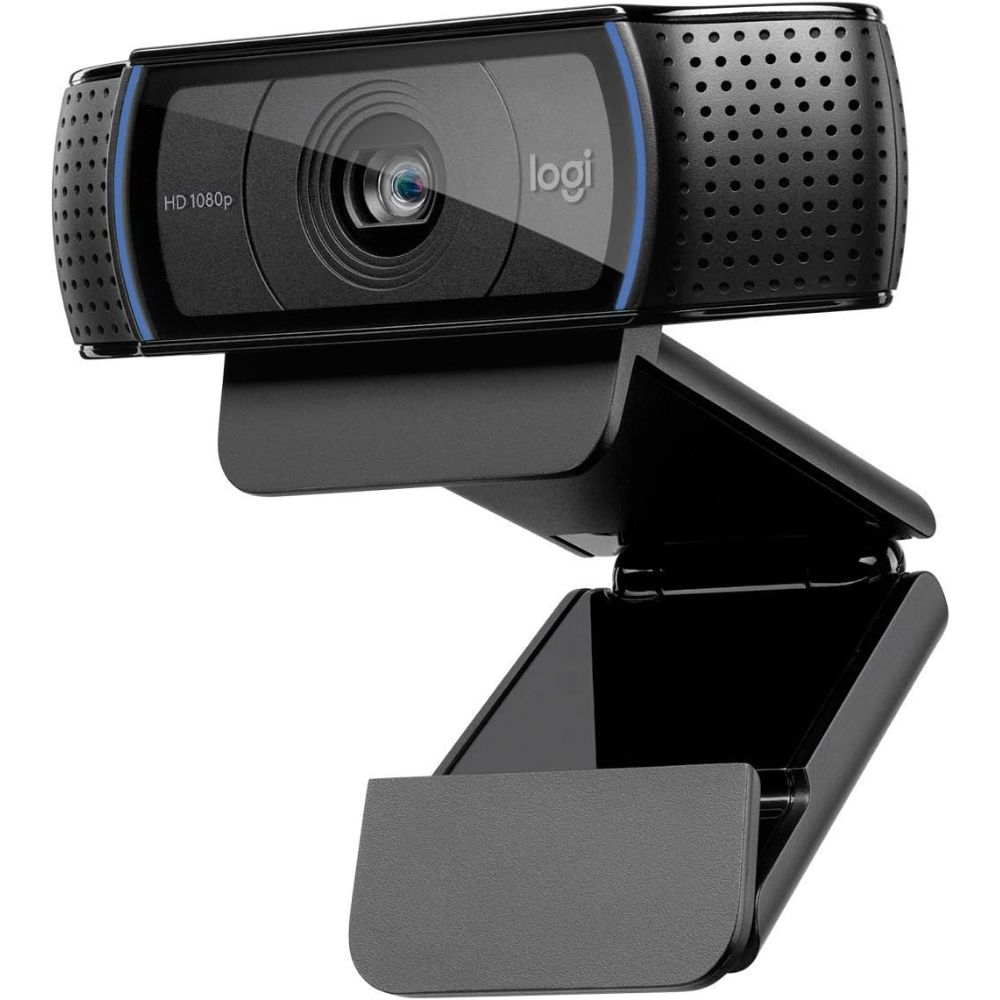
Best Overall
Logitech C920
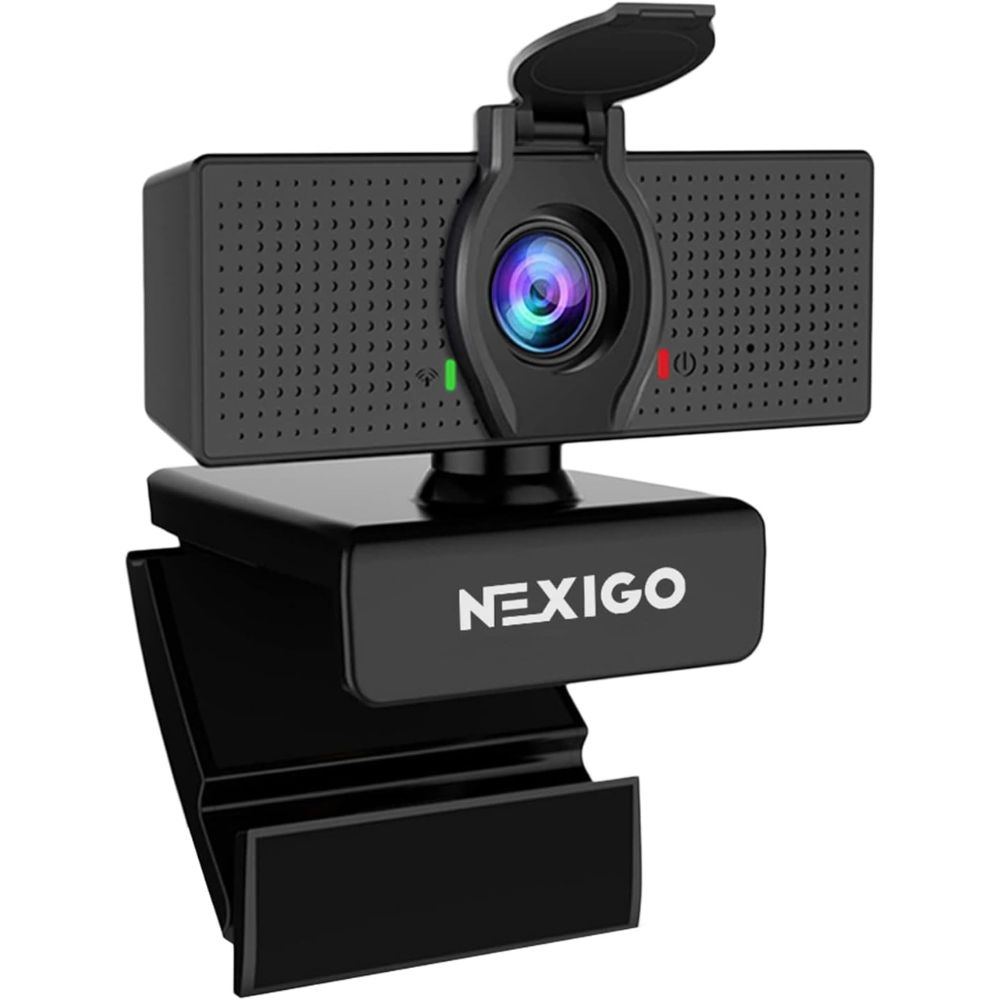
Best Budget
NexiGo N60
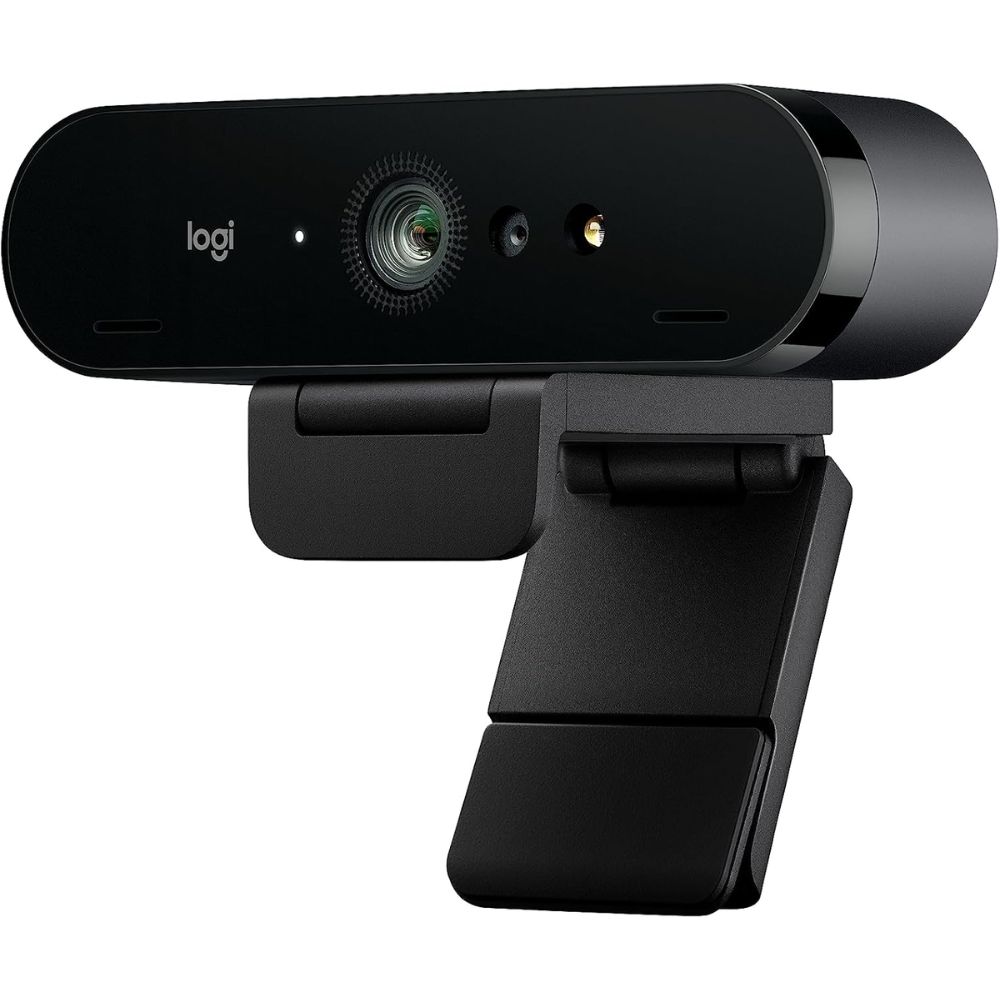
Best Premium
Logitech Brio
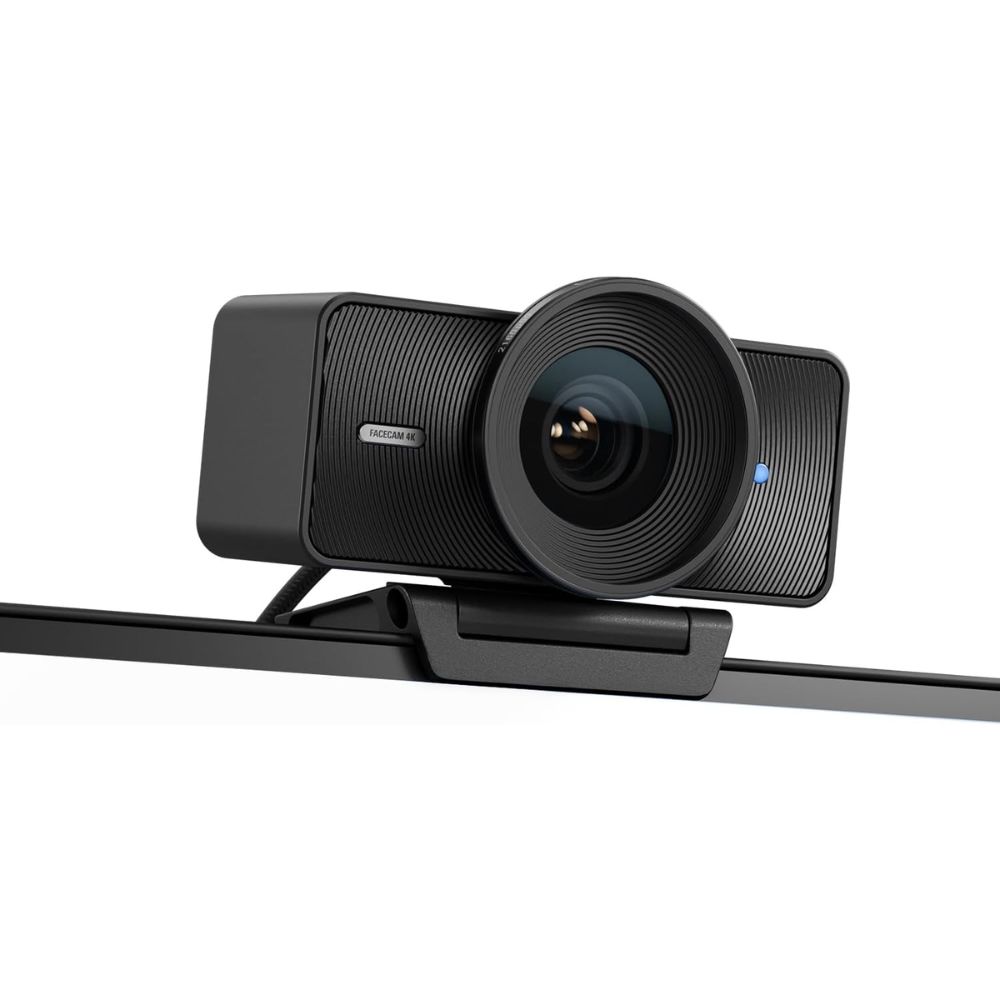
Best for Streaming
Elgato Facecam
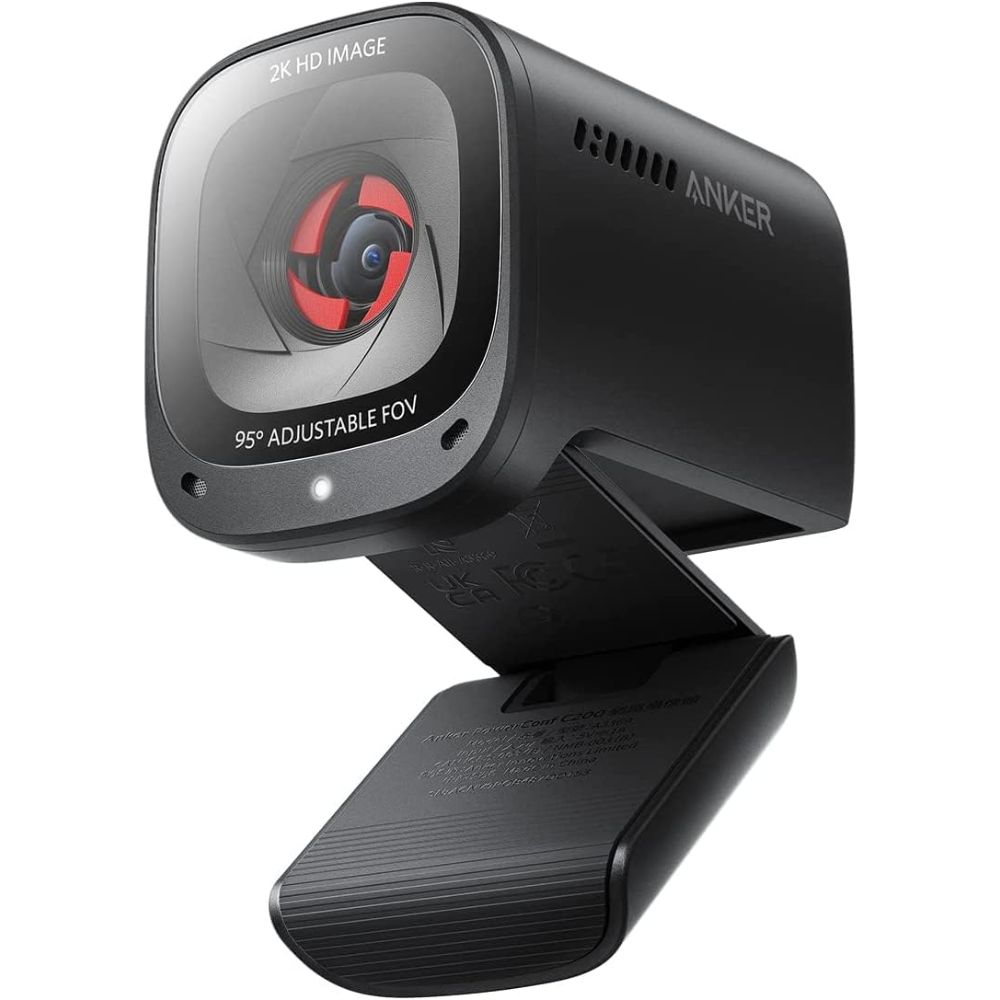
Best for Zoom/Work
Anker PowerConf C200
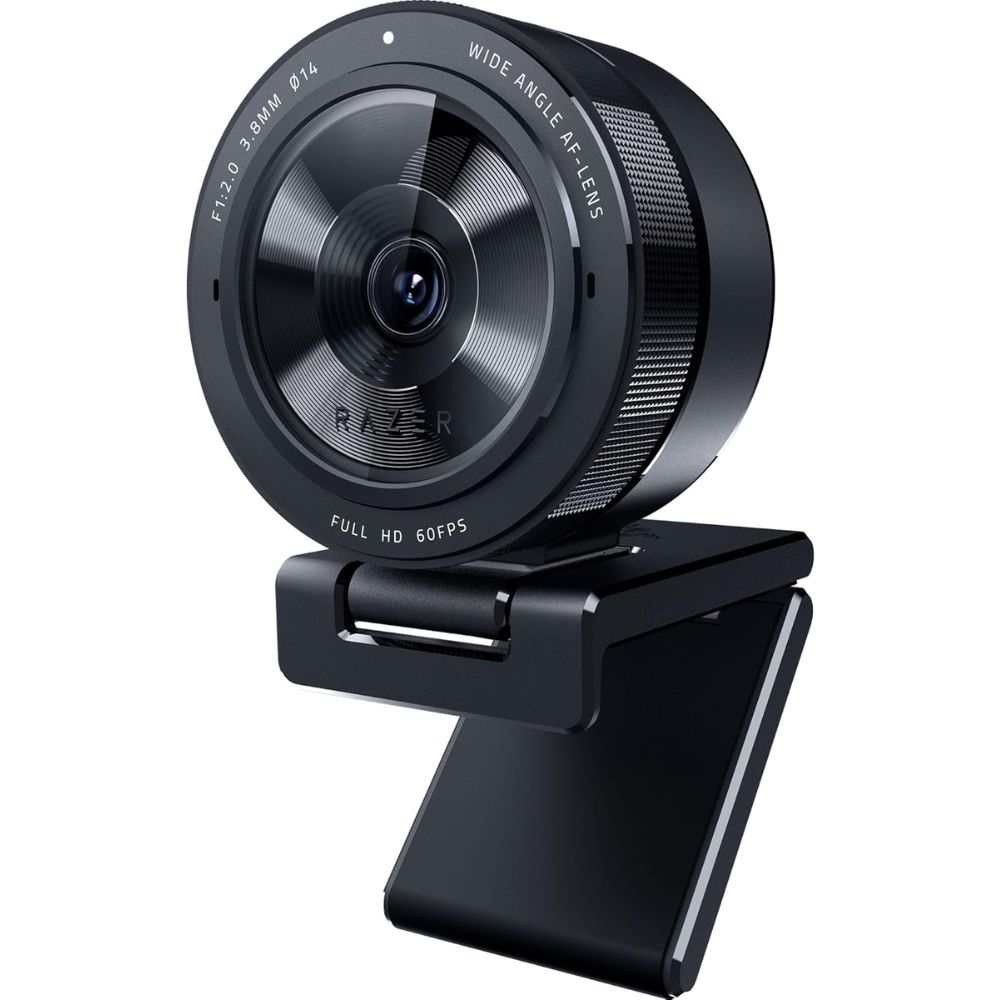
Best for Low Light
Razer Kiyo Pro

Best Overall Webcam
Logitech C920 HD Pro Webcam
Why We Picked This
The Logitech C920 HD Pro Webcam continues to dominate as the best overall webcam due to its consistent Full HD 1080p video quality, dual stereo microphones, and reliable autofocus.
It delivers natural color reproduction and sharp image clarity, making it ideal for both professional meetings and casual streaming. Widely praised in expert reviews, it strikes a perfect balance between performance and affordability, which is why it remains a long-standing favorite in the market .
Users frequently highlight its plug-and-play simplicity and dependable low-light correction, ensuring you look clear even in less-than-ideal lighting. It’s also versatile enough for recording, conferencing, and content creation, making it a true all-rounder.
Best for
- Work from home professionals
- Online classes and meetings
- Casual streaming and recording
- Beginners looking for a reliable webcam
Pros:
- Excellent 1080p video quality
- Reliable autofocus and light correction
- Dual stereo microphones
- Easy plug-and-play setup
Cons:
- Limited to 30fps at 1080p
- No 4K support
- Older design compared to newer models
Order Yours Today
Best Overall Webcam
NexiGo N60 1080P Webcam
Why We Picked This
The NexiGo N60 stands out as one of the best budget webcams, offering impressive 1080p resolution at an entry-level price point. Despite its affordability, it includes features like adjustable field of view, built-in noise-reduction microphone, and decent color accuracy.
Users appreciate its ease of setup and compatibility across platforms like Zoom, Skype, and Teams. It’s frequently recommended as a cost-effective upgrade over built-in laptop cameras, delivering noticeably sharper video and better audio clarity. For users who want dependable performance without overspending, the N60 delivers excellent value.
Best for
- Students and budget users
- Basic video calls and meetings
- Entry-level content creators
- Backup webcam setup
Pros:
- Very affordable
- Decent 1080p clarity
- Wide compatibility
- Easy setup
Cons:
- Average low-light performance
- Basic build quality
- Limited advanced features
Order Yours Today
Best Overall Webcam
Logitech Brio 4K Ultra HD Webcam
Why We Picked This
The Logitech Brio 4K Ultra HD Webcam is designed for professionals who demand top-tier video quality.
It offers stunning 4K resolution, HDR support, and advanced RightLight 3 technology, ensuring excellent performance even in challenging lighting conditions. Experts consistently rank 4K webcams like the Brio among the best for high-end use cases due to their superior detail and clarity .
Users praise its ultra-sharp image, customizable field of view, and Windows Hello integration for added convenience. It’s ideal for professionals, streamers, and creators who want a polished, studio-like appearance.
Best for
- Professional video conferencing
- High-end streaming and recording
- Content creators and YouTubers
- Business presentations
Pros:
- True 4K ultra HD resolution
- HDR and excellent low-light performance
- Adjustable field of view
- Premium build quality
Cons:
- Expensive
- Requires good lighting for best results
- Software can be complex for beginners
Order Yours Today
Best Webcam for Streaming
Elgato Facecam
Why We Picked This
The Elgato Facecam is purpose-built for streamers and content creators who need high-quality, low-latency video.
It delivers uncompressed 1080p video at 60fps, ensuring smooth and sharp visuals for live streaming. The Camera Hub software provides DSLR-style control over exposure, white balance, and ISO, making it a favorite among professionals. Industry experts highlight Elgato webcams for their superior customization and streaming performance .
Users love its consistent image quality and lack of compression artifacts, making it ideal for Twitch, YouTube, and professional content creation.
Best for
- Live streaming (Twitch, YouTube)
- Content creators
- Gamers
- Professional video production
Pros:
- Uncompressed 1080p60 video
- Advanced manual controls
- Excellent image consistency
- Optimized for streaming
Cons:
- No built-in microphone
- Requires software setup
- Premium price for 1080p
Order Yours Today
Best Webcam for Zoom / Work
Anker PowerConf C200 2K Webcam
Why We Picked This
The Anker PowerConf C200 is one of the best webcams for professional work environments, offering 2K resolution, fast autofocus, and excellent clarity.
It stands out for delivering premium-like performance at a mid-range level, often outperforming more expensive webcams .
Users consistently praise its sharp image quality, built-in privacy shutter, and reliable performance in both normal and low-light conditions. Its compact design and simple setup make it perfect for remote workers who need dependable video quality for meetings and presentations.
Best for
- Zoom meetings and video calls
- Remote work setups
- Business professionals
- Daily office use
Pros:
- Crisp 2K resolution
- Fast autofocus
- Privacy shutter included
- Compact design
Cons:
- Narrower field of view
- Limited advanced controls
- Not ideal for streaming
Order Yours Today
Best Webcam for Low Light
Razer Kiyo Pro Webcam
Why We Picked This
The Razer Kiyo Pro excels in low-light environments thanks to its advanced adaptive light sensor and HDR capability. It delivers uncompressed 1080p video at 60fps with vibrant colors and reduced noise, even in dim conditions .
Experts consistently rank it as one of the best webcams for low-light performance due to its ability to maintain clarity without requiring additional lighting . Users appreciate its adjustable field of view and strong performance across streaming, gaming, and conferencing scenarios.
Best for
- Low-light environments
- Night-time streaming
- Gamers and streamers
- Professional video calls
Pros:
- Excellent low-light performance
- HDR support
- Smooth 1080p60 video
- Adjustable field of view
Cons:
- No built-in ring light
- Slightly bulky design
- Premium pricing
Order Yours Today
Webcam vs Smartphone Cameras, DSLR, Mirrorless Cameras, and Laptop Cameras
When choosing between a webcam and other camera options like smartphones, DSLRs, mirrorless cameras, or built-in laptop cameras, the decision comes down to balancing video quality, convenience, and purpose. While smartphones and dedicated cameras often deliver superior image quality, the best webcams are specifically designed for video calls, streaming, and long-duration use, making them the most practical choice for most users.
Key Differences of the Two Types
- Image Quality: DSLR and mirrorless cameras offer the highest image quality with larger sensors and better depth of field, followed by smartphones with advanced computational photography. The best webcams provide optimized, natural-looking video tailored for conferencing and streaming.
- Ease of Use: Webcams are plug-and-play and require minimal setup, while smartphones and dedicated cameras need mounts, apps, or capture cards to function as webcams.
- Streaming and Software Integration: Webcams integrate seamlessly with platforms like Zoom, Teams, and OBS, whereas other devices often require third-party software or additional hardware.
- Stability and Positioning: Webcams are designed for stable, fixed positioning on monitors, while smartphones and cameras require tripods or mounts. Laptop cameras are fixed and offer limited flexibility.
- Low-Light Performance: High-end webcams and mirrorless cameras perform well in low light, while laptop cameras typically struggle. Smartphones perform decently but may introduce noise or artificial processing.
- Cost and Practicality: Webcams are affordable and purpose-built, whereas DSLR and mirrorless setups can be expensive and complex.
Which One Should Be Chosen?
For most users, whether for remote work, online classes, or streaming, the best webcams offer the ideal balance of quality, simplicity, and reliability. If you’re a professional content creator seeking cinematic visuals, a DSLR or mirrorless camera is a better fit. Smartphones can work well as a temporary solution, but for consistent performance and ease of use, a dedicated webcam remains the smartest long-term investment. creators, investing in one of the best webcams ensures a smoother and more dependable experience.
What to Consider When Choosing the Best Webcams for Streaming, Gaming & Content Creation
Choosing the best webcams isn’t just about resolution, several factors impact overall video quality, usability, and performance. Here are four key things to consider before making your decision:
Video Resolution and Frame Rate
Resolution determines how sharp your video looks, while frame rate affects smoothness. Most users will find 1080p webcams with 30fps sufficient for video calls and online meetings. However, if you’re a content creator or streamer, opting for 1080p at 60fps or even 4K webcams can significantly enhance clarity and motion smoothness. Higher frame rates are especially important for streaming and professional recordings.
Low-Light Performance
Not everyone has perfect lighting, which is why low-light performance is a critical factor. The best webcams use advanced sensors, HDR, or light correction technologies to maintain clear and balanced images in dim environments. If you frequently attend meetings at night or stream in ambient lighting, choosing a webcam optimized for low-light conditions will make a noticeable difference.
Built-in Microphone Quality
Audio quality is just as important as video. Many webcams come with built-in microphones designed for voice clarity, which is ideal for Zoom calls and remote work. However, not all microphones are equal, look for features like noise reduction or dual stereo mics for better sound pickup. For professional streaming, you may still prefer a dedicated external microphone.
Field of View and Adjustability
The field of view (FOV) determines how much of your surroundings the camera captures. A narrower FOV is great for focused video calls, while a wider angle works better for group meetings or streaming setups. Some of the best webcams also offer adjustable FOV and manual controls, giving you more flexibility to frame your shot exactly how you want.
Final Verdict
If you’re looking to upgrade your video quality, investing in one of the best webcams is a smart and impactful choice that instantly elevates your online presence.
For most users, the Logitech C920 HD Pro Webcam remains the best overall pick thanks to its reliability and balanced performance. If you’re on a tight budget, the NexiGo N60 delivers solid value, while professionals and creators will benefit most from the premium clarity of the Logitech Brio 4K. Streamers should lean toward the Elgato Facecam for its smooth 60fps output, whereas remote workers will appreciate the simplicity of the Anker PowerConf C200. For low-light setups, the Razer Kiyo Pro stands out.
Ultimately, the right choice depends on how you plan to use it. Identify your primary need, match it to the strengths above, and choose confidently, because the right webcam can make a lasting impression every time you go live or join a call.
FAQs About Webcams
What is the best webcam for Zoom meetings?
The Anker PowerConf C200 is one of the best webcams for Zoom due to its 2K resolution, fast autofocus, and clear image quality, making it ideal for professional video calls.
Is 1080p enough for a webcam?
Yes, 1080p is sufficient for most users, including meetings and streaming. However, 4K webcams offer better detail and flexibility for professional content creation.
Which webcam is best for streaming?
The Elgato Facecam is one of the best choices for streaming thanks to its uncompressed 1080p60 video and advanced manual controls.
Do webcams work well in low light?
Some webcams struggle in low light, but models like the Razer Kiyo Pro are specifically designed with adaptive light sensors to perform exceptionally well in darker environments.
Do I need a webcam if my laptop has one?
External webcams significantly outperform built-in laptop cameras in terms of resolution, color accuracy, and audio quality, making them a worthwhile upgrade.