
Disclosure: As an Amazon Associate, I earn from qualifying purchases. This means that if you click on a link and make a purchase, I may receive a small commission at no additional cost to you.
Table of Contents
A clutter-free desk is essential for productivity, especially when you’re juggling multiple devices like laptops, external drives, keyboards, and monitors. The right USB hub can simplify your setup by consolidating connections into a single, organized solution. In this guide, we’ve carefully selected the best USB hubs that combine performance, design, and versatility for a clean and efficient workspace.
Quick Look
Best Overall
Anker 555
Best Budget
UGREEN
Best Portable
Anker 5-in-1
Best for Home Office
Plugable
Best for high-speed data
Inatek

Best Overall USB Hub
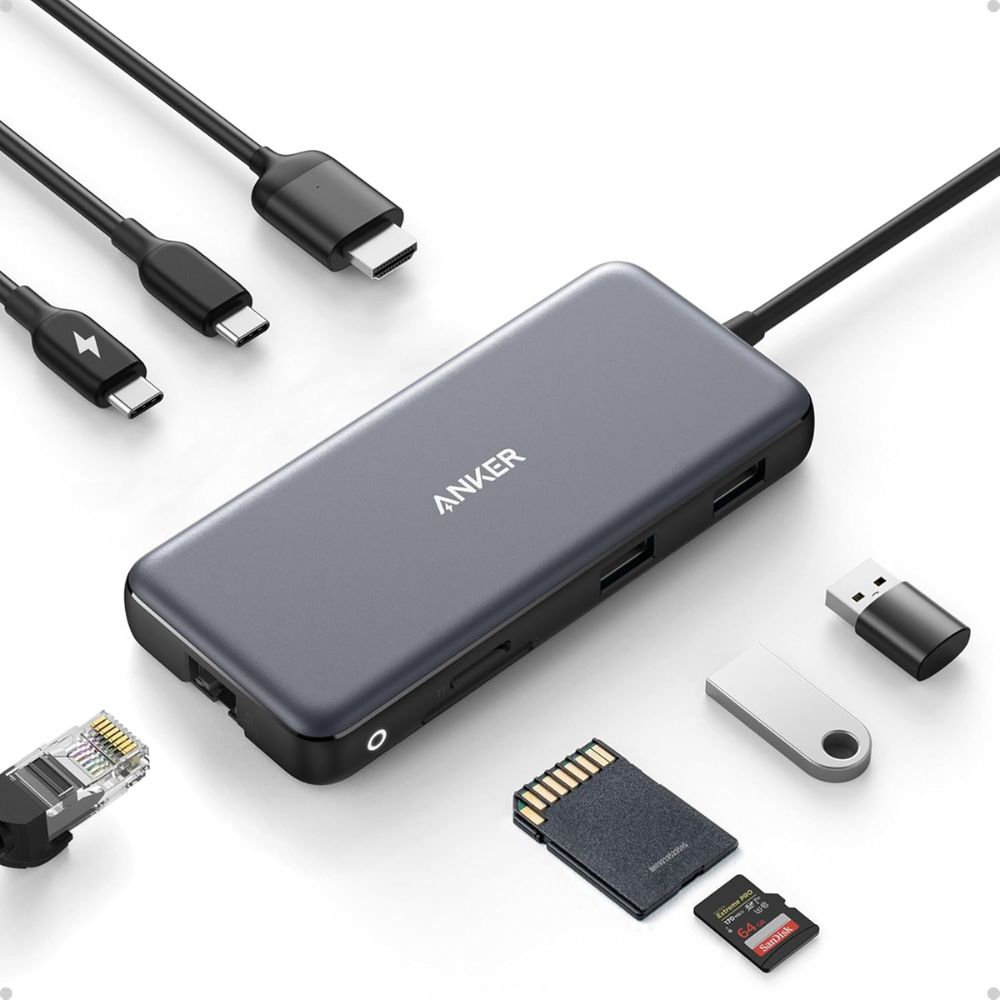
Anker 555 USB-C Hub
Why We Picked This
The Anker 555 USB-C Hub stands out as the most balanced option for users seeking both performance and desk organization. With eight ports packed into a compact design, it eliminates the need for multiple adapters, which is crucial for maintaining a clean desk aesthetic. Its ability to replace several dongles with a single unit is a major advantage for productivity-focused users.
Performance-wise, this hub excels with 10Gbps transfer speeds across USB ports, making it ideal for transferring large files like videos or project assets. It also supports pass-through charging up to 100W, allowing users to power their laptops while using all ports simultaneously . This reduces cable clutter significantly, as you only need one connection to your laptop.
The inclusion of a 4K HDMI port (60Hz) makes it suitable for professionals who rely on external displays. Whether you’re editing videos, designing, or multitasking, the smooth output ensures a seamless experience. Additionally, the Ethernet port adds stability for users who prefer wired internet connections over Wi-Fi.
User feedback consistently highlights its reliability and versatility. While it may lack rubber feet and can slide slightly on smooth desks, its overall functionality outweighs minor design drawbacks. For most users, this hub is the ultimate centerpiece of a clean, high-performance desk setup.
Who is it for
- Ideal for professionals, remote workers, and students who need a powerful all-in-one hub for multiple devices and a clutter-free workspace.
Pros:
- Excellent all-in-one solution
- Fast data transfer speeds
- Reliable power delivery for laptops
- Premium build quality
Cons:
- Slightly bulky for ultra-minimal setups
- Can get warm under heavy load
- No DisplayPort option
Order Yours Today
Best Budget USB Hub
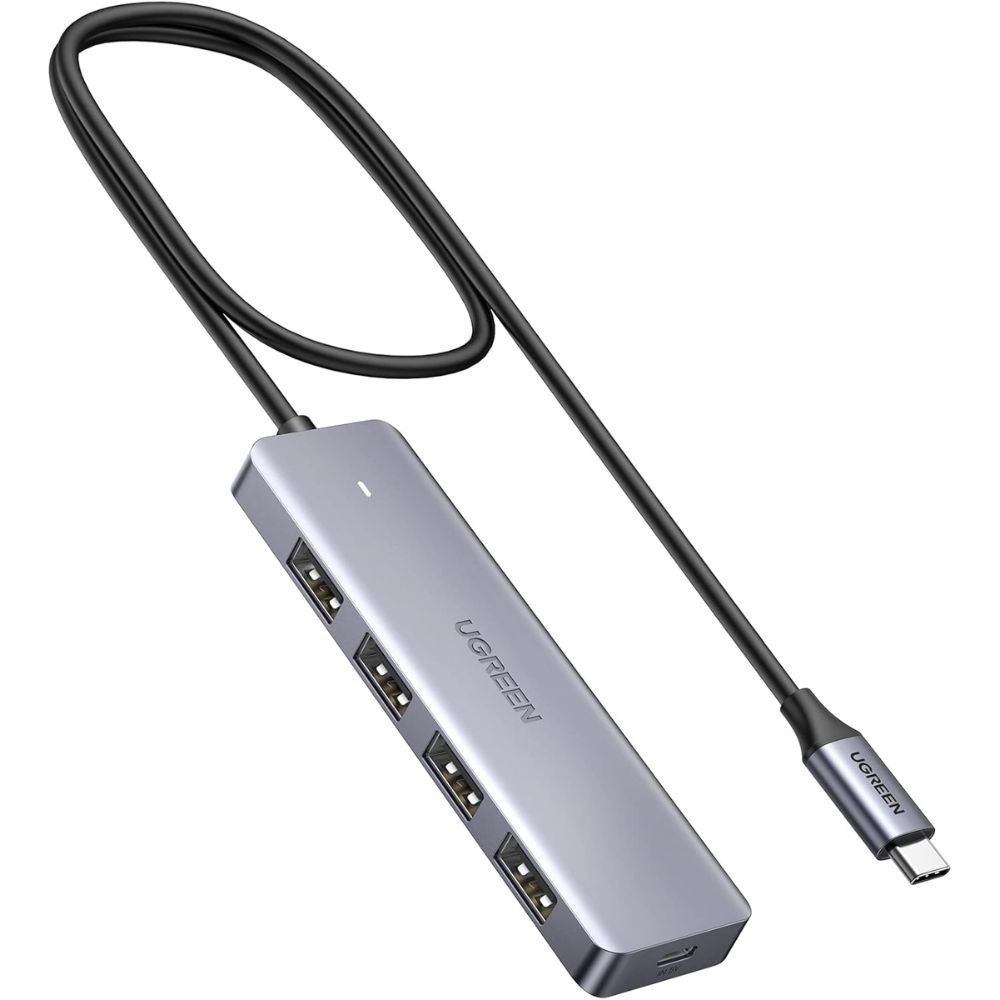
UGREEN 4-Port USB 3.0 Hub
Why We Picked This
The UGREEN 4-Port USB 3.0 Hub is a no-frills solution designed for users who simply need more USB ports without adding unnecessary complexity. It’s particularly effective for clean desk setups because of its minimal footprint and straightforward functionality.
Despite its budget-friendly positioning, it delivers solid performance with transfer speeds up to 5Gbps, which is sufficient for everyday tasks like file transfers, connecting peripherals, and charging small devices. Its plug-and-play nature ensures that even non-technical users can integrate it into their setup effortlessly.
From a design perspective, this hub is perfect for maintaining a tidy workspace. Its compact size allows it to sit discreetly on your desk or be tucked away behind a monitor. The absence of bulky cables or extra ports actually works in its favor for minimalists.
User feedback often praises its reliability and durability for everyday use. However, it’s important to note that it lacks advanced features like HDMI output or power delivery, making it unsuitable for users with more demanding setups.
Who is it for
- Best suited for budget-conscious users or minimalists who only need extra USB ports for peripherals like a mouse, keyboard, or flash drives.
Pros:
- Very affordable and reliable
- Extremely compact design
- Easy to use (no setup required)
Cons:
- No USB-C support
- No HDMI or power delivery
- Limited expansion options
Order Yours Today
Best Portable USB Hub
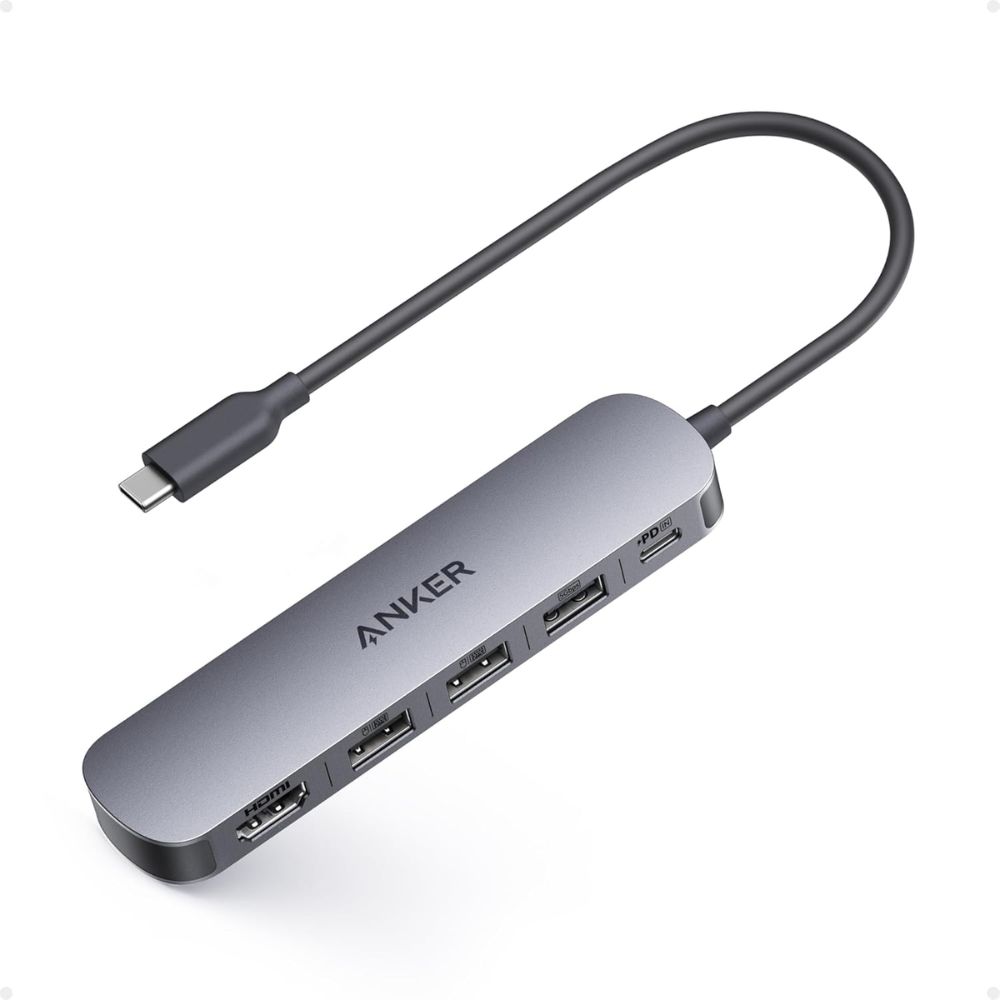
Anker 5-in-1 USB-C Hub
Why We Picked This
The Anker 5-in-1 USB-C Hub is designed with portability in mind, making it a great companion for users who frequently move between workspaces. Its compact form factor ensures it doesn’t add clutter, whether you’re working at a café, office, or home desk.
While it doesn’t offer as many ports as larger hubs, it covers the essentials effectively. The inclusion of HDMI allows for quick external display setups, while the USB ports handle everyday peripherals without issue. This balance of functionality and portability makes it ideal for streamlined setups.
Performance is consistent, though slightly limited compared to higher-end hubs. With 5Gbps speeds, it handles most tasks well but may not be ideal for heavy data transfers. However, for general productivity, it performs reliably.
Users appreciate its durability and simplicity. It’s a great example of how a well-designed hub can enhance both portability and desk organization without overcomplicating the setup.
Who is it for
- Perfect for students, remote workers, and travelers who need a compact hub for lightweight setups.
Pros:
- Ultra-portable and lightweight
- Reliable performance for travel
- Clean and simple design
Cons:
- Limited number of ports
- Lower data speeds than premium hubs
- No Ethernet port
Order Yours Today
Best USB Hub for Home Office
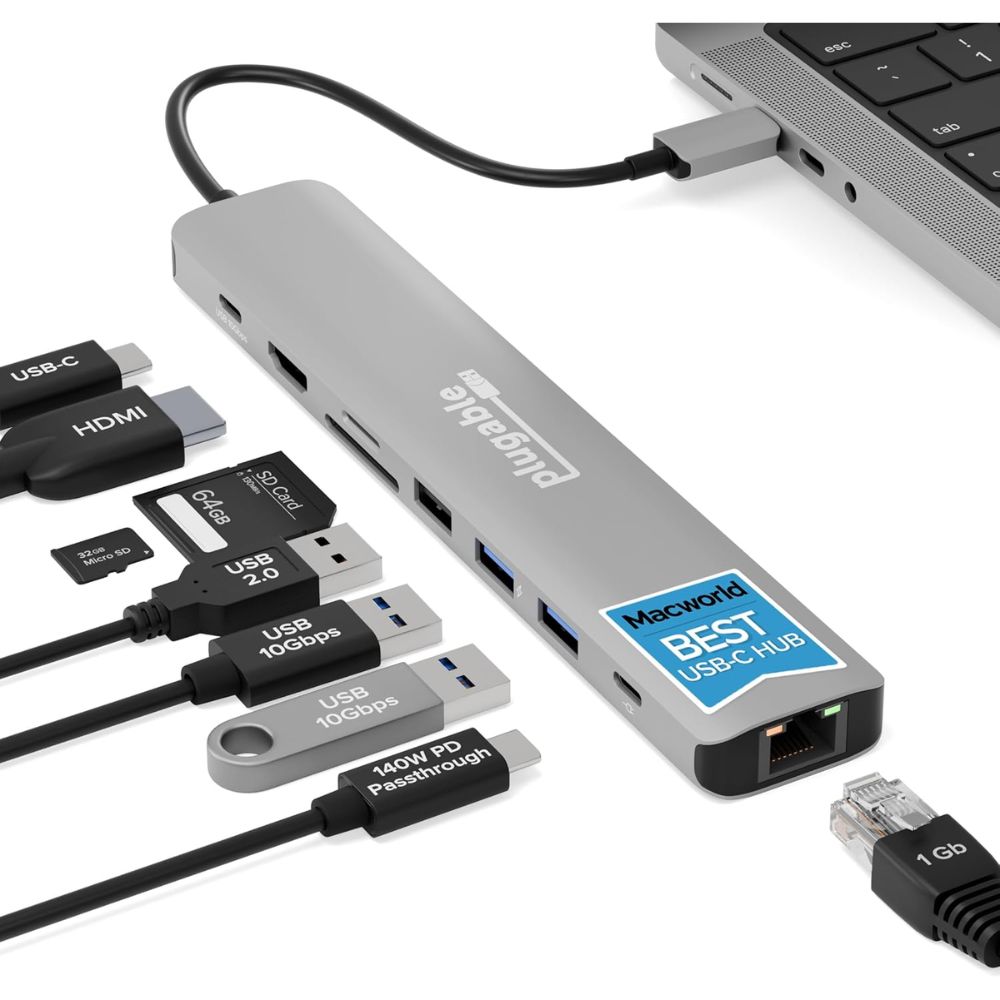
Plugable USB-C 9-in-1 Hub
Why We Picked This
The Plugable USB-C 9-in-1 Hub is built for users who demand more from their setup. With nine ports, it provides extensive connectivity for creators working with multiple devices, displays, and storage solutions.
Its ability to handle complex workflows makes it a strong choice for video editors, designers, and developers. The inclusion of Ethernet, card readers, and multiple USB ports ensures that all essential tools can be connected simultaneously.
While it’s not the most compact option, it excels in functionality. For users who prioritize performance over minimalism, it offers a robust solution that can replace several standalone adapters.
User feedback often highlights its reliability and versatility, particularly in professional environments. It’s a powerhouse hub that transforms any desk into a fully equipped workstation.
Who is it for
- Best for content creators, designers, and professionals with demanding multi-device setups.
Pros:
- Extensive connectivity options
- Ideal for creative professionals
- Reliable performance under heavy load
Cons:
- Larger footprint
- Less portable
- More complex setup
Order Yours Today
Best USB Hub for High-Speed Data
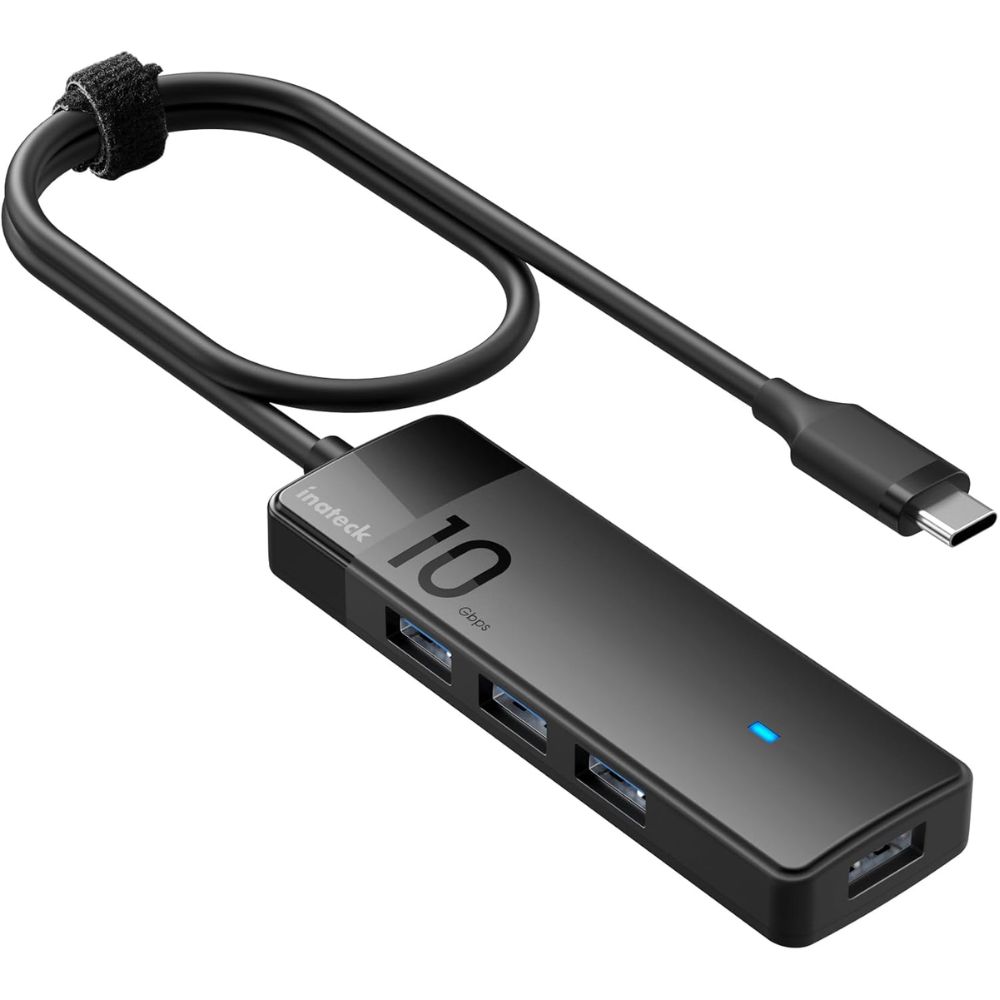
Inatek 10Gbps USB 3.2 Hub
Why We Picked This
The Inatek 10Gbps USB 3.2 Hub is a specialized tool designed for speed. If your primary goal is fast data transfer, especially when working with large files, this hub is an excellent choice.
Its 10Gbps capability makes it ideal for photographers, videographers, and developers who frequently move large datasets. Compared to standard hubs, the performance difference is noticeable when working with external SSDs or high-capacity drives.
From a design perspective, it maintains a clean and minimal look, making it easy to integrate into a clutter-free desk setup. However, it sacrifices versatility for speed, as it lacks features like HDMI or Ethernet.
User feedback often emphasizes its reliability and consistent performance under heavy data loads. While it’s not an all-in-one solution, it excels in its niche.
Who is it for
- Ideal for power users who prioritize high-speed data transfer over multi-functionality.
Pros:
- Extremely fast data transfer
- Great for external SSD workflows
- Clean, minimal design
Cons:
- No HDMI or display support
- Limited versatility
Order Yours Today
How to Choose the Best USB Hub for Clean Desk Setups with Multiple Devices
Choosing the right USB hub is essential if you want a clean, organized workspace without sacrificing functionality. The first thing to consider is the number and type of ports you need. A good USB hub should match your devices—whether that includes USB-A peripherals, USB-C connections, HDMI for displays, or SD card slots. Selecting a USB hub with the right mix of ports helps eliminate extra adapters and reduces cable clutter on your desk.
Next, pay attention to data transfer speeds. If you frequently move large files, look for a USB hub that supports at least 5Gbps or even 10Gbps for faster performance. This ensures your USB hub doesn’t become a bottleneck when connecting external drives or high-performance accessories.
Power delivery is another key factor. A USB hub with pass-through charging allows you to power your laptop while using multiple devices, which is especially useful for maintaining a minimal setup with fewer cables. This feature can significantly improve both convenience and desk organization.
Design and build quality also matter more than you might think. A compact, well-built USB hub with a clean layout will blend seamlessly into your workspace. Some USB hub models even include short cables or flat designs that help with cable management and reduce visible clutter.
Finally, consider your usage style. If you work at a fixed desk, a larger USB hub with more ports may be ideal. For travel or flexible setups, a compact USB hub is a better choice. By aligning your needs with the right features, you can create a streamlined, clutter-free desk that enhances productivity.
Final Verdict
Choosing the right USB hub ultimately comes down to how you use your workspace and the level of connectivity you need. If you want a single, powerful solution that keeps your desk clean while handling multiple devices effortlessly, the Anker 555 USB-C Hub (8-in-1) stands out as the best overall choice. It strikes the perfect balance between performance, versatility, and cable reduction, making it ideal for most modern setups.
For those on a tighter budget or with simpler needs, the UGREEN 4-Port USB 3.0 Hub offers reliable performance without unnecessary features. Meanwhile, users who are constantly on the move will appreciate the portability and convenience of the Anker 5-in-1 USB-C Hub.
Power users and creators working with multiple devices and demanding workflows should look toward the Plugable USB-C 9-in-1 Hub (USBC-9IN1E), which delivers the connectivity and flexibility needed for professional environments. On the other hand, if speed is your top priority, especially for large file transfers, the Inatek 10Gbps USB 3.2 Hub is the clear winner.
In the end, a well-chosen USB hub isn’t just an accessory; it’s the backbone of a clean, efficient desk setup. Pick the one that aligns with your workflow, and you’ll instantly notice the difference in both productivity and organization.
Curious about Home Office Setup? We’ve broken it down in detail here
FAQs About USB Hubs
What should I look for in a USB hub for a clean desk setup?
Focus on port variety, cable management, compact design, and power delivery support. A hub that replaces multiple adapters will significantly reduce clutter.
Is USB-C better than USB-A for hubs?
Yes, USB-C hubs generally offer more features like power delivery, video output, and faster data speeds, making them better for modern setups.
Do USB hubs affect performance?
High-quality hubs maintain stable performance, but bandwidth is shared across ports. Choosing a hub with higher speed (like 10Gbps) helps minimize slowdowns.
Can I connect a monitor through a USB hub?
Yes, if the hub includes HDMI or DisplayPort and your device supports video output via USB-C (DisplayPort Alt Mode).
Are powered USB hubs better?
Powered hubs are better for high-demand devices like external hard drives, while bus-powered hubs are sufficient for basic peripherals.