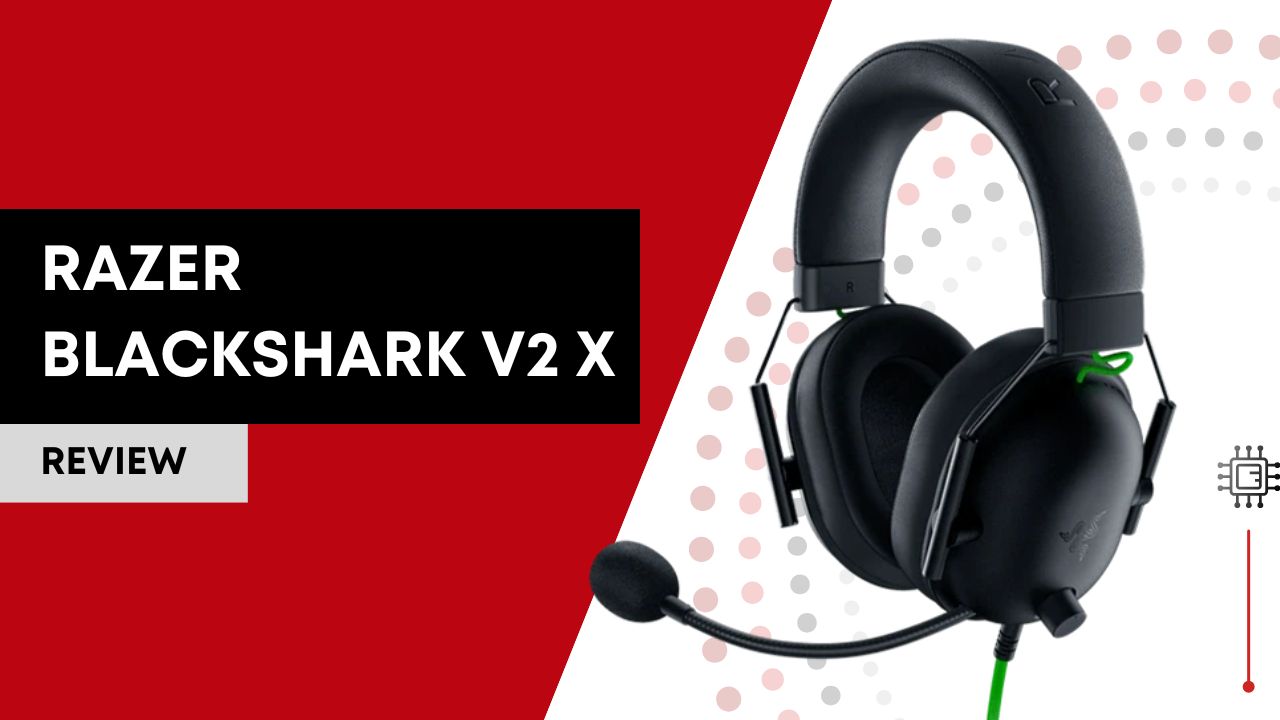

The Razer BlackShark V2 X is a lightweight, wired gaming headset designed for comfort and immersive audio. It features 50 mm TriForce drivers, virtual 7.1 surround sound on PC, and a HyperClear cardioid microphone for clear communication. With its plug-and-play 3.5 mm compatibility, it works across PC, consoles, and mobile devices, making it an excellent choice for budget-conscious gamers.
Disclaimer: This review is a comprehensive synthesis of professional reviews, technical breakdowns, and real-user feedback from forums, Reddit threads, user reviews on retailer sites, and expert comparisons. I’ve not used this camera firsthand; everything here reflects what the broader online community actually says about the device. This post contains Amazon affiliate links, and I may earn a commission if you make a purchase.
Table of Contents

Key Features
TriForce 50 mm Drivers – Clear, Detailed Audio
The Razer BlackShark V2 X uses Razer’s proprietary TriForce 50 mm drivers, a standout feature designed to deliver high‑quality sound across a wide range of frequencies. Rather than using a single speaker cone to handle all audio, these drivers split sound into three parts, highs, mids, and lows, allowing each frequency range to be tuned separately. The result is richer treble, deeper bass, and more precise audio detail overall. For gamers, this means key in‑game sounds like footsteps, gunfire, and environmental cues become easier to hear and localize, which can give you a competitive edge in fast‑paced action or tactical shooters.
7.1 Surround Sound – Immersive Positional Audio
One of the most talked‑about features of the Razer BlackShark V2 X is its support for 7.1 virtual surround sound (on compatible Windows 10/64‑bit systems). This technology simulates a multi‑dimensional sound field so you feel like audio is coming from different directions around you, not just left and right. In gaming, this enhances situational awareness, allowing you to judge the direction of approaching enemies or distant fire without relying solely on visuals. It’s especially valuable for competitive gamers who depend on precise audio cues.
HyperClear Cardioid Microphone – Clear Voice Communication
Communication is key in team‑based games, and the HyperClear cardioid microphone helps ensure your voice comes through clearly. This mic is designed to focus on your voice while reducing background noise and ambient sounds, so teammates hear you accurately even in loud environments. The cardioid pickup pattern is particularly effective for gaming chats and strategy calls, making this headset a viable option for cooperative multiplayer or esports play.
Advanced Passive Noise Cancellation – Better Focus on Gameplay
While not an active noise‑cancelling headset with electronics, the Razer BlackShark V2 X offers advanced passive noise cancellation thanks to its closed‑back earcup design and snug memory foam padding. This design physically blocks a significant amount of outside noise, helping to limit distractions and keep you immersed in your game. Whether it’s household noise or background chatter, the sealed earcups help maintain focus without needing volume turned up excessively.
Lightweight Comfort and Memory Foam Cushions – Extended Wear Without Fatigue
At around 240 g, the Razer BlackShark V2 X is one of the more lightweight gaming headsets available, helping reduce strain during long play sessions. The earcups and headband are lined with hybrid memory foam cushions that adapt to your head’s shape while remaining breathable, lowering heat buildup and pressure on your ears. This combination of weight and padding makes the headset comfortable for marathon gaming sessions or extended use without discomfort.
Cross‑Platform 3.5 mm Compatibility – Play Across Devices
Another practical advantage of the Razer BlackShark V2 X is its universal 3.5 mm audio jack connection. This means the headset can plug into PCs, gaming consoles (PlayStation, Xbox), Nintendo Switch, mobile devices, and more without extra adapters or dongles. This level of compatibility is especially convenient if you game on different systems or switch between devices often, making the headset a versatile choice rather than one limited to a single platform.
On‑Headset Controls – Easy Access to Volume and Mic Mute
Though simpler than some premium models, the Razer BlackShark V2 X includes on‑headset controls such as a volume wheel and a mute button. These controls allow you to instantly adjust sound levels or mute your microphone without leaving the game or fumbling with external software, a convenience that keeps you in the moment and reduces interruptions during play.
Real‑World Performance & Daily Use
What do these specs actually mean when you’re gaming, watching movies, or just sitting down to some casual audio?
Gaming Audio
In games, positional cues like footsteps and directional sounds are essential. The BlackShark V2 X performs well here thanks to its nuanced driver tuning and virtual surround support on PC. Most users report accurate audio positioning in competitive titles, which is surprisingly good for its price bracket.
However, not all reviews agree on sound consistency; some note that the bass and treble can shift depending on how the headset sits on your head, especially if glasses or thick hair disrupt the seal.
Comfort for Long Sessions
Multiple sources remark that the BlackShark V2 X headset is comfortable even during long gaming marathons, thanks to its lightweight design and breathable memory foam padding. Even glasses wearers sometimes note minimal pressure on temples, a real plus for long‑lasting wear.
That said, a few users say the clamp force is a bit tight, and repeated adjustment can feel “finicky, something to consider if you often swap headsets.
Microphone Use
For voice chat and multiplayer coordination, the HyperClear cardioid mic generally does its job. Folks playing over Discord or voice chat often find that their teammates can hear them clearly without much background noise.
Music & Movies
BlackShark V2 X isn’t a true audiophile headset, and many users say its gaming‑centric tuning comes at the expense of balanced music sound. Bass doesn’t wow, and music can sound flat, especially with the virtual surround toggled on.
Durability & Daily Wear
Build quality receives mixed feedback. Comfort and lightweight design are consistent pluses, but the plastic construction sometimes feels less sturdy over the years of use. Some users report wear and tear, like loose cables or plastic fatigue, after extended use.
Real Users’ Opinions
Here’s what actual users are saying, straight from forums like Reddit and Amazon critiques (unedited in sentiment):
“Amazing sound and mic quality, unparalleled audio experience.”
“With 7.1 surround off it’s alright, but with it on, it feels muffled and flat, no controls to equalize it.”
“My Razer fan history is strong, but this time… the sound is NOT good. My older SteelSeries sounded better.”
“I bought for basic stuff like Discord, movies, and bass-heavy music, it’s fine, but not competitive gaming material.”
“Comfortable and reliable for daily use, still performing like new after 6 months.”
Recurring praise: comfort and mic clarity. Recurring complaints: inconsistent sound quality, too much bass at times, and a lack of customization controls.
BlackShark V2 X vs. SteelSeries Arctis 1
Below is a simple comparison table to help you contrast the two headsets at a glance.
| Feature | Razer BlackShark V2 X | SteelSeries Arctis 1 |
|---|---|---|
| Drivers | 50 mm TriForce | ~40 mm Dynamic |
| Surround Sound | 7.1 Virtual (PC) | Stereo only |
| Mic | Fixed HyperClear Cardioid | Removable boom mic |
| Comfort | Lightweight foam pads | Decently comfy (mesh pads) |
| Build Quality | Mixed – light, plasticky | Cheap, plasticky feel |
| Customization | Limited | No software support |
| Compatibility | Wired 3.5 mm | Wired 3.5 mm |
| Best For | Positional gaming, console & PC | Balanced budget gaming |
Which should you choose?
- Choose the Razer BlackShark V2 X if you want better in‑game positional audio and a slightly more immersive gaming focus. Its 7.1 surround support (on PC) and driver size give it a bit of an edge in sound layering for games.
- Choose the SteelSeries Arctis 1 if you prefer a removable mic, a slightly more neutral sound profile for mixed audio use, and casual gaming across platforms without the need for surround effects.
Who the BlackShark V2 X Is For And Who It Isn’t
Ideal for:
- Budget gamers who want good performance without spending a ton.
- Console players who need a plug‑and‑play wired solution for PS, Switch, etc.
- Competitive gamers on a budget who appreciate positional audio.
- Multi‑session users who value comfort in long play sessions.
Not ideal for:
- Audiophiles and music enthusiasts who want rich, balanced sound for movies and music.
- Users seeking detachable or wireless options.
- People who want tons of sound customization (EQ, profiles, etc.).
- Those who prioritize premium build quality and durability over low cost.
Setup, Usage & Optimization
Initial Setup
Getting started with the Razer BlackShark V2 X is straightforward. Simply unpack the headset, plug the 3.5 mm jack into your PC, console, or mobile device, and it’s ready to use, no drivers are required for basic audio. For PC users who want 7.1 virtual surround sound, install the Razer Synapse software (Windows only) to enable and configure spatial audio. Ensure your device supports a 3.5 mm audio input and that any console settings are configured to output sound via the controller or headphone jack.
Recommended Usage
This headset excels in gaming, voice chat, and casual media consumption. Position the ear cups fully over your ears for maximum passive noise isolation and comfort. Its lightweight design makes it suitable for long gaming sessions, while the fixed HyperClear cardioid mic should face your mouth for optimal voice clarity. Avoid using the headset in extremely noisy environments if precise audio positioning is critical, as it does not feature active noise cancellation.
Optimization Tips
- Enable Virtual 7.1 Surround: On PC, use Razer Synapse to toggle 7.1 surround for improved positional audio in competitive games.
- Adjust Headband & Ear Cups: Ensure the headset sits snugly but not too tight; this improves comfort and sound seal.
- Keep the Cable Untangled: Avoid bending or tightly wrapping the 3.5 mm cable, which prolongs longevity.
- Mic Placement: Angle the mic slightly toward your mouth to reduce background noise and improve clarity.
- EQ Settings: Use software EQ (if available in Synapse) to adjust bass and treble for music or movies; the headset is tuned for gaming by default.
Common Mistakes to Avoid
- Plugging into a non-compatible device without proper audio output settings.
- Wearing the headset loosely, which can reduce sound quality and surround sound effect.
- Over-tightening the headband, which may cause discomfort over long sessions.
Final Verdict
The Razer BlackShark V2 X is one of the strongest sub‑$60 gaming headsets you can buy, balancing comfort, microphone clarity, and cross‑platform compatibility in a way few others do at this price. That said, it isn’t perfect: inconsistent audio tuning and plasticky build quality keep it from feeling truly premium. Context matters: if your priority is overall gaming immersion and mic performance for multiplayer play, BlackShark V2 X is a smart choice. But for general audio lovers or those who want more flexibility (like detachable mics or wireless), alternatives like the SteelSeries Arctis 1 might serve you better.
FAQ
Is the Razer BlackShark V2 X good for competitive gaming?
Yes. Its 50 mm TriForce drivers and 7.1 virtual surround sound on PC provide accurate positional audio, making it ideal for shooters like CS:GO, Valorant, or Call of Duty. The lightweight design also supports long gaming sessions without fatigue.
Can I use the BlackShark V2 X on consoles?
Absolutely. The headset uses a standard 3.5 mm connection, so it works on PlayStation, Xbox (wired via 3.5 mm), and Nintendo Switch. Surround sound features are limited on consoles, but basic stereo gaming works flawlessly.
How good is the microphone?
The HyperClear cardioid mic isolates your voice and reduces background noise. Users generally report clear voice chat for Discord, Zoom, and in-game communication. It’s fixed, so it’s not detachable, and it’s best suited for gaming rather than professional podcasting.
Is the BlackShark V2 X comfortable for long gaming sessions?
Yes. With breathable memory foam ear cushions and a lightweight frame (~240 g), it’s comfortable for multiple hours of continuous use. Some users with glasses may notice mild pressure on the temples, but overall comfort is above average in this price range.
Does it support wireless connectivity?
No. The Razer BlackShark V2 X is a wired headset only. If you need wireless freedom, you’ll need to look at higher-tier models like the Razer BlackShark V2 Pro or other Bluetooth headsets.