

Disclosure: As an Amazon Associate, I earn from qualifying purchases. This means that if you click on a link and make a purchase, I may receive a small commission at no additional cost to you.
Table of Contents
Struggling with wrist pain, laggy tracking, or uncomfortable designs can make even simple tasks frustrating. A high-quality wireless mouse solves these issues by improving precision, ergonomics, and productivity, whether you’re working, gaming, or browsing. With so many options available, choosing the right one can be overwhelming. This guide cuts through the noise by highlighting the best wireless mouse options based on expert reviews, real user feedback, and performance-driven features, so you can confidently pick the perfect fit for your needs.
Quick Look
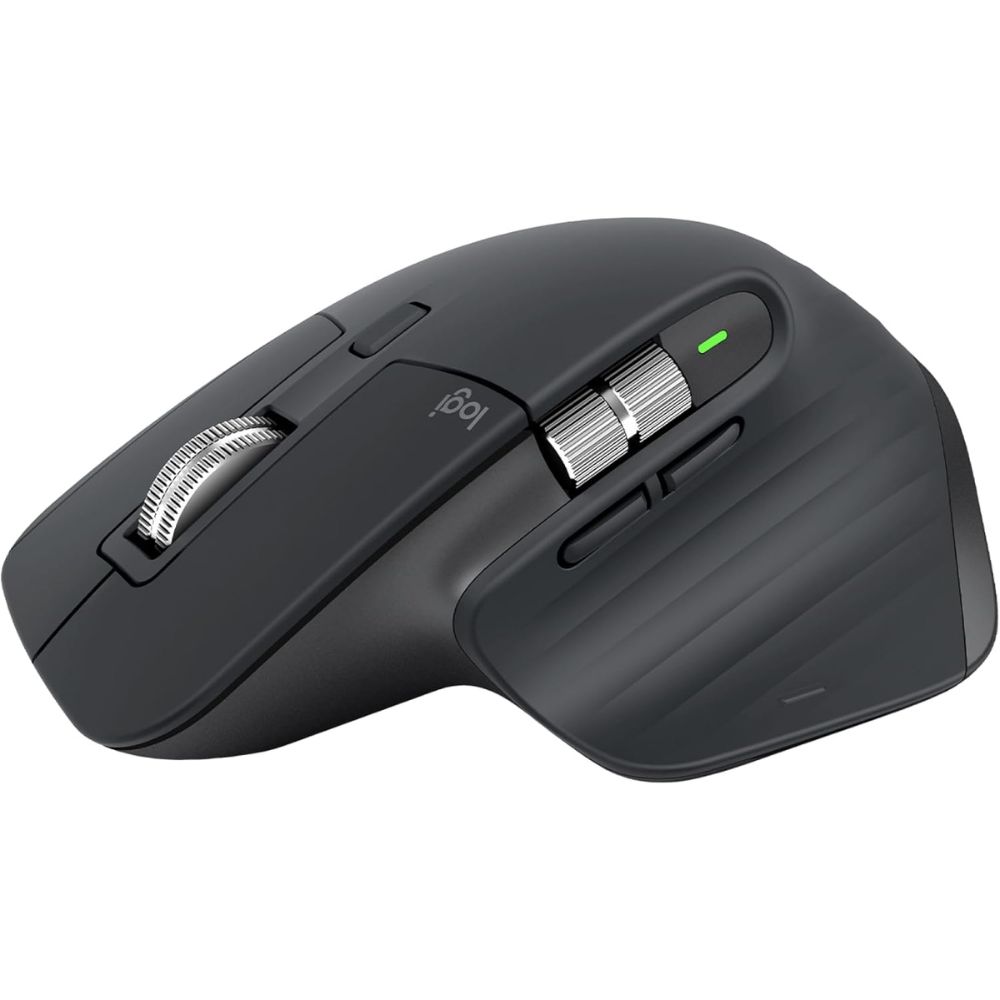
Best Overall
Logitech MX Master 3S
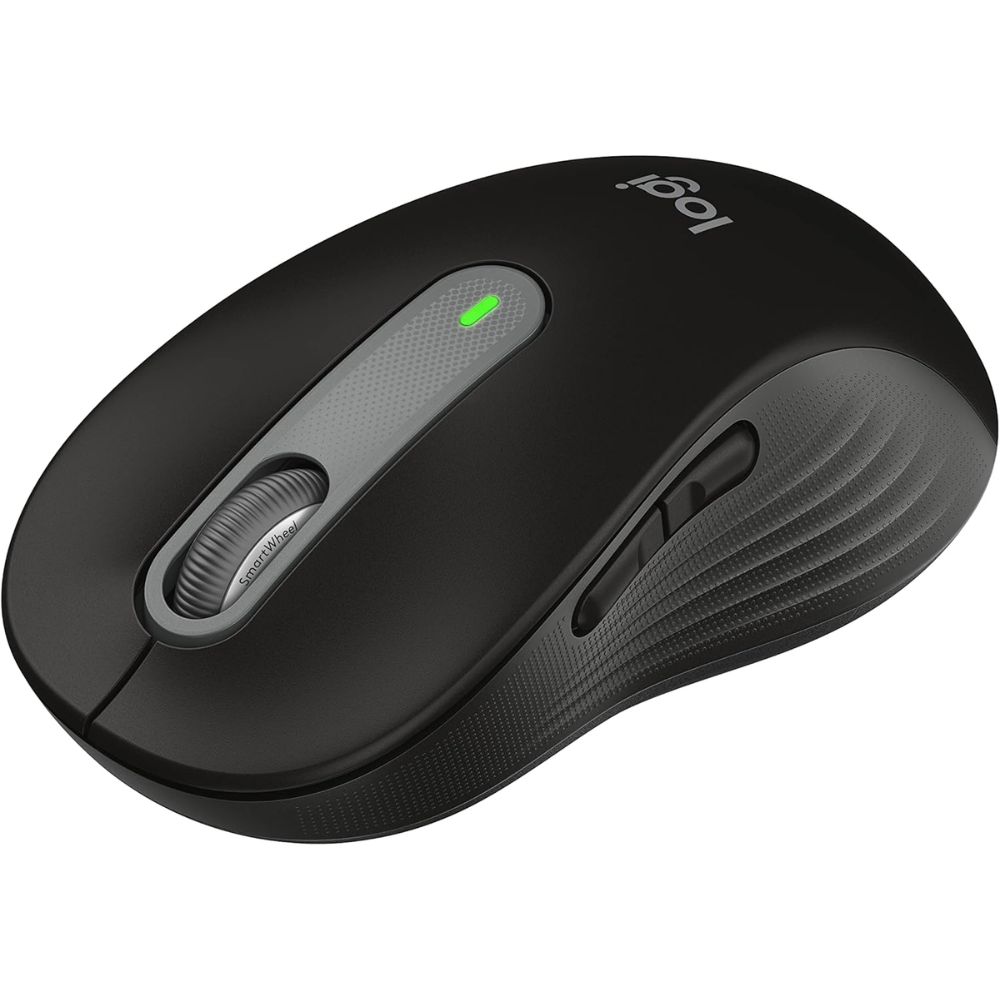
Best Budget
Logitech Signature
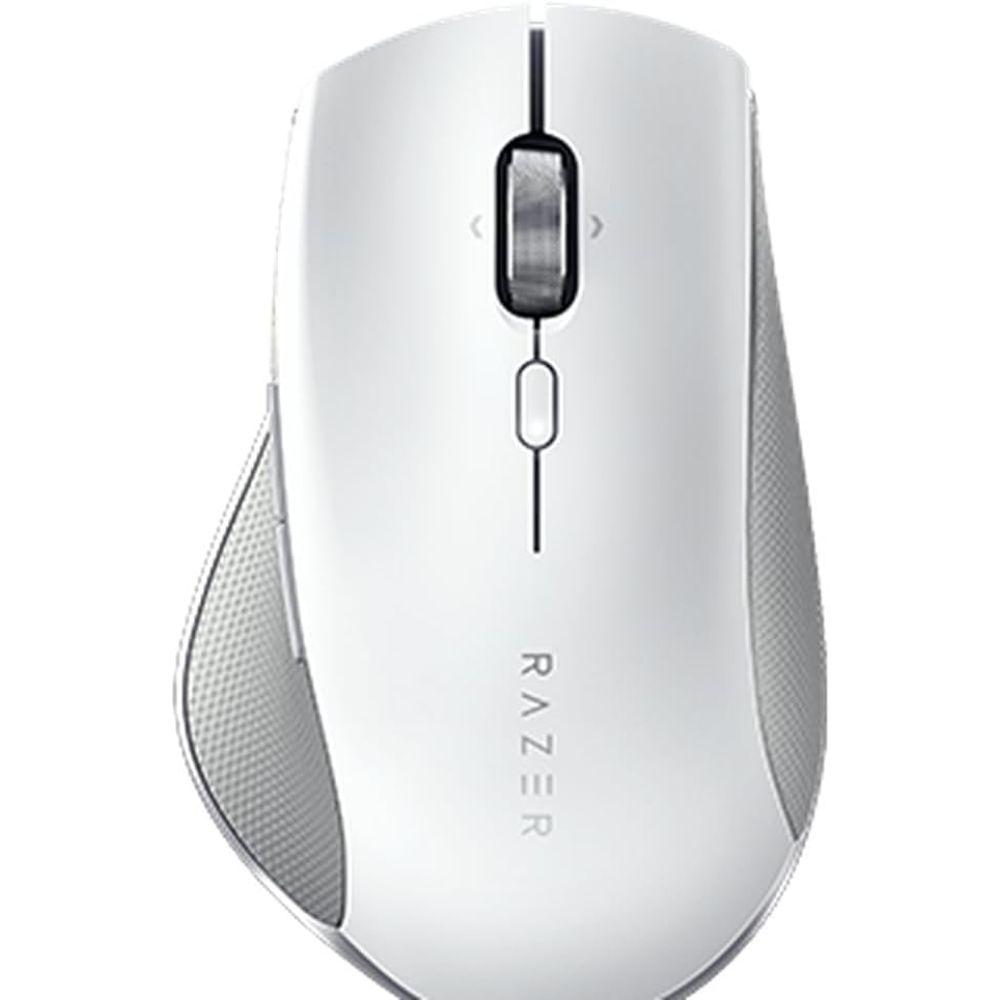
Best Premium
Razer Pro
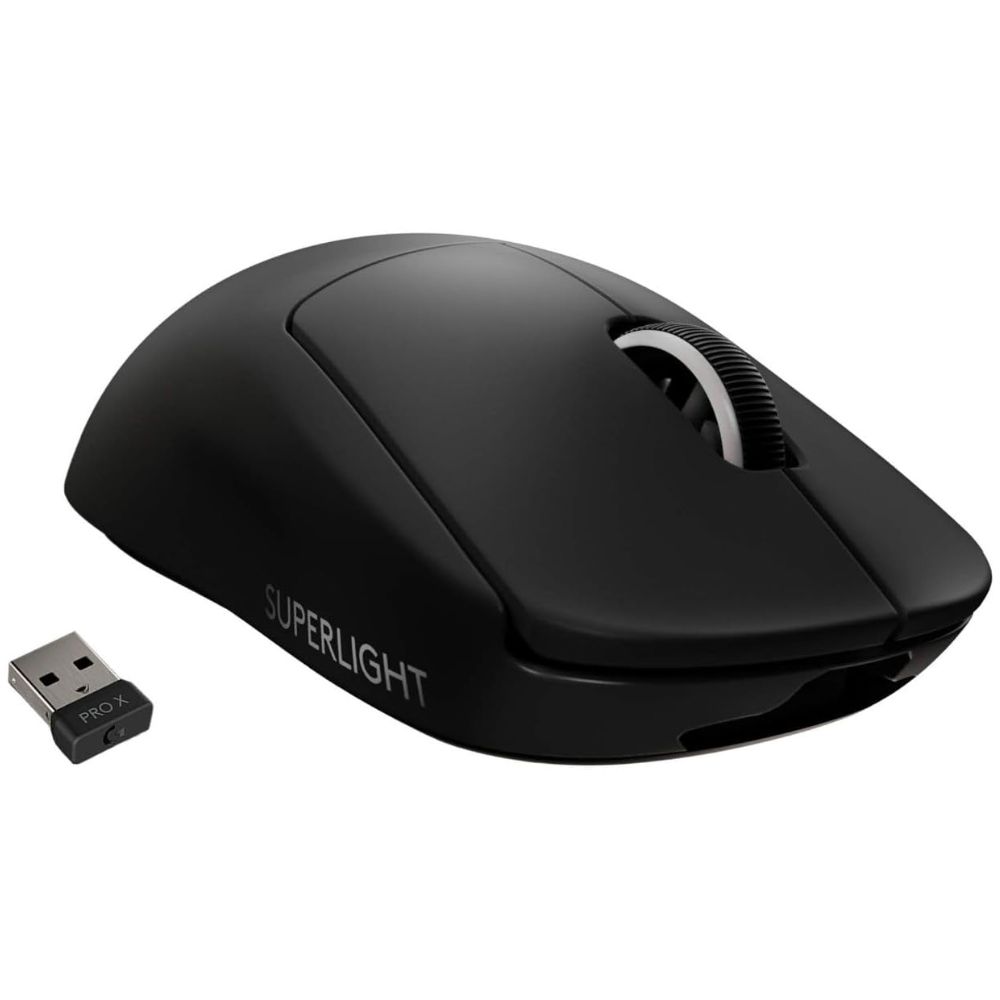
Best for Gaming
Logitech G Pro
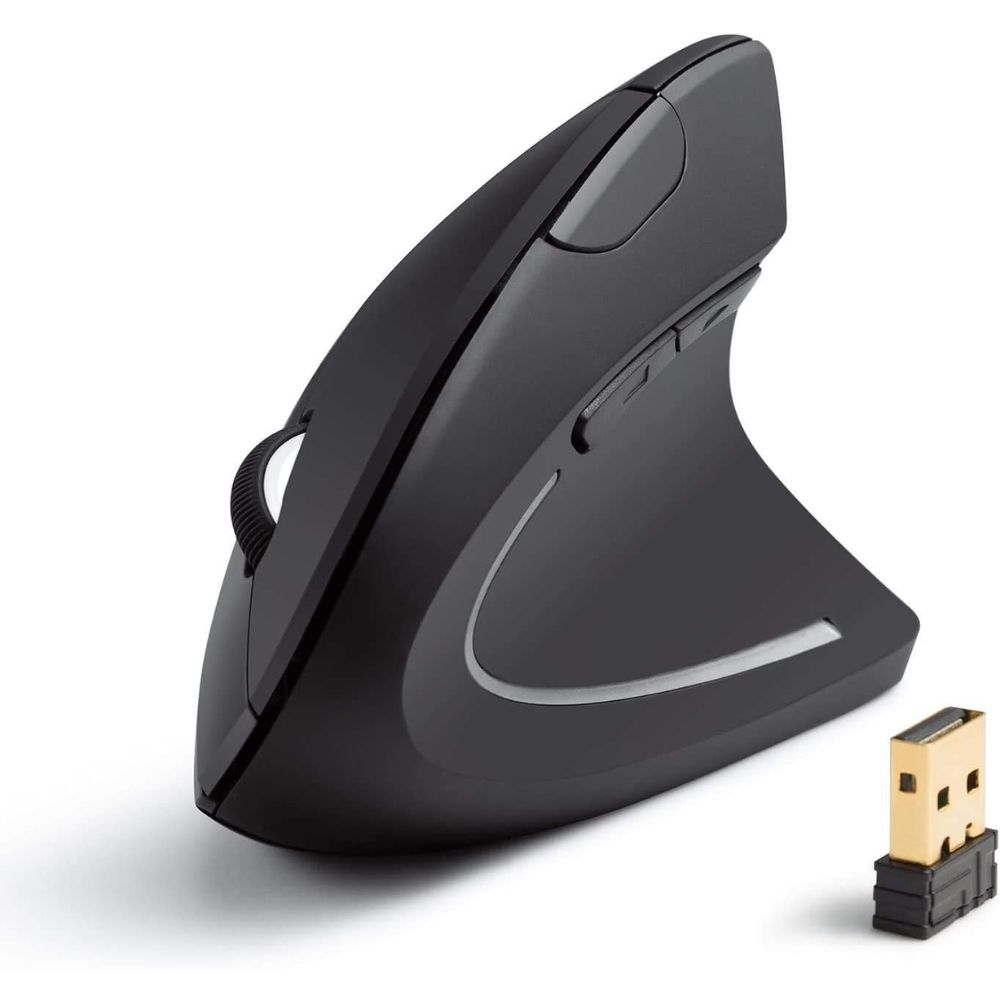
Best for Wrist Pain
Anker Vertical

Best Overall Wireless Mouse
Logitech MX Master 3S Wireless Mouse
Why We Picked This
The Logitech MX Master 3S Wireless Mouse consistently ranks as one of the best wireless mouse options thanks to its exceptional combination of precision, comfort, and productivity features.
It features an advanced 8K DPI sensor that tracks flawlessly on virtually any surface, including glass, making it ideal for professionals and multitaskers. The ergonomic sculpted design supports long working hours, reducing strain and fatigue. Its MagSpeed electromagnetic scroll wheel allows ultra-fast and precise scrolling, a favorite among developers, designers, and content creators.
Users frequently praise its silent clicks, long battery life, and seamless multi-device connectivity via Bluetooth or USB receiver. It also supports customizable buttons and app-specific profiles, enhancing workflow efficiency across different tasks. Overall, it delivers a premium experience for both productivity and light creative work.
Best for
- Professionals and office productivity
- Designers, developers, and content creators
- Multi-device and cross-platform users
- Long working sessions requiring comfort
Pros:
- Extremely precise tracking, even on glass
- Premium ergonomic design for comfort
- Ultra-fast and smooth scrolling wheel
- Multi-device connectivity with easy switching
Cons:
- Larger size may not suit small hands
- Premium features may be excessive for casual users
Order Yours Today
Best Budget Wireless Mouse
Logitech Signature M650 Wireless Mouse
Why We Picked This
The Logitech Signature M650 Wireless Mouse is widely recognized as one of the best budget wireless mouse choices, offering impressive performance without compromising essential features.
It delivers reliable and smooth tracking suitable for everyday tasks like browsing, office work, and casual use. Its SmartWheel scrolling adapts to your speed, switching between precise and fast scrolling effortlessly. The contoured shape ensures decent ergonomic support, making it comfortable for extended usage.
Users appreciate its silent clicks, which are perfect for quiet environments such as offices or libraries. Despite its affordable positioning, it includes customizable side buttons and broad compatibility across operating systems. Its long battery life further enhances value, often lasting months without replacement. Overall, it is a dependable and cost-effective option for users seeking performance and comfort on a budget.
Best for
- Budget-conscious buyers
- Students and home office users
- Everyday browsing and productivity
- Quiet work environments
Pros:
- Affordable with solid performance
- Quiet clicking for distraction-free use
- Comfortable design for daily use
- Long battery life
Cons:
- Limited advanced features
- Not suitable for high-performance gaming
Order Yours Today
Best Premium Wireless Mouse
Razer Pro Click Wireless Mouse
Why We Picked This
The Razer Pro Click Wireless Mouse stands out as a top-tier premium wireless mouse designed for both productivity and performance.
Developed in collaboration with ergonomic experts, it features a refined shape that supports natural hand positioning and reduces wrist strain. It uses a high-precision 16,000 DPI sensor, delivering exceptional accuracy for detailed tasks like graphic design, editing, and even light gaming. The mouse supports multi-host connectivity, allowing seamless switching between devices, which users find highly convenient for multitasking setups. Its extended battery life and durable build quality reinforce its premium appeal.
Users consistently highlight its responsive performance, comfortable grip, and professional aesthetic. This makes it an excellent choice for those who want high-end features combined with ergonomic comfort in a wireless setup.
Best for
- Professionals seeking premium performance
- Designers and creative professionals
- Multi-device work setups
- Users needing ergonomic support
Pros:
- High-precision 16K DPI sensor
- Ergonomic design for long-term comfort
- Multi-device connectivity
- Premium build quality
Cons:
- Bulky for smaller hands
- Higher-end features may not suit casual users
Order Yours Today
Best Wireless Mouse for Gaming
Logitech G Pro X Superlight Wireless Gaming Mouse
Why We Picked This
The Logitech G Pro X Superlight Wireless Gaming Mouse is widely regarded as one of the best wireless gaming mouse options due to its ultra-lightweight design and elite-level performance.
Weighing under 63 grams, it provides effortless movement and precise control, essential for competitive gaming. It features Logitech’s HERO sensor, delivering high DPI accuracy with zero smoothing or acceleration, ensuring consistent tracking during intense gameplay. The mouse is optimized for esports professionals, with a minimalistic design that eliminates unnecessary weight while maintaining durability.
Users frequently praise its responsiveness, low-latency wireless connection, and long battery life. Its PTFE feet enhance smooth gliding, making it perfect for fast-paced games like FPS titles. Overall, it is engineered for gamers who demand speed, precision, and reliability.
Best for
- Competitive and professional gamers
- FPS and fast-paced gaming
- Users who prefer ultra-lightweight mice
- High-performance gaming setups
Pros:
- Extremely lightweight design
- High-precision HERO sensor
- Low-latency wireless performance
- Long-lasting battery
Cons:
- Minimalist design lacks extra features
- Premium gaming-focused pricing
Order Yours Today
Best Wireless Mouse for Wrist Pain
Anker Vertical Ergonomic Wireless Mouse
Why We Picked This
The Anker Vertical Ergonomic Wireless Mouse is a top choice for users dealing with wrist pain or repetitive strain issues, thanks to its scientifically designed vertical shape.
Unlike traditional mice, it promotes a natural handshake position, significantly reducing wrist pressure and muscle fatigue. It features adjustable DPI settings, allowing users to switch between precision and speed depending on the task. The mouse is especially popular among office workers and users who spend long hours at a desk.
Users frequently report noticeable relief from discomfort after switching to this ergonomic design. While it may take time to adjust, the long-term benefits make it highly valuable. Its simple functionality, reliable wireless connection, and affordable positioning make it an excellent ergonomic solution.
Best for
- Users experiencing wrist pain or strain
- Long hours of office work
- Ergonomic workstation setups
- Health-conscious users
Pros:
- Reduces wrist strain effectively
- Comfortable vertical ergonomic design
- Adjustable DPI settings
- Affordable ergonomic solution
Cons:
- Learning curve for new users
- Not suitable for gaming
Order Yours Today
Wireless Mouse vs Wired Mouse
Choosing between a wireless mouse and a wired mouse depends largely on your usage, performance needs, and workspace setup. A wireless mouse offers freedom of movement, a cleaner desk setup, and portability, making it ideal for modern workspaces and remote use. On the other hand, a wired mouse connects directly via a cable, delivering consistent performance with zero latency concerns. Both options have evolved significantly, and today’s best wireless mouse models can rival wired performance in many scenarios, especially for productivity and even gaming.
Key Differences of the Two Types
- Connectivity: A wireless mouse uses Bluetooth or a USB receiver, while a wired mouse connects directly via a cable
- Portability: Wireless mouse designs are more portable and travel-friendly
- Latency: Wired mouse options traditionally offer lower latency, though modern wireless mouse technology has minimized this gap
- Battery: A wireless mouse requires charging or batteries, whereas a wired mouse does not
- Desk Setup: Wireless mouse setups reduce cable clutter, creating a cleaner workspace
- Performance Consistency: Wired mouse connections are stable with no risk of interference
Which One Should Be Chosen?
If you value flexibility, portability, and a clean setup, the best wireless mouse is the ideal choice for everyday productivity, remote work, and even casual gaming. However, if you prioritize absolute reliability, zero battery dependency, and slightly lower latency, especially for competitive gaming, a wired mouse may still be preferable. For most users today, a high-quality wireless mouse offers the perfect balance of performance and convenience.
Things to Consider When Choosing the Best Wireless Mouse
Ergonomics and Comfort
One of the most important factors when choosing the best wireless mouse is how comfortable it feels during extended use. A well-designed wireless mouse should support your hand naturally, reducing strain on your wrist and fingers. If you work long hours, consider ergonomic designs such as contoured shapes or vertical mice that promote a more natural hand position. The size and grip style also matter, users with larger hands may prefer bigger models, while compact options suit portability. Prioritizing comfort ensures better productivity and helps prevent long-term issues like wrist pain.
Sensor Performance and DPI
The sensor determines how accurately your wireless mouse tracks movement. DPI (dots per inch) indicates sensitivity, with higher DPI allowing faster cursor movement. For general productivity, moderate DPI levels are sufficient, while designers and gamers may benefit from higher precision sensors. The best wireless mouse models now offer advanced optical sensors that work on various surfaces, including glass. Consistent and accurate tracking is essential for smooth performance, whether you’re editing documents or working on detailed creative tasks.
Connectivity and Compatibility
A reliable connection is key when selecting a wireless mouse. Most models offer Bluetooth, a USB receiver, or both, allowing flexibility across devices. If you frequently switch between laptops, tablets, or desktops, multi-device connectivity is a valuable feature. The best wireless mouse options provide stable, low-latency connections that rival wired performance. Additionally, ensure compatibility with your operating system, whether it’s Windows, macOS, or Linux, to avoid connectivity issues.
Battery Life and Charging
Battery performance plays a crucial role in the overall convenience of a wireless mouse. Some models use rechargeable batteries via USB-C, while others rely on replaceable AA or AAA batteries. The best wireless mouse should offer long battery life, lasting weeks or even months on a single charge or replacement. Fast-charging capabilities can also be a major advantage for users who are always on the go. Choosing a mouse with efficient power management ensures uninterrupted workflow and minimal maintenance.
Final Verdict
If you’re looking for the best wireless mouse that balances performance, comfort, and reliability, the Logitech MX Master 3S stands out as the top overall choice for most users. It delivers a premium experience that fits both productivity and everyday use seamlessly.
For specific needs, your ideal pick becomes clearer. Professionals and multitaskers will benefit most from the MX Master 3S, while budget-conscious users can rely on the Logitech Signature M650 for dependable daily performance. If you want a high-end feel with ergonomic support, the Razer Pro Click is a strong premium option. Gamers should lean toward the Logitech G Pro X Superlight for its speed and precision, while those dealing with discomfort will find relief in the Anker Vertical Ergonomic Mouse.
Ultimately, choosing the best wireless mouse comes down to your workflow and comfort preferences, pick the one that aligns with your daily usage and upgrade your entire computing experience.
FAQs About Wireless Mouse
What is the best wireless mouse for productivity?
The Logitech MX Master 3S is widely considered the best wireless mouse for productivity due to its ergonomic design, customizable controls, and advanced scrolling capabilities that enhance workflow efficiency.
Are wireless mice good for gaming?
Yes, modern wireless mice like the Logitech G Pro X Superlight offer low-latency performance and high precision, making them suitable even for competitive gaming.
What should I look for in a wireless mouse?
Key factors include sensor accuracy (DPI), ergonomics, battery life, connectivity options, and additional features like programmable buttons.
Is an ergonomic mouse worth it?
An ergonomic mouse, such as a vertical design, can significantly reduce wrist strain and improve comfort, especially for users who work long hours on a computer.
How long do wireless mouse batteries last?
Battery life varies by model, but many wireless mice offer several weeks to months of usage on a single charge or battery replacement.