
Disclosure: As an Amazon Associate, I earn from qualifying purchases. This means that if you click on a link and make a purchase, I may receive a small commission at no additional cost to you.
Table of Contents
Finding the perfect wireless keyboard for both office and home use can significantly boost your productivity, comfort, and overall typing experience. Whether you prioritize ergonomics, portability, or gaming performance, today’s wireless keyboards offer powerful features tailored to different needs. In this guide, we’ve carefully selected the top 5 best wireless keyboards based on expert reviews, technical specs, and real user feedback.
Quick Look
Best Overall
Logitech MX Keys S
Best Budget
Redragon K530 Draconic
Best Premium
Logitech G915 Lightspeed
Best for Home Office
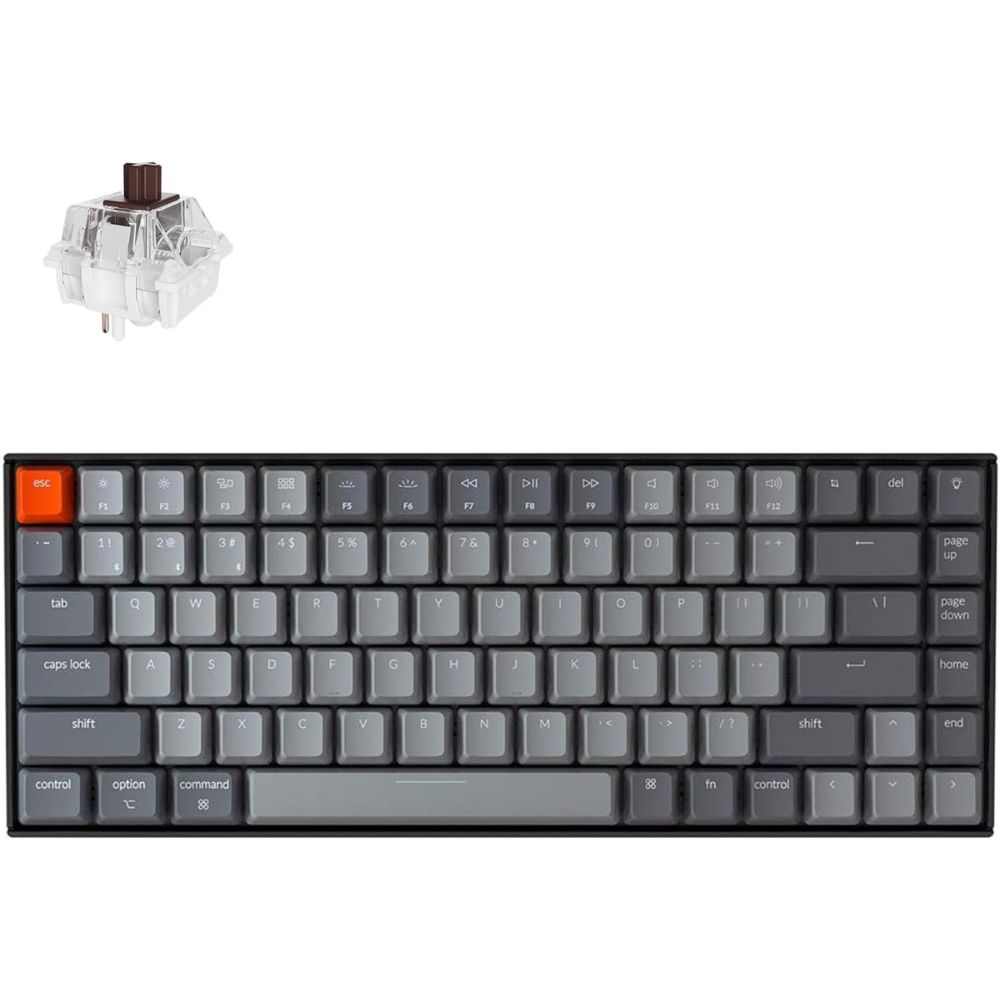
Keychron K2
Best for Gaming
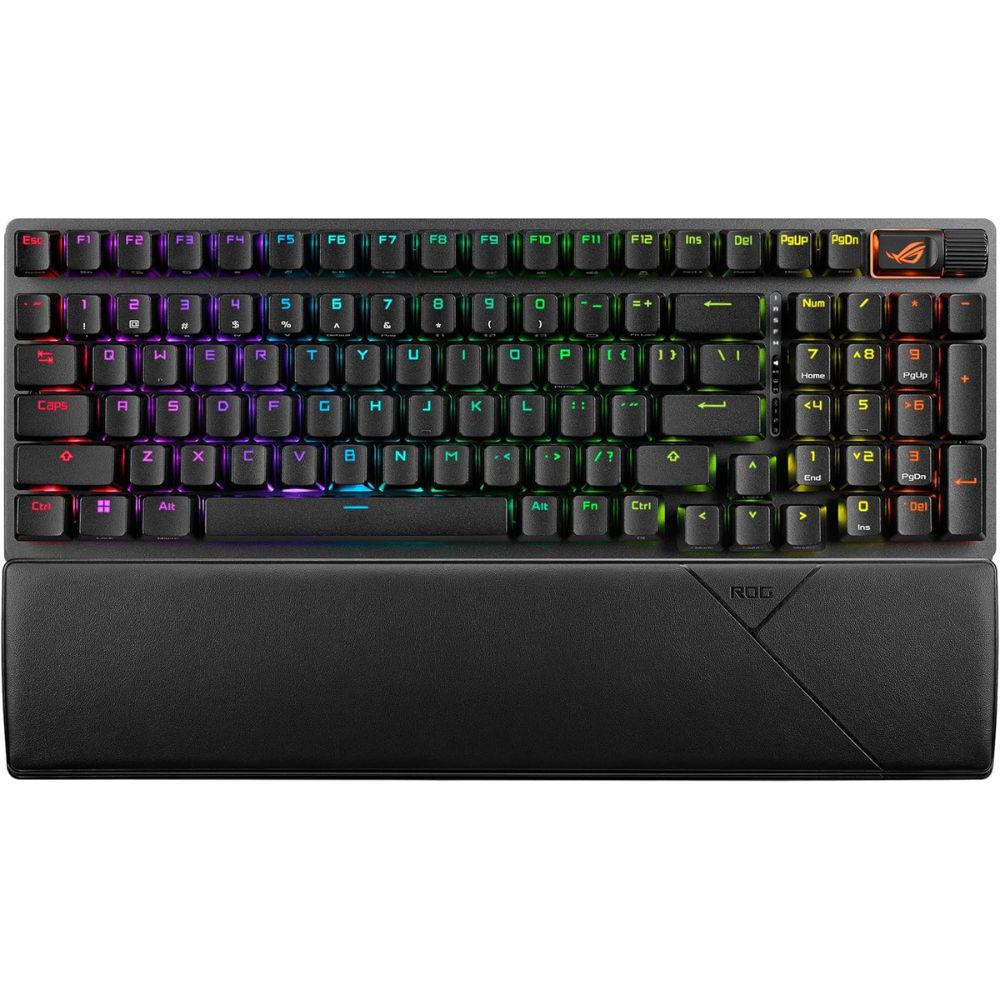
ASUS ROG Strix Scope II 96

Best Overall Wireless Keyboard
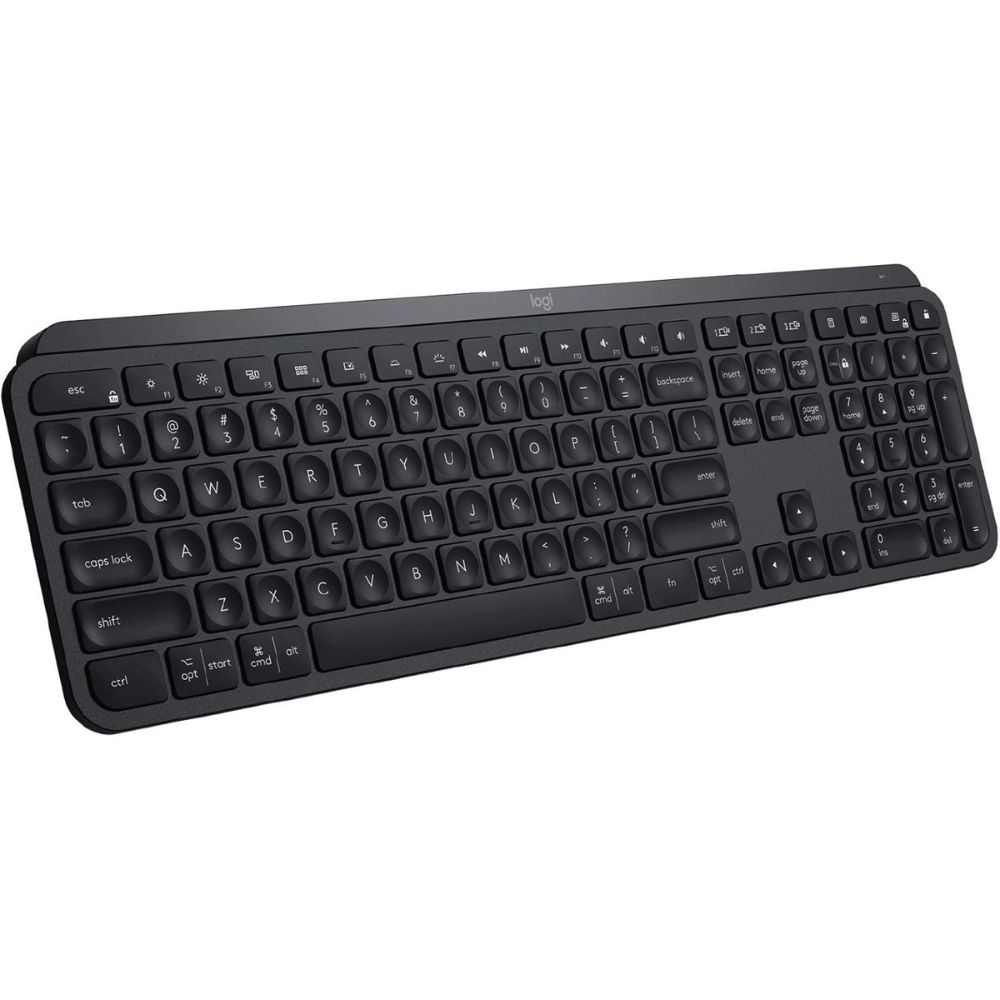
Logitech MX Keys S
Why We Picked This
The Logitech MX Keys S is widely regarded as the best wireless keyboard for office and home use, offering a premium design and precision typing experience.
Its scissor-switch keys provide quiet, tactile feedback, making it ideal as a wireless keyboard for productivity during long work sessions.
With seamless multi-device connectivity, it easily switches between devices, perfect for remote work setups. The smart adaptive backlighting enhances visibility while preserving battery life.
Users consistently praise its comfort, durability, and reliable Bluetooth performance, making it a top-rated wireless keyboard for home office use.
Best for
- Office productivity and long typing sessions
- Multi-device workflows (PC, Mac, tablets)
- Professionals and remote workers
- Quiet, comfortable typing
Pros:
- Excellent typing comfort and quiet keys
- Premium build with smart backlighting
- Seamless multi-device switching
- Long battery life
Cons:
- Not ideal for gaming
- Lacks mechanical key feel
- Premium price category
- Connectivity: Bluetooth + USB receiver
- Key Type: Scissor-switch
- Backlighting: Smart adaptive backlight
- Compatibility: Windows, macOS, Linux, mobile
- Battery: Rechargeable
Order Yours Today
Best Budget Wireless Mechanical Keyboard
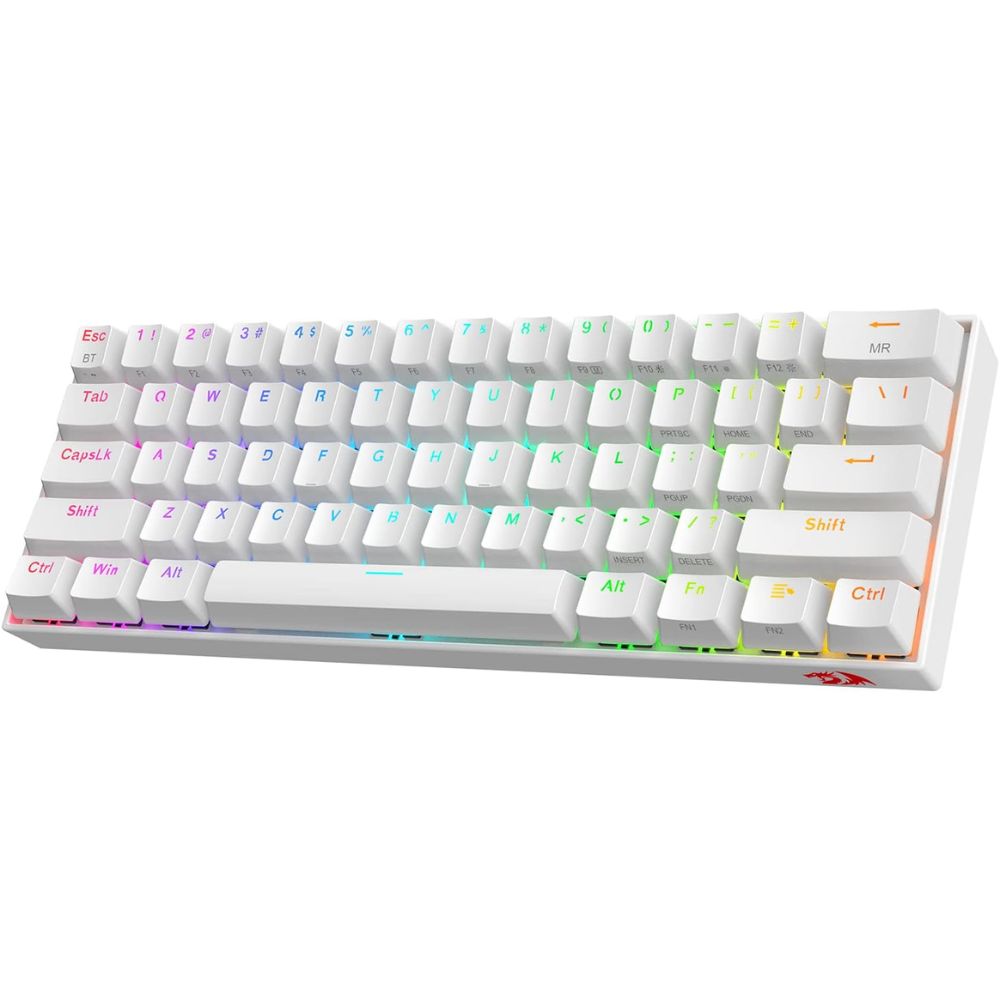
Redragon K530 Draconic
Why We Picked This
The Redragon K530 Draconic is one of the best budget wireless keyboards, delivering solid mechanical performance at an affordable price.
Its compact 60% layout makes it an ideal wireless keyboard for home use, saving desk space while retaining essential functionality.
This wireless mechanical keyboard features hot-swappable switches, allowing easy customization, along with tri-mode connectivity (Bluetooth, 2.4GHz wireless, and wired) for flexible multi-device use.
Users often praise its strong build quality, vibrant RGB lighting, and excellent value for money, making it a top choice for a cheap wireless keyboard that doesn’t compromise on performance.
Best for
- Budget-conscious users
- Compact desk setups
- Entry-level mechanical keyboard users
- Casual gaming and office use
Pros:
- Affordable mechanical keyboard
- Hot-swappable switches
- Compact and portable design
- RGB lighting customization
Cons:
- Learning curve due to 60% layout
- Limited advanced software features
- Slightly noisier than office keyboards
- Connectivity: Bluetooth, 2.4GHz, wired
- Layout: 60% (61 keys)
- Switch Type: Mechanical (hot-swappable)
- Backlighting: RGB
- Battery: ~1600–3000mAh
Order Yours Today
Best Premium Wireless Keyboard
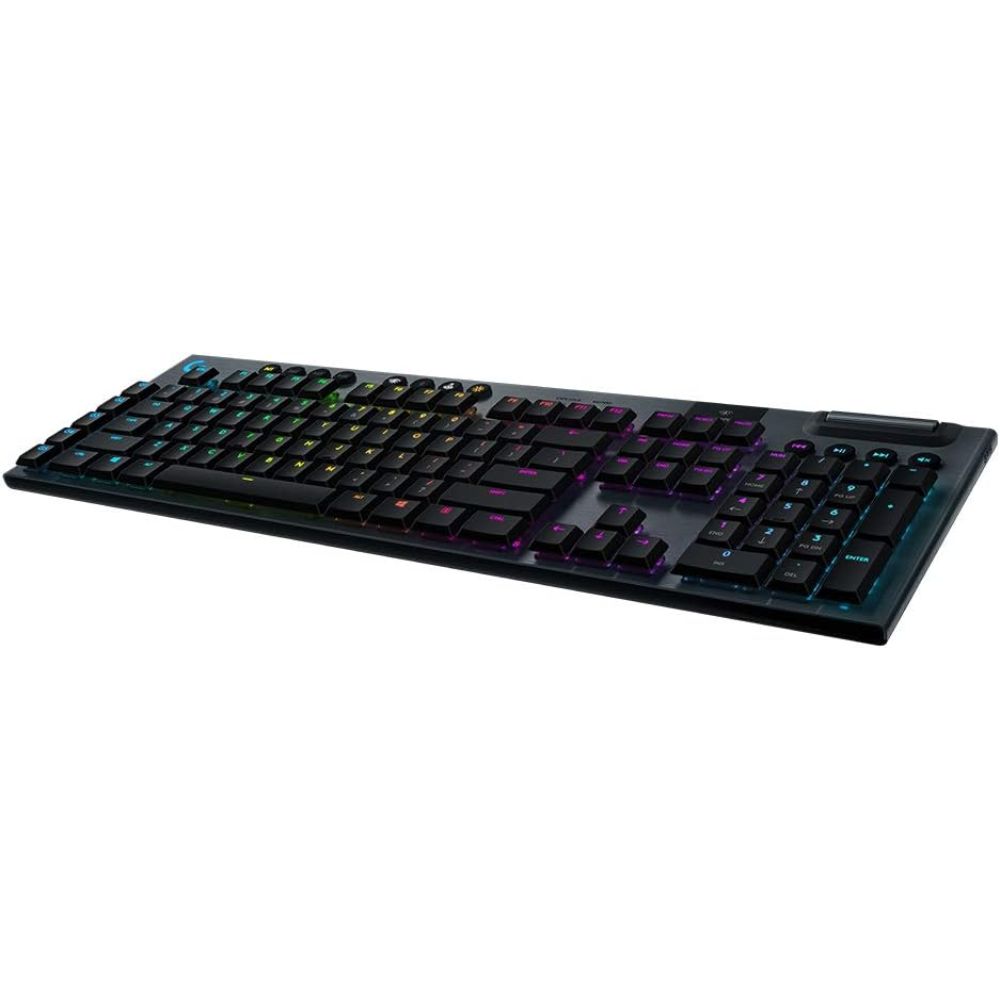
Logitech G915 Lightspeed
Why We Picked This
The Logitech G915 Lightspeed is one of the best premium wireless keyboards, combining ultra-thin design with cutting-edge wireless performance.
Powered by Lightspeed wireless technology, it delivers ultra-low latency, making it ideal as a wireless keyboard for both gaming and office productivity.
Its low-profile mechanical switches offer fast, responsive typing with reduced fatigue, perfect for long work sessions.
The aircraft-grade aluminum build adds durability and a sleek, high-end look suited for modern setups. Users praise its reliability, premium feel, and customizable RGB lighting, making it a top-tier wireless keyboard for professionals and enthusiasts.
Best for
- Premium users and enthusiasts
- Gaming and productivity hybrid use
- Sleek, high-end desk setups
- Low-profile mechanical typing
Pros:
- Premium slim design with metal build
- Ultra-fast wireless performance
- Low-profile mechanical switches
- Customizable RGB and macro keys
Cons:
- Expensive
- No wrist rest included
- Limited Bluetooth multi-device switching
- Connectivity: Lightspeed wireless + Bluetooth
- Key Type: Low-profile mechanical
- Build: Aluminum alloy
- Backlighting: RGB per-key
- Battery Life: Up to 30+ hours (RGB on)
Order Yours Today
Best Wireless Keyboard for Home Office
Keychron K2
Why We Picked This
The Keychron K2 is one of the best value wireless keyboards, offering a strong balance of performance, versatility, and affordability.
Designed for both Mac and Windows users, it works seamlessly as a wireless keyboard for office and home use.
Its 75% layout provides a compact yet functional design, making it a great space-saving wireless keyboard without losing essential keys. The mechanical switches deliver a satisfying tactile typing experience, ideal for productivity-focused users.
With reliable Bluetooth connectivity and multi-device pairing, plus strong user praise for build quality and battery life, it stands out as a top-rated wireless keyboard for productivity.
Best for
- Mac and Windows users
- Developers and writers
- Mechanical keyboard enthusiasts
- Balanced work and casual gaming
Pros:
- Excellent value for features
- Mac and Windows compatibility
- Solid mechanical typing experience
- Compact yet functional layout
Cons:
- Slightly taller design (may need wrist rest)
- No advanced gaming features
- Basic software customization
- Connectivity: Bluetooth + wired
- Layout: 75%
- Switch Type: Mechanical (various options)
- Backlighting: White or RGB
- Battery Life: Up to 72 hours
Order Yours Today
Best Wireless Keyboard for Gaming
ASUS ROG Strix Scope II 96
Why We Picked This
The ASUS ROG Strix Scope II 96 is a top choice for the best wireless keyboard for gaming and performance, while also excelling as a wireless keyboard for office and home use.
Its 96% layout offers near full-size functionality in a compact design, making it ideal for productivity while saving desk space.
With tri-mode connectivity (Bluetooth, 2.4GHz wireless, and wired), it provides flexible, low-latency performance across multiple devices.
This wireless mechanical keyboard features pre-lubed ROG NX switches and sound-dampening foam, delivering a smooth, responsive, and quieter typing experience.
Users praise its premium build quality, reliable wireless performance, and versatility, making it a top-tier wireless keyboard for gaming and productivity.
Best for
- Competitive gaming and fast-paced performance
- Office work and productivity tasks
- Users who want a full-feature keyboard in a compact layout
- Hybrid setups (work + gaming)
Pros:
- Excellent balance of gaming performance and productivity
- Compact 96% layout with full functionality
- Smooth, pre-lubed mechanical switches
- Tri-mode connectivity with low latency
Cons:
- Slightly heavier than compact keyboards
- Premium category positioning
- Software customization may feel complex for beginners
- Connectivity: Bluetooth, 2.4GHz wireless, wired
- Layout: 96% (compact full-size)
- Switch Type: ROG NX mechanical switches
- Backlighting: Per-key RGB
- Build: Solid frame with sound-dampening design
- Battery: Long-lasting rechargeable battery
Order Yours Today
Wired Keyboards vs Wireless Keyboards
Choosing between a wired keyboard and a wireless keyboard for office and home use depends on your priorities, such as performance, convenience, and workspace setup. A wired keyboard connects directly via a cable, offering consistent performance with no need for charging. In contrast, a wireless keyboard uses Bluetooth or 2.4GHz connectivity, providing a cleaner, clutter-free desk and greater flexibility, which is why many users prefer a wireless keyboard for productivity and remote work.
Key Differences
- Connectivity: Wired keyboards use USB cables, while wireless keyboards rely on Bluetooth or 2.4GHz wireless connections
- Latency: Wired keyboards offer near-zero latency, while modern wireless keyboards provide low-latency performance suitable for most tasks
- Portability: Wireless keyboards are more portable and ideal for multi-device setups
- Desk Setup: Wireless keyboards help create a clean, cable-free workspace
- Power Source: Wired keyboards don’t require charging; wireless keyboards rely on batteries or rechargeable power
- Flexibility: Wireless keyboards allow seamless switching between devices, making them ideal for home office setups
Which One Should Be Chosen?
If you prioritize stability, zero input lag, and uninterrupted usage, a wired keyboard is a reliable choice, especially for competitive gaming or fixed workstations. However, for most users, a wireless keyboard for office and home use offers greater convenience, portability, and modern features like multi-device connectivity. If your goal is a clean desk setup and flexible productivity, a wireless keyboard is the better option.
How to Choose the Best Wireless Keyboard
Choosing the best wireless keyboard depends on how and where you plan to use it. Start by considering your primary use case, whether it’s typing, gaming, travel, or office work. For example, if you type for long hours, prioritize comfort and key design, while gamers should look for low latency and responsive switches when selecting the best wireless keyboard.
Connectivity is another key factor. Most options offer Bluetooth, USB receivers, or both. If you frequently switch between devices, a multi-device keyboard can significantly improve productivity. A stable connection is essential when choosing the best wireless keyboard, as it ensures smooth, lag-free performance.
Battery life also plays a major role. Some keyboards use rechargeable batteries, while others rely on disposable ones. If you prefer convenience, look for long battery life or fast charging features; both are important traits of the best wireless keyboard for daily use.
Don’t overlook ergonomics and layout. Full-size keyboards are great for productivity, while compact layouts are ideal for portability. Ergonomic designs can reduce wrist strain, making them a smart investment if you spend hours typing. Finding the best wireless keyboard means balancing comfort with functionality.
Finally, consider build quality and extra features like backlighting, programmable keys, or compatibility with your operating system. The best wireless keyboard is one that fits seamlessly into your workflow, enhances your productivity, and feels comfortable to use every day.
Final Verdict
Choosing the best wireless keyboard for office and home ultimately comes down to your specific needs, whether it’s productivity, budget, or performance. The Logitech MX Keys S stands out as the best overall wireless keyboard for productivity, offering unmatched comfort, quiet typing, and smart features for everyday office use. If you’re on a budget, the Redragon K530 Draconic delivers excellent value as a wireless mechanical keyboard without sacrificing core performance.
For those seeking a premium experience, the Logitech G915 Lightspeed offers top-tier build quality and ultra-fast wireless performance, making it ideal for both professionals and gamers. Meanwhile, the Keychron K2 hits the sweet spot as the best value wireless keyboard, especially for users who want versatility across Mac and Windows with a satisfying mechanical typing feel. Finally, the ASUS ROG Strix Scope II 96 is the go-to choice for users who want a powerful wireless keyboard for gaming and productivity, combining speed, flexibility, and a space-saving design.
Overall, each of these wireless keyboards excels in its category, ensuring there’s a perfect option whether you’re building a productive home office setup or upgrading your work and gaming experience.
FAQs About Wireless Keyboards
What is the best wireless keyboard for office and home use?
The best wireless keyboard depends on your needs, but models like the Logitech MX Keys S and Keychron K2 are popular choices for their comfort, reliability, and multi-device support.
Are wireless keyboards good for productivity?
Yes, the best wireless keyboard can significantly improve productivity by reducing cable clutter, offering flexible connectivity, and providing a comfortable typing experience for long hours.
Do wireless keyboards have input lag?
Modern wireless keyboards use advanced Bluetooth or USB receivers to minimize lag. The best wireless keyboard options offer stable, low-latency performance suitable even for gaming and professional work.
How long does a wireless keyboard battery last?
Battery life varies by model. The best wireless keyboard can last anywhere from a few days (with backlighting) to several months or even years on a single charge or battery set.
Which wireless keyboard is best for ergonomics and comfort?
Ergonomic models like the Logitech Ergo K860 are designed to reduce wrist strain. Choosing the best wireless keyboard with proper support can improve comfort and prevent fatigue during long typing sessions.