
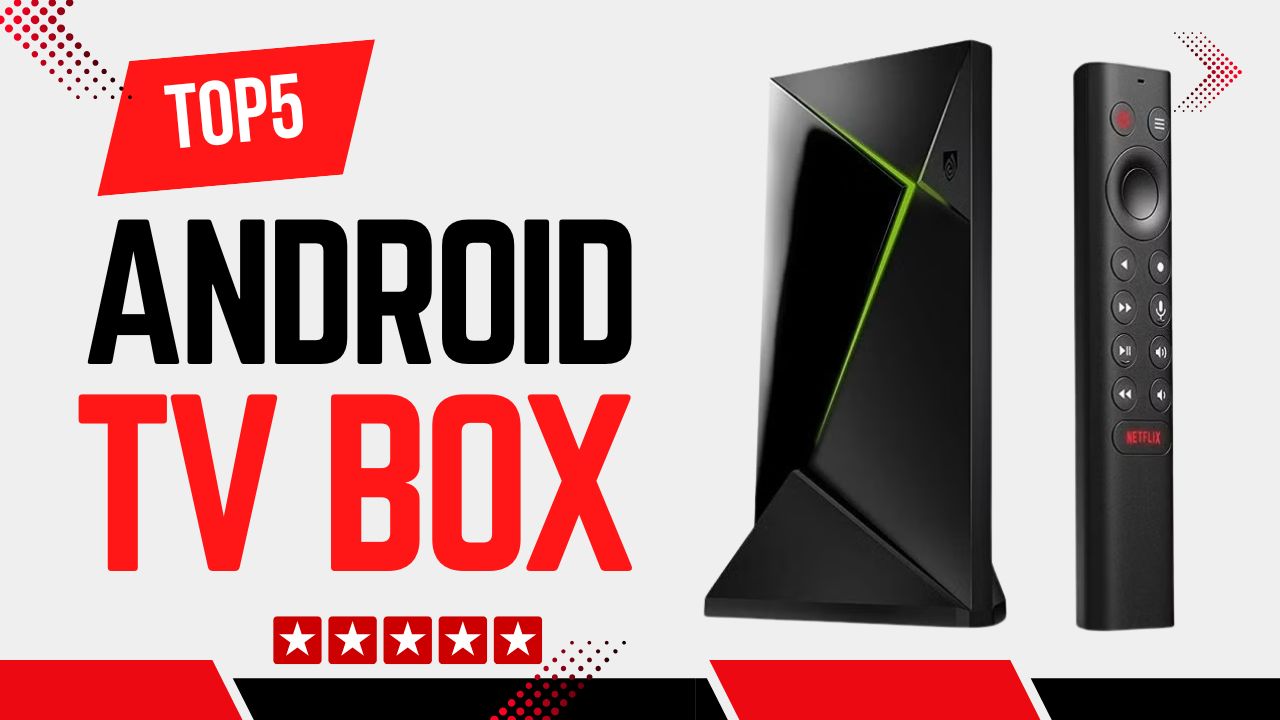
Choosing the right Android TV box can dramatically elevate your home entertainment experience without the complexity of traditional streaming devices. From ultra-responsive gaming performance to seamless integration with smart home ecosystems, today’s Android TV boxes serve a wide range of needs. In this guide, we’ve researched expert reviews, user feedback, and official specifications to bring you the top five Android TV boxes available.
Disclosure: As an Amazon Associate, I earn from qualifying purchases. This means that if you click on a link and make a purchase, I may receive a small commission at no additional cost to you.
Quick Look
Table of Contents

Top 5 Android TV Box
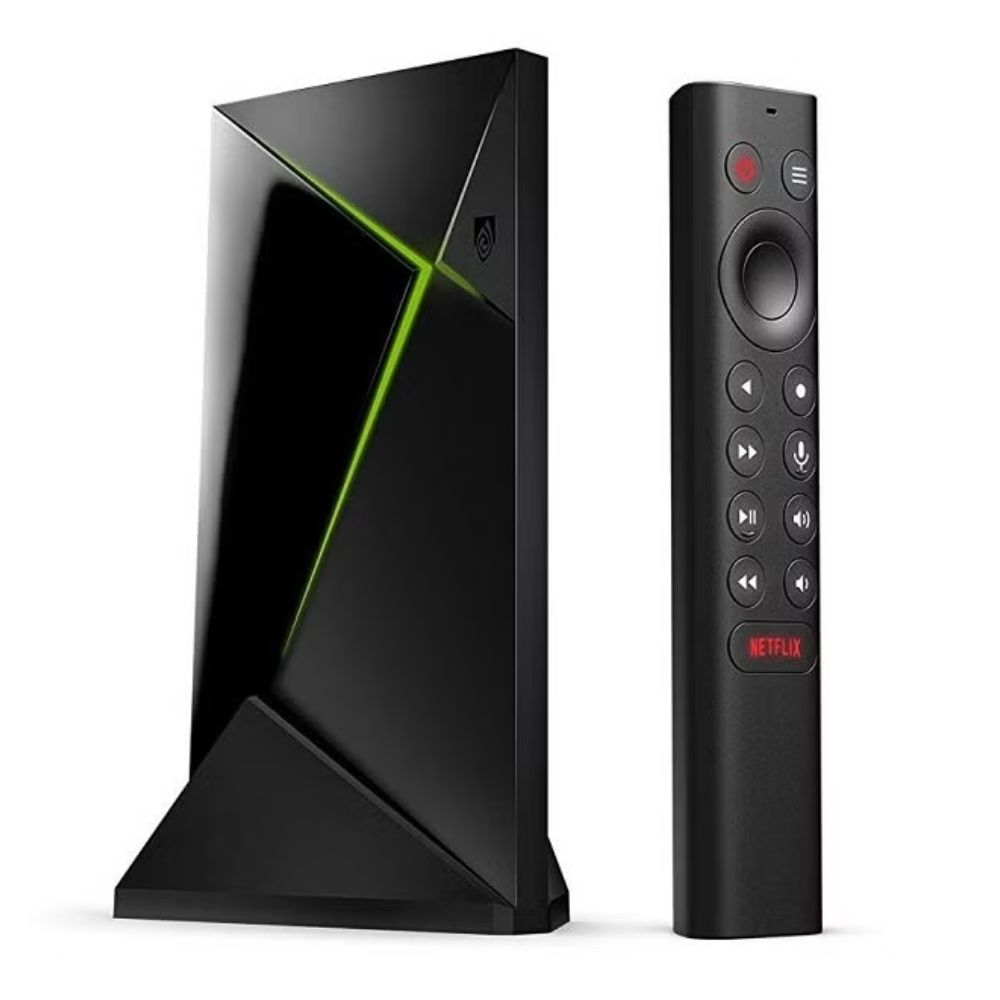
#1 NVIDIA Shield TV Pro
- Tegra X1+ processor for exceptional performance
- AI-enhanced upscaling for sharper 4K visuals
- Support for Dolby Vision and Dolby Atmos
- Built-in Google Assistant and robust smart home control
- Expandable storage options and robust networking
The NVIDIA Shield TV Pro stands out as the undisputed champion for gamers and power users who demand performance and versatility. Its custom Tegra X1+ chipset delivers smooth playback and rapid loading even with demanding applications and high-frame-rate content. This performance edge is particularly noticeable in cloud gaming and emulation setups, where responsiveness and stability are critical.
Beyond raw power, the Shield Pro’s upscaling technology uses AI to enhance HD content toward near-4K quality, making it a compelling choice for users with large, high-resolution TVs. The device also integrates seamlessly with Google Assistant, enabling voice control for both entertainment and smart home devices. Its regular firmware updates mean the platform remains secure and continually improves over time.
Users consistently praise the Shield Pro’s build quality and flexibility, noting its ability to function as both a media hub and a core streaming platform. Whether you’re streaming 4K HDR movies, playing from cloud services, or managing a connected home, the Shield Pro balances power and polish in a way few competitors can match.
Pros:
- Outstanding performance for gaming and multitasking
- Excellent upscaling and multimedia support
- Strong smart home and voice assistant integration
Cons:
- Higher complexity than basic streaming boxes
- Larger physical footprint than simpler models
Ideal for gamers, tech enthusiasts, and users who want a future-proof streaming hub with advanced features and powerful hardware.
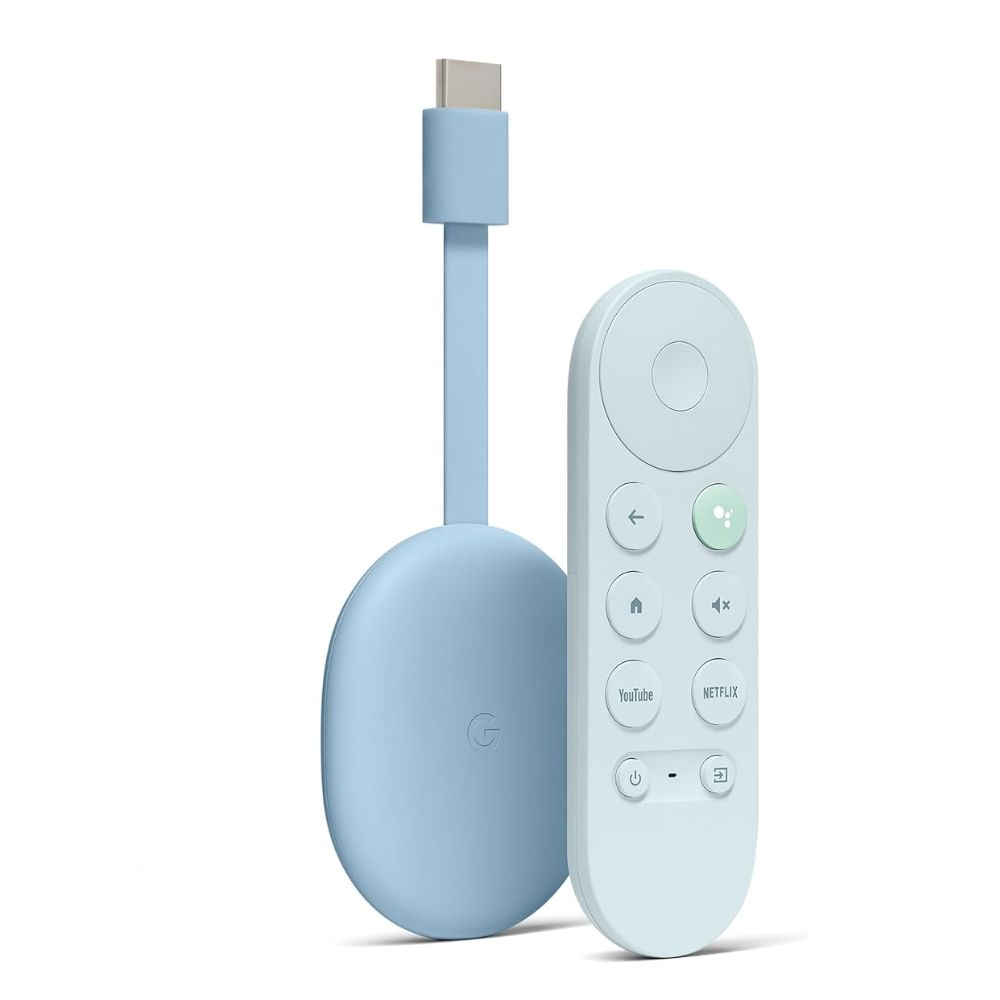
#2 Google Chromecast with Google TV (4K)
- Intuitive Google TV interface with personalized recommendations
- Native Chromecast casting support
- Google Assistant built-in
- Wide codec and app support
- Compact design ideal for most living rooms
If simplicity and ease of use are your top priorities, the Google Chromecast with Google TV delivers a refined experience that feels modern and accessible. The Google TV interface replaces traditional Android TV launchers with a visually engaging layout focused on recommendations, trending shows, and unified search across apps, perfect for casual viewers who just want to find something entertaining.
Casting remains one of Chromecast’s defining strengths. Users can stream content directly from their phones or tablets to the big screen with minimal fuss, and the device’s compatibility with nearly every major streaming service ensures content availability is rarely an issue. Integration with Google Assistant makes hands-free control intuitive and responsive, allowing quick search, playback control, and smart home interactions.
While its hardware isn’t designed to compete with high-end gaming boxes, the Chromecast performs admirably in everyday usage. User feedback often highlights its consistent updates and friendly UI, making it a solid centerpiece for a family-focused entertainment setup.
Pros:
- Easy to use and set up
- Excellent Google ecosystem integration
- Great for casting and everyday streaming
Cons:
- Limited gaming performance
- Less expandable than larger set-top boxes
Perfect for families, casual streamers, and anyone entrenched in the Google ecosystem who wants a seamless and intuitive streaming experience.
#3 Amazon Fire TV Cube (4K)
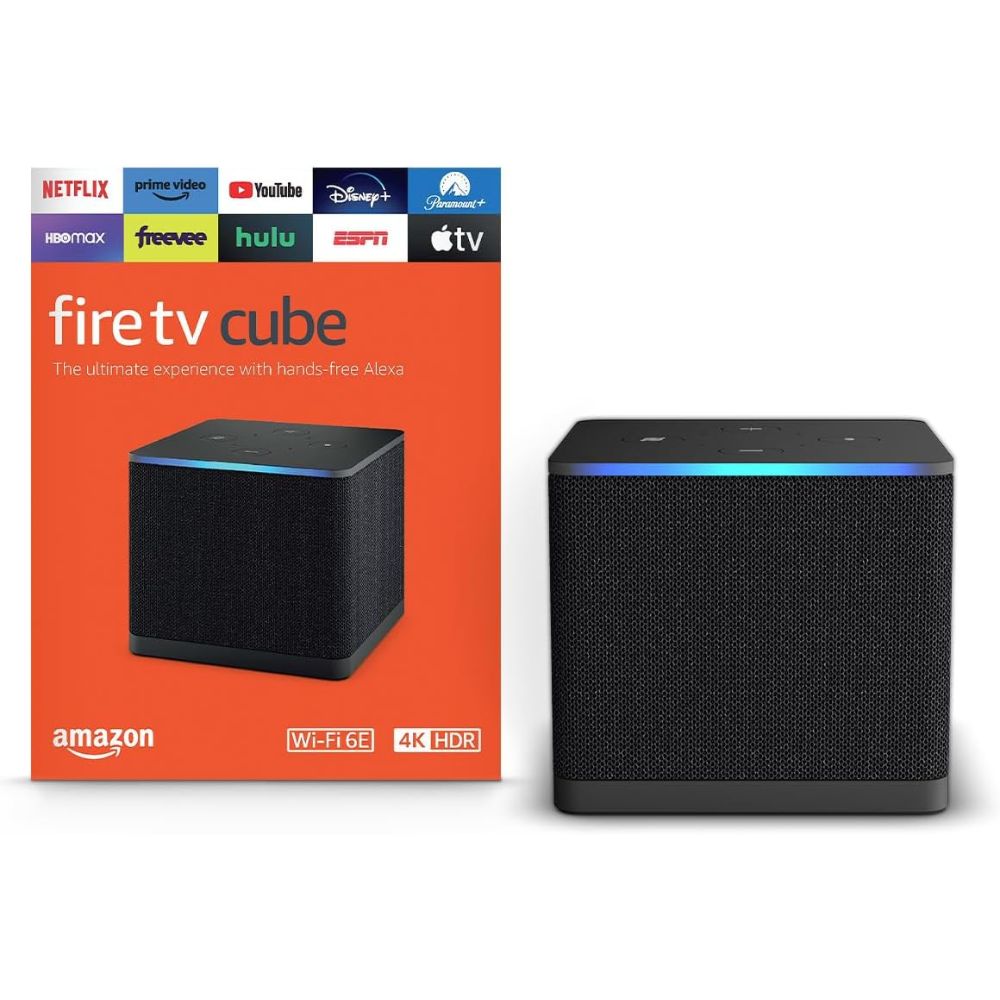
- Hands-free Alexa voice control
- Built-in speaker for quick responses without remote
- 4K Ultra HD streaming with Dolby Vision
- Infrared blaster for controlling external devices
- Multi-directional microphones for far-field voice pickup
The Amazon Fire TV Cube blends voice assistant convenience with robust streaming capabilities. Its integration with Alexa makes it feel more like a smart home hub than a simple streaming device; users can control lights, thermostats, and media playback without lifting a finger. The far-field microphones are a highlight, reliably picking up voice commands even during loud content playback.
Stream quality is competitive, supporting 4K HDR, Dolby Vision, and premium audio formats, meeting the needs of viewers who prioritize picture and sound quality. Although the Fire TV OS skin differs from standard Android TV interfaces, it’s optimized for entertainment and highlights Amazon services alongside popular third-party apps.
User feedback often points to the Cube’s convenience factor, particularly in smart home environments where Alexa routines and inter-device control are essential. However, limitations arise when attempting to install apps outside of Amazon’s curated store, which may frustrate users seeking broader Android app support.
Pros:
- Exceptional Alexa and smart home integration
- Hands-free voice control
- Strong streaming performance
Cons:
- Limited native access to full Android TV app ecosystem
- Requires adjustment for users outside Amazon’s ecosystem
Best suited to users invested in Alexa and smart home automation who want a central voice-controlled entertainment hub.
#4 Xiaomi TV Box S 3rd Gen
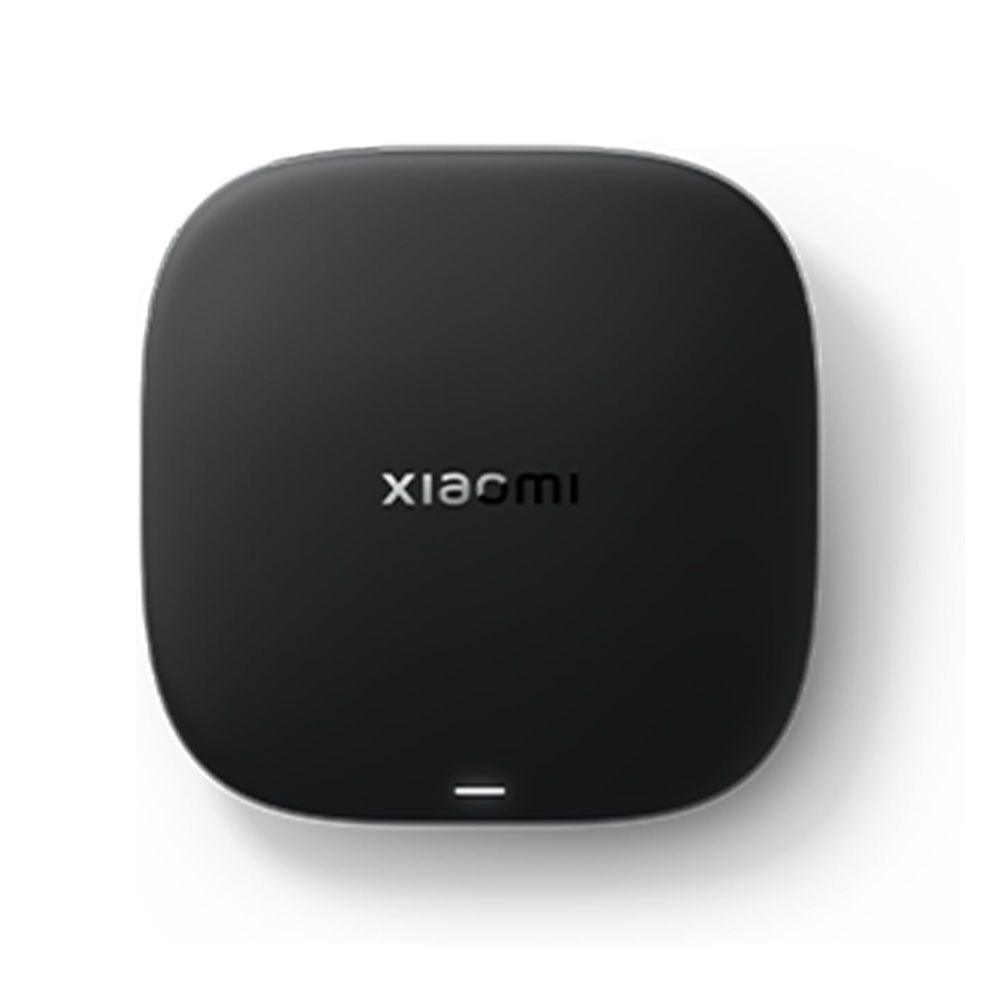
- Google TV interface with personalized content recommendations
- 4K HDR support including Dolby Vision and HDR10+
- Wi-Fi 6 and Bluetooth 5.2 for stable wireless connectivity
- AI-enhanced video upscaling and modern codec support (AV1, VP9, H.265)
- Compact design with a voice-enabled Bluetooth remote
The Xiaomi TV Box S 3rd Gen represents a well-rounded mid-range Android TV option that strikes a solid balance between performance and everyday usability. With its updated chipset built on a modern 6 nm process and an enhanced GPU, it delivers smoother navigation and content playback compared to its predecessor, especially when streaming 4K material. The integration of AV1 codec decoding also helps future-proof the device as more services shift to this more efficient streaming format.
One of the most noticeable strengths of this device is its support for advanced video and audio standards, including Dolby Vision, HDR10+, Dolby Audio, and DTS:X. These capabilities translate to vivid colors, deeper contrast, and immersive sound when paired with compatible TVs and sound systems; a real plus for movie and show enthusiasts. Additionally, the Google TV interface makes content discovery easy with personalized recommendations and a unified view across apps.
However, while the hardware improvements are notable, the Xiaomi TV Box S 3rd Gen isn’t designed for heavy multitasking or high-end gaming. Its 2 GB of RAM is sufficient for streaming apps and casual use, but users switching rapidly between multiple apps or trying resource-intensive tasks might notice occasional slowdowns. Still, as a dedicated streaming device, it consistently delivers responsive performance for most users’ day-to-day needs.
Pros:
- Great 4K HDR support with Dolby Vision and HDR10+
- Wi-Fi 6 and Bluetooth 5.2 improve wireless performance
- Google TV interface with Chromecast and Assistant integration
- Compact and stylish design fits most setups
Cons:
- Limited RAM may challenge heavy multitasking
- USB ports and expandability are basic
- Some users report occasional remote responsiveness issues
Ideal for users who want a feature-rich streaming hub with solid 4K HDR support and a friendly, modern interface without stepping up to higher-tier hardware. It’s especially suited for living rooms where mainstream streaming, casting, and voice control are the priorities.
#5 ONN Android TV 4K UHD
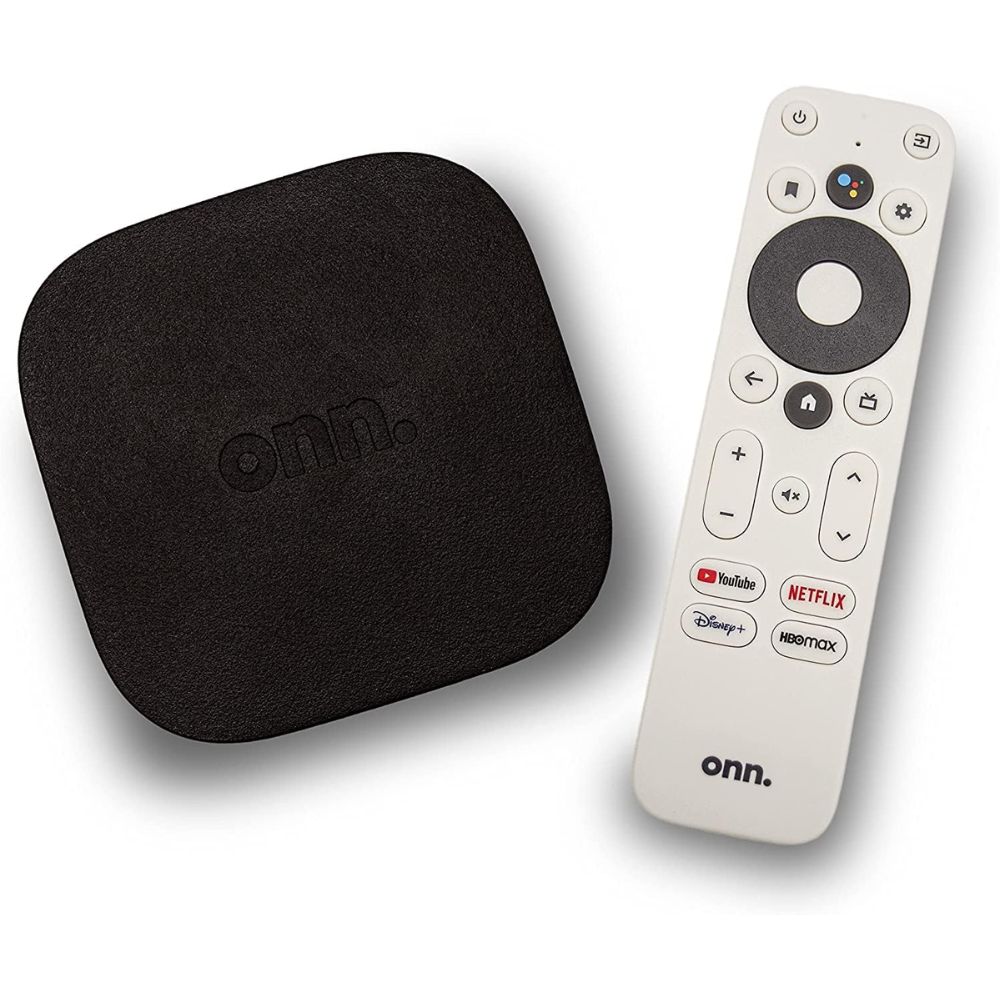
- Affordable and functional 4K UHD streaming
- Android TV with Google Assistant support
- Compact footprint ideal for small spaces
- Basic remote with voice control
- HDR10 support for enhanced visuals
For viewers seeking the most cost-effective way to bring 4K streaming to their living room, the ONN Android TV 4K UHD delivers core features without unnecessary complexity. Its Android TV platform ensures access to major streaming services and periodic updates, which is rare at this end of the market. Voice control via Google Assistant adds convenience normally reserved for higher-end devices.
Streaming quality is respectable, though performance can lag when multitasking or navigating large libraries of installed apps. Users often note that while the interface isn’t as snappy as premium models, it’s more than sufficient for basic binge-watching sessions and everyday entertainment. The remote, while simple, includes the essentials and works well for its price bracket.
The ONN box doesn’t compete with flagship hardware, but it admirably covers the fundamentals. Its value proposition resonates with users who want a future-ready streaming platform without a steep investment.
Pros:
- Excellent basic performance for price category
- Standard Android TV interface
- Compact and easy to set up
Cons:
- Less responsive in heavy use
- Limited expandability and performance headroom
Perfect for budget-conscious users and secondary rooms where high performance isn’t a priority.
Android TV Box Buying Guide for Beginners
- Understand Your Primary Use Case
Before choosing an Android TV box, clearly define what you want it to do. If you plan to game, run emulators, or use cloud gaming services, you’ll need a powerful device with a strong processor and good GPU performance. If your goal is simply streaming Netflix, YouTube, and Disney+ in 4K, a mid-range or budget model will be more than sufficient. Matching the device to your usage prevents overspending or performance frustration.
- Check Resolution and HDR Support
Most modern Android TV boxes support 4K resolution, but you should confirm whether they also support HDR formats such as HDR10 or Dolby Vision. If you own a 4K HDR television, choosing a box with proper HDR support will significantly improve brightness, contrast, and color accuracy. However, if your TV is Full HD (1080p), you don’t need to prioritize advanced HDR features.
- Look at Processor and RAM for Performance
Performance affects how fast apps open, how smooth the interface feels, and whether multitasking causes lag. Entry-level boxes typically have basic quad-core processors and limited RAM, which are fine for streaming but may struggle with heavier apps. Higher-end models with stronger chipsets deliver smoother navigation, faster loading times, and better long-term reliability.
- Ensure Official Certification for Streaming Apps
Not all Android-based TV boxes are officially certified by major streaming platforms. Certified devices ensure full-resolution playback on services like Netflix and Prime Video. Without certification, some apps may be limited to lower resolutions or may not work properly. For beginners, sticking with Google-certified or well-known brands is the safest approach.
- Consider Ecosystem Compatibility
Your existing ecosystem matters. If you use Google services, smart speakers, and Chromecast regularly, a Google TV-based device will integrate more naturally. If your home is powered by Alexa-enabled devices, a Fire TV device may provide smoother smart home control. Choosing a box that fits your digital ecosystem simplifies voice commands and device management.
- Evaluate Connectivity Options
Stable streaming depends heavily on internet connectivity. If your Wi-Fi signal is strong and your router is nearby, Wi-Fi connectivity will usually suffice. However, if your router is far from your TV or you stream high-bitrate 4K content, having an Ethernet port for wired internet can significantly improve stability and reduce buffering.
- Check Storage and Expandability
Most Android TV boxes come with limited internal storage. While this is enough for basic streaming apps, users who plan to install many apps or games should consider models with expandable storage options like USB ports or microSD support. More storage gives you flexibility and reduces the need to constantly uninstall apps.
- Assess Remote Control and Voice Features
Modern Android TV boxes often include voice-enabled remotes. This allows you to search for shows, control playback, and manage smart home devices using voice commands. Some devices even support hands-free voice control without pressing a button. For new users, voice features make navigation much easier and more intuitive.
- Think About Long-Term Software Updates
Regular software updates improve performance, fix bugs, and maintain security. Established brands tend to offer better long-term update support. While budget models may work well initially, fewer updates could impact performance over time. For longevity, choose a device with a solid track record of updates.
- Balance Budget with Performance Needs
Finally, avoid assuming that the most expensive option is always the best choice. If your primary need is streaming movies and TV shows, a budget or mid-range Android TV box will perform perfectly well. Higher-end devices are best reserved for users who want gaming, advanced upscaling, or smart home hub capabilities.
Best Practices for Maximizing Your Android TV Box Performance
- Use a Stable and Fast Internet Connection
Streaming performance heavily depends on your internet speed and stability. For smooth 4K streaming, aim for at least 25 Mbps of consistent download speed. If possible, connect your Android TV box via Ethernet instead of Wi-Fi, especially if your router is far from your TV. A wired connection reduces buffering, improves stream quality, and minimizes lag during cloud gaming.
- Keep the Software Updated
Regular system updates improve performance, fix bugs, and enhance security. Manufacturers frequently release firmware updates that optimize system stability and compatibility with streaming apps. Check for updates in the settings menu periodically and install them to ensure your device runs smoothly.
- Restart the Device Regularly
Just like smartphones and computers, Android TV boxes benefit from occasional restarts. Restarting clears temporary system memory (RAM), closes background apps, and refreshes processes that may slow down performance over time. If your interface starts feeling sluggish, a simple restart often restores responsiveness.
- Limit Unnecessary Apps
Installing too many apps can clutter storage and consume background resources. Stick to the apps you actually use and uninstall unused ones. This not only frees up storage space but also improves system responsiveness, particularly on entry-level and mid-range devices with limited RAM.
- Clear App Cache Periodically
Over time, streaming apps accumulate cached data that can slow them down or cause glitches. Navigate to your app settings and clear cache (not data unless necessary) for frequently used apps like Netflix or YouTube. This can resolve playback issues and improve loading speeds without affecting your login credentials.
- Optimize Display Settings for Your TV
Ensure your resolution and refresh rate match your television’s capabilities. If your TV supports 4K HDR, enable the appropriate display settings for the best picture quality. However, if you experience stuttering or compatibility issues, switching to auto resolution mode can help maintain smoother playback.
- Close Background Apps
Many users don’t realize Android TV box can keep apps running in the background. If your device supports multitasking, close apps you’re not actively using. This frees up RAM and improves overall performance, especially on devices with lower memory capacity.
- Use High-Quality HDMI Cables
A certified high-speed HDMI cable ensures stable 4K HDR transmission. Poor-quality cables can cause flickering, signal dropouts, or resolution limitations. If you’re using 4K at 60Hz with HDR, make sure your HDMI cable supports sufficient bandwidth.
- Manage Storage Wisely
Low storage can cause system slowdowns and update failures. Keep at least 20–30% of internal storage free for optimal performance. If your Android TV box supports external storage via USB, consider adding it for additional apps or media files.
- Avoid Overheating
Ensure your Android TV box has proper ventilation. Do not place it inside a tightly enclosed cabinet without airflow. Overheating can throttle performance and reduce the lifespan of internal components. Keeping the device cool helps maintain consistent speed and stability.
- Reboot Your Router Occasionally
Performance issues are not always caused by the Android TV box itself. Restarting your router once in a while refreshes the network connection and can solve buffering or streaming quality drops.
- Use Official Apps from Trusted Sources
Stick to official apps from the Google Play Store or the device’s native app store. Third-party or unofficial apps may not be optimized, potentially causing crashes or slowdowns. Certified apps ensure better compatibility and smoother playback.
Is an Android TV Box Worth It?
Android TV boxes can be a valuable addition to your home entertainment setup, but whether they’re “worth it” depends on how you plan to use them. Below is a balanced look to help you decide.
It’s worth it if…
- You want a consistent, modern streaming interface with access to a wider range of apps than your TV’s built-in software provides.
- You stream 4K HDR content regularly and want reliable performance and codec support.
- You enjoy voice control, casting, and smart assistant functionality for easier navigation.
- You want to add advanced features (like gaming, expanded app libraries, or smart home integration) without buying a new TV.
- Your current TV’s software feels slow, outdated, or limited in supported services.
Who might not need one
- You already have a Smart TV with a smooth, updated interface and all the streaming services you use.
- You only watch standard definition or casual content and don’t plan to use advanced features.
- Your viewing needs are minimal and the added complexity doesn’t improve your experience.
Android TV boxes are practical for many users, especially those seeking more flexibility, better performance, or a feature-rich streaming experience than what’s built into most TVs. For casual viewers with satisfactory TV software, the benefit may be less noticeable.
FAQ
What should I consider when choosing an Android TV box?
Focus on performance (for gaming or multitasking), smart home integration, streaming needs, and ecosystem compatibility. Higher-end boxes offer more features, while mid-range and budget models excel at core streaming tasks.
Can Android TV boxes run all streaming apps?
Most Android TV boxes support major apps like Netflix, YouTube, and Disney+. However, some devices (especially non-Google certified ones) may have restrictions or require sideloading for select apps.
Is gaming possible on Android TV boxes?
Yes, but performance varies. Devices with powerful processors like the NVIDIA Shield TV Pro are best for gaming. Budget boxes can handle casual games but may struggle with demanding titles.
Do these devices support voice control?
Many modern Android TV boxes include voice control via Google Assistant or Alexa, either built into the remote or the device itself, allowing hands-free navigation and smart home control.
Will an Android TV box improve my old TV?
Absolutely. Adding an Android TV box can bring modern streaming interfaces, app access, and smart features to older televisions, upgrading your entertainment experience.